
iPhone スクリーンショット
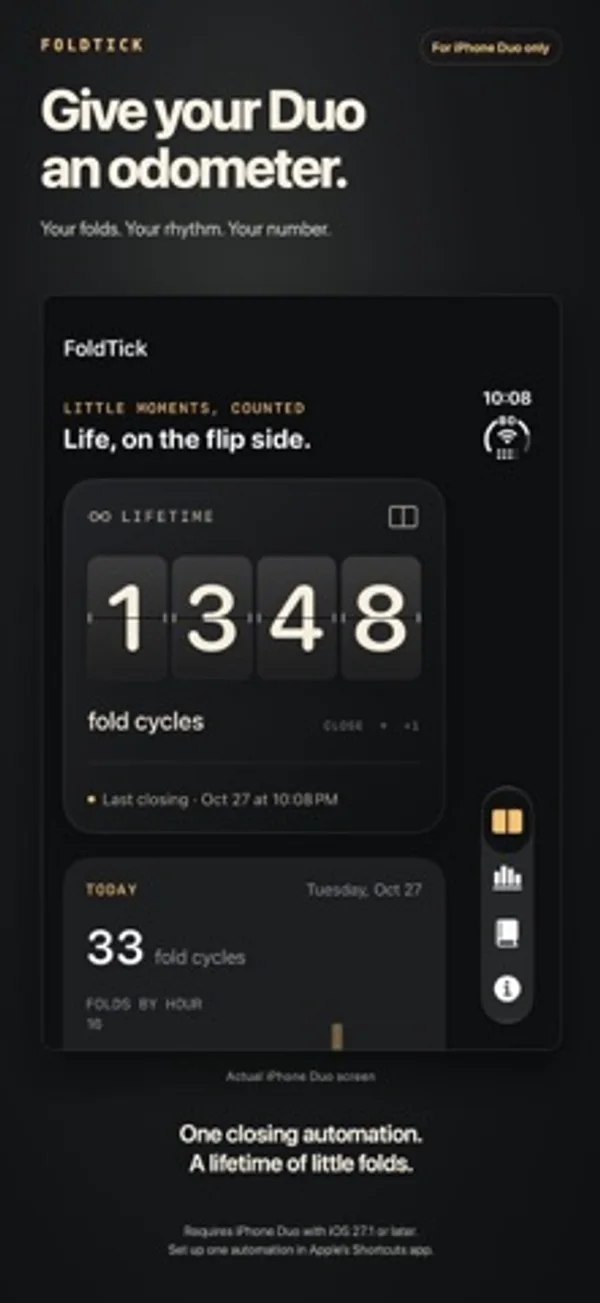
iPhone Duo での活用
ショートカットで閉じるオートメーションを設定すると、受け取った動作を数えます。機関室の歯車はヒンジとともに動きます。
新機能
バージョン 1.8 ·
Give your fold counter a new face. Choose from Modern Minimalist, Departure Board, Mechanical Odometer, Vintage Nixie and Industrial Tally. Preview each style in Settings, then see it on your Counter and full-color Home Screen widgets.
開発者はこの内容を日本語化していません。
App Store の説明開発者による説明です。
For iPhone Duo only. Give your Duo a fold counter with a face of its own. That satisfying feeling of folding your Duo closed? Put a number on it. FoldTick turns everyday folds into a customizable counter, useful widgets and a growing picture of how you use your Duo. A COUNTER WITH CHARACTER Choose from Modern Minimalist, Departure Board's split flaps, Mechanical Odometer's ivory drums, Vintage Nixie's amber glow or Industrial Tally's steel case. Preview all five in Settings under Counter Style. Your choice carries across to full-color Home Screen widgets. MILESTONE CERTIFICATES The FoldTick Office of Hinge Affairs takes your folds with entirely unnecessary seriousness. At 100, 500, 1,000, 5,000 and every 10,000 folds, claim a dated certificate with your name and an absurdly formal title. Share it as an image, save an A4 PDF or print it for the wall. DUO ENGINE ROOM Your Duo has a secret world inside. Unfold it and step into an imagined steampunk engine room of brass gears, winding springs and mysterious amber light. Gently move the hinge and the machinery turns with you. A glass bulb brightens as you move, then fades as you hold still, while mechanical flap displays show your hinge angle and lifetime fold count. Made for the inner display, in portrait or landscape. YOUR COUNT, WHERE YOU WANT IT Home Screen widgets range from compact and wide counters to a medium Weekly Counter. The large Activity widget combines your lifetime count, seven-day chart and 30-day calendar. Main counters support Today or All time; the Activity widget shows All time. Home Screen widgets adapt to light and dark. The Lock Screen 7-Day Counter comes in circular and rectangular sizes. It totals recorded folds from today and the previous six days. Tap a seven-day counter or Home Screen chart to open Activity. Widgets update automatically as folds are recorded. A HEAD START FOR YOUR COUNTER Folded your Duo before installing FoldTick? Add an estimate in Settings. It contributes to your lifetime total and milestones; daily activity and insights use recorded folds. Edit or clear the estimate any time. SEE HOW YOUR DAY UNFOLDS Explore hourly activity, a seven-day chart, a 30-day calendar and your latest folds. Personal insights show your daily average, busiest day and hour, and weekly change using up to 30 completed days. SHARE A LITTLE OF YOUR RHYTHM Save or share styled images of your lifetime count, daily folds, weekly chart, 30-day calendar or insights. SET IT UP. LET IT TICK. Add FoldTick's ready-made Record Fold shortcut, then turn on Automation. The illustrated guide walks through import, enabling, a one-fold check and an optional earlier-fold estimate. It links to Shortcuts on the App Store if needed. Existing working automations need no replacement. Once configured, Record Fold can count off-screen, including while your Duo is locked after its first unlock. JUST YOUR FOLDS No account. No ads. No subscriptions. No analytics service. History and insights stay on your device. Sharing is your choice. IMPORTANT COMPATIBILITY AND SETUP Automatic counting requires iPhone Duo with iOS 27.1 or later and one enabled closing automation in Apple's Shortcuts app. Other iPhone models lack the required closing trigger. Each closing action delivered by Shortcuts adds one fold cycle. Counting starts after setup; earlier folds and undelivered actions cannot be recovered. Insights exclude today, the first recording day and your Earlier folds estimate; weekly comparisons need 14 completed days. Days without received folds count as zero, including when an automation did not run. iOS schedules widget updates, so widgets may lag behind the saved count. FoldTick is independent and is not affiliated with or endorsed by Apple. iPhone Duo is a trademark of Apple Inc.
iPhone Duo での FoldTick:よくある質問
FoldTick は iPhone Duo に最適化されていますか?
はい。FoldTick は「Duo 専用設計」で、折りたたみ、Split View、外側ディスプレイを活用しています。2026年11月15日 に確認(開発者の発表)。
iPhone Duo での FoldTick はどう見えますか?
ショートカットで閉じるオートメーションを設定すると、受け取った動作を数えます。機関室の歯車はヒンジとともに動きます。
FoldTick の価格は?
FoldTick は App Store で ¥150 です。
その他のユーティリティアプリ
すべて見る ›
世界時計や天気を見たり、街の風景を画面に置いたり、集中タイマーを使ったりできます。

片手の親指に寄せたり、左右に分けたりできるキーボードで、タップやなぞり入力ができます。

開閉回数や一日の傾向を記録し、ウィジェットに集計を表示します。

スマートフォンの開閉回数を記録し、推移を見ながら一日の上限を設定できます。

開閉回数や姿勢ごとの時間を記録し、センサー、推定、手動の記録を区別します。

基本・関数・プログラマー向けの計算と単位変換、履歴の再利用ができます。