
iApp - Global Charts & Search
국가별 App Store 순위를 살펴보고 앱 버전, 판매 여부, 가격을 추적합니다.
天从 何 · 유틸리티 · ₩4,400
iPhone 스크린샷
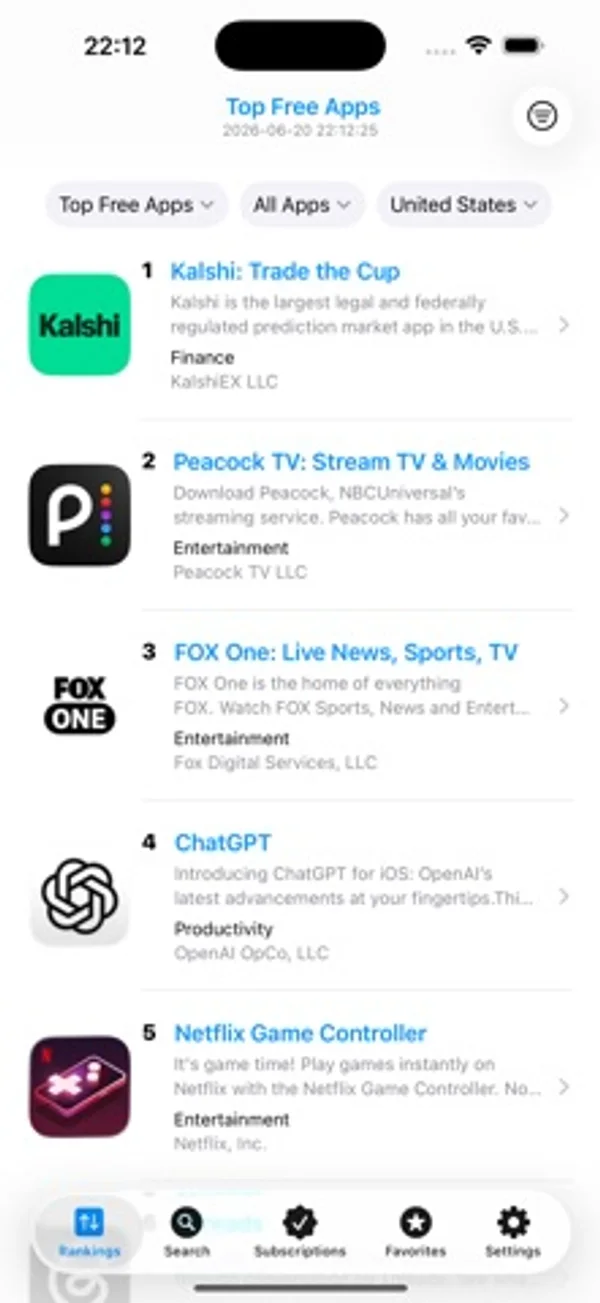
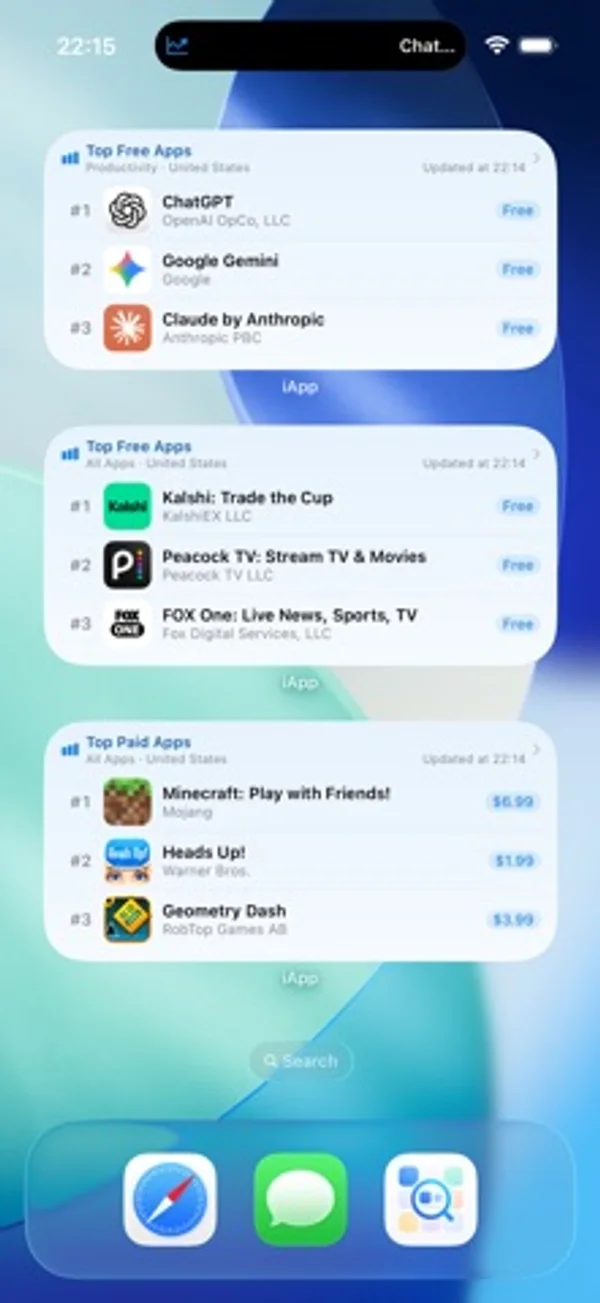
iPhone Duo 활용 방식
펼친 상태에서 가로로 돌리면 순위, 앱 상세 정보, 구독 화면이 넓은 내부 화면에 맞춰 배치됩니다.
새로운 기능
버전 2.11.0 ·
iApp v2.11.0 major update This version is made for the unfolded iPhone Duo, so charts, details, and subscriptions have room to breathe. 1. Designed for the iPhone Duo inner display. Unfold it, turn to landscape, and charts, search, app details, favorites, subscriptions, and settings spread across the wide canvas. Ranks, prices, and developer names stay easy to read. 2. The Home Screen grows with it. Rank widgets and subscription widgets can sit side by side, so popular charts and the apps you are watching are visible at a glance. 3. Open the system App Store from app details. Open in App Store uses the storefront for the region you are viewing. The in-app preview is still there. 4. The screenshot gallery refits each image when you change quality. Moving from standard to high resolution or original shows the full cover, instead of cropping it with the previous zoom. 5. On iOS 27, lists meet the top of the screen with a soft blur. Charts, search, details, and settings look calmer, and a crash in that edge handling is fixed so scrolling stays steady. Ratings and notes are welcome. Rate iApp on the App Store, or write to us from Settings and Feedback. Every note is read.
개발자가 이 내용을 한국어로 제공하지 않았습니다.
App Store 설명개발자가 작성한 내용입니다.
iApp is a third-party App Charts Store browser for developers, PMs, and app fans. No sign-in or Apple ID switching—browse 170+ storefront charts, search details, and track version, availability, and price drops. Data from Apple’s public iTunes APIs. Not affiliated with Apple Inc. WHY CHOOSE iAPP 1. Cross-region without switching accounts Browse 170+ markets. Keyword region search. Customizable Quick Region chips (shared or separate, unlimited). Switch region on the detail header; All Regions stays available. System region helper reads the storefront and lets you confirm or copy the official jump link. 2. Rich charts, flexible persistent filters 12 live charts: Free, Paid, Grossing, and New for iPhone, iPad, and Mac. 26 categories plus 18 game subgenres. Filters save and scroll to top. Mac/iPad Paid & Grossing use progressive web charts; platform badges. Optional rank history & presets with interactive charts and silent foreground refresh. Share long ranking snapshots. 3. Search & detail in one place Keyword search with region and iPhone/iPad/Mac filters; paste App Store links or App IDs. Search history; dismiss search while keeping results (iOS 15+). Catalog-first screenshots and App Preview video (HLS, copy/save). Reviews with sort, star filter, expand text, load more, developer replies; fallback APIs. Same-developer preview; full developer list with sorts, by-rank, text/CSV/image export. All Regions: availability, price, version, by-rank, content compare. Favorite, share QR cards, or subscribe to version / new listing / delisting / price drop. 4. Subscription monitoring Auto-poll with global/per-item intervals (h/m/s, min 10s). Keyword/platform search for version/delisting; App ID or link for new listings. Track updates, new listings, delistings, and price drops; pause/resume. Optional per-item Live Activity (Lock Screen / Dynamic Island). Optional Preferences iCloud. Subscription Tab can hide. 5. Favorites that stick Star or swipe to favorite by region. Optional Favorites Tab; shortcuts & Deep Links. Pin, groups, notes; multi-select; filter by group, region, category, or ranking. 9 sorts; export text, CSV, or long images. Developer Favorites (optional Tab + independent iCloud). Browse history up to 100 apps. 6. Home & Lock Screen widgets iOS 17+: Ranking widgets (type, category, region, game subgenre) Small–Extra Large + Lock Screen; Favorites sync pin-first. Deep Links; theme-following backgrounds; 18 UI languages. iOS 16.2+: Live Activities for Top 6 rankings and subscription monitors (separate LA toggle). 7. Lists & browsing extras List/grid on rankings (iPhone 2–4 cols, iPad 3–6); Search & Favorites layouts separate. Multi-field rows: summary, rating, size, min OS, dates, version, content rating, languages. Long-press: All Regions, Store page, same developer, homepage, subscribe, favorite developer. APPEARANCE & SETTINGS System / Light / Dark; 18 languages; 9 alternate icons. App Settings: cellular alerts; Subscription / Favorites / Developer Favorites tabs. Preferences iCloud for subscriptions, filter presets, search & quick regions. Up to 4 shortcuts from 15 destinations; Siri & App Intents. HIGHLIGHTS Native SwiftUI; public APIs only; optional iCloud; widgets (iOS 17+); shortcuts & Siri; 12 charts, 18 game subgenres, 170+ regions, reviews with developer replies, Live Activity, multi-field lists, version history, same-developer preview. IMPORTANT Third-party tool—not the official App Store. Data depends on Apple public APIs. Subscription monitoring works in the foreground—not system push. Widgets need iOS 17+; main app needs iOS 15+. Shortcuts: system max 4 among 15 destinations. Live Activity needs iOS 16.2+; no refresh when fully quit. Prefer Wi-Fi for heavy All Regions queries; saving video needs Photos permission.
iPhone Duo에서의 iApp - Global Charts & Search: 자주 묻는 질문
iApp - Global Charts & Search은(는) iPhone Duo에 최적화되어 있나요?
부분적으로요. iApp - Global Charts & Search은(는) 화면 대응 앱으로, 더 넓은 내부 디스플레이를 꽉 채웁니다. 다만 폴딩 전용 기능은 없습니다. 2026년 11월 3일 확인(개발자 발표).
iPhone Duo에서 iApp - Global Charts & Search은(는) 어떻게 보이나요?
펼친 상태에서 가로로 돌리면 순위, 앱 상세 정보, 구독 화면이 넓은 내부 화면에 맞춰 배치됩니다.
iApp - Global Charts & Search의 가격은 얼마인가요?
iApp - Global Charts & Search은(는) App Store에서 ₩4,400입니다.
다른 유틸리티 앱
모두 보기 ›
개폐 횟수, 자세별 시간과 일별 패턴을 기록하고 실시간, 추정과 수동 기록을 구분합니다.

기본·공학·프로그래머 키패드로 계산하고 단위를 변환하며 기록을 재사용합니다.

휴대폰을 여닫으며 변하는 접힘 각도를 확인합니다.

실시간 각도를 확인하고 목표 각도 챌린지를 시도합니다.

설명과 연습 문제, 모의시험으로 Unix 권한을 학습합니다.

오프셋과 새들 등 전선관 굽힘을 계산하고 계획합니다.