
iApp - Global Charts & Search
Browse App Store charts across storefronts and track app versions, availability and prices.
天从 何 · Utilities · $2.99
iPhone screenshots
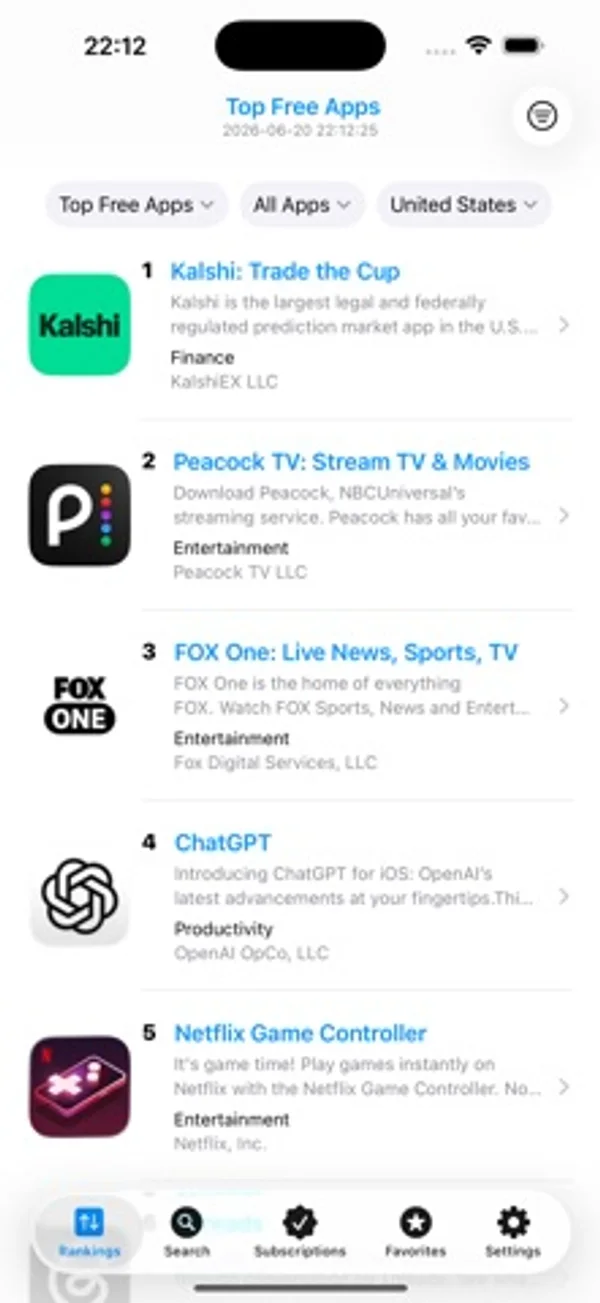
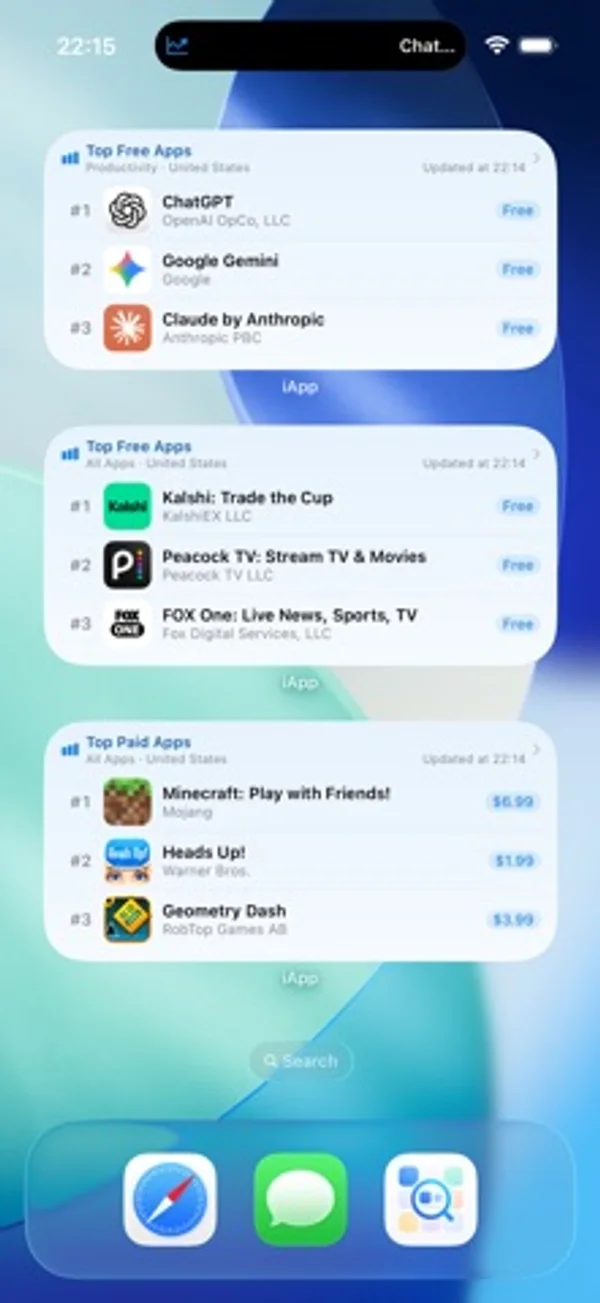
How it uses iPhone Duo
On the unfolded inner display in landscape, charts, app details and subscriptions use the wider layout.
What’s New
Version 2.11.0 ·
iApp v2.11.0 major update This version is made for the unfolded iPhone Duo, so charts, details, and subscriptions have room to breathe. 1. Designed for the iPhone Duo inner display. Unfold it, turn to landscape, and charts, search, app details, favorites, subscriptions, and settings spread across the wide canvas. Ranks, prices, and developer names stay easy to read. 2. The Home Screen grows with it. Rank widgets and subscription widgets can sit side by side, so popular charts and the apps you are watching are visible at a glance. 3. Open the system App Store from app details. Open in App Store uses the storefront for the region you are viewing. The in-app preview is still there. 4. The screenshot gallery refits each image when you change quality. Moving from standard to high resolution or original shows the full cover, instead of cropping it with the previous zoom. 5. On iOS 27, lists meet the top of the screen with a soft blur. Charts, search, details, and settings look calmer, and a crash in that edge handling is fixed so scrolling stays steady. Ratings and notes are welcome. Rate iApp on the App Store, or write to us from Settings and Feedback. Every note is read.
App Store descriptionWritten by the developer.
iApp is a third-party App Charts Store browser for developers, PMs, and app fans. No sign-in or Apple ID switching—browse 170+ storefront charts, search details, and track version, availability, and price drops. Data from Apple’s public iTunes APIs. Not affiliated with Apple Inc. WHY CHOOSE iAPP 1. Cross-region without switching accounts Browse 170+ markets. Keyword region search. Customizable Quick Region chips (shared or separate, unlimited). Switch region on the detail header; All Regions stays available. System region helper reads the storefront and lets you confirm or copy the official jump link. 2. Rich charts, flexible persistent filters 12 live charts: Free, Paid, Grossing, and New for iPhone, iPad, and Mac. 26 categories plus 18 game subgenres. Filters save and scroll to top. Mac/iPad Paid & Grossing use progressive web charts; platform badges. Optional rank history & presets with interactive charts and silent foreground refresh. Share long ranking snapshots. 3. Search & detail in one place Keyword search with region and iPhone/iPad/Mac filters; paste App Store links or App IDs. Search history; dismiss search while keeping results (iOS 15+). Catalog-first screenshots and App Preview video (HLS, copy/save). Reviews with sort, star filter, expand text, load more, developer replies; fallback APIs. Same-developer preview; full developer list with sorts, by-rank, text/CSV/image export. All Regions: availability, price, version, by-rank, content compare. Favorite, share QR cards, or subscribe to version / new listing / delisting / price drop. 4. Subscription monitoring Auto-poll with global/per-item intervals (h/m/s, min 10s). Keyword/platform search for version/delisting; App ID or link for new listings. Track updates, new listings, delistings, and price drops; pause/resume. Optional per-item Live Activity (Lock Screen / Dynamic Island). Optional Preferences iCloud. Subscription Tab can hide. 5. Favorites that stick Star or swipe to favorite by region. Optional Favorites Tab; shortcuts & Deep Links. Pin, groups, notes; multi-select; filter by group, region, category, or ranking. 9 sorts; export text, CSV, or long images. Developer Favorites (optional Tab + independent iCloud). Browse history up to 100 apps. 6. Home & Lock Screen widgets iOS 17+: Ranking widgets (type, category, region, game subgenre) Small–Extra Large + Lock Screen; Favorites sync pin-first. Deep Links; theme-following backgrounds; 18 UI languages. iOS 16.2+: Live Activities for Top 6 rankings and subscription monitors (separate LA toggle). 7. Lists & browsing extras List/grid on rankings (iPhone 2–4 cols, iPad 3–6); Search & Favorites layouts separate. Multi-field rows: summary, rating, size, min OS, dates, version, content rating, languages. Long-press: All Regions, Store page, same developer, homepage, subscribe, favorite developer. APPEARANCE & SETTINGS System / Light / Dark; 18 languages; 9 alternate icons. App Settings: cellular alerts; Subscription / Favorites / Developer Favorites tabs. Preferences iCloud for subscriptions, filter presets, search & quick regions. Up to 4 shortcuts from 15 destinations; Siri & App Intents. HIGHLIGHTS Native SwiftUI; public APIs only; optional iCloud; widgets (iOS 17+); shortcuts & Siri; 12 charts, 18 game subgenres, 170+ regions, reviews with developer replies, Live Activity, multi-field lists, version history, same-developer preview. IMPORTANT Third-party tool—not the official App Store. Data depends on Apple public APIs. Subscription monitoring works in the foreground—not system push. Widgets need iOS 17+; main app needs iOS 15+. Shortcuts: system max 4 among 15 destinations. Live Activity needs iOS 16.2+; no refresh when fully quit. Prefer Wi-Fi for heavy All Regions queries; saving video needs Photos permission.
iApp - Global Charts & Search on iPhone Duo: FAQ
Is iApp - Global Charts & Search optimized for iPhone Duo?
Partly. iApp - Global Charts & Search is Adapted: it fills the larger inner display, but it does not do anything special with the fold. Verified on November 3, 2026 (Developer statement).
What does iApp - Global Charts & Search look like on iPhone Duo?
On the unfolded inner display in landscape, charts, app details and subscriptions use the wider layout.
How much does iApp - Global Charts & Search cost?
iApp - Global Charts & Search costs $2.99 on the App Store.
More Utilities apps
See all ›
Track fold and unfold events, posture time and daily patterns, distinguishing live, inferred and manual counts.

Calculate with basic, scientific and programmer keypads, unit conversion and reusable history.

Watch the folding angle change as you open and close the phone.

View live angle measurements and try target-angle challenges.

Learn Unix permissions with explanations, practice questions and certification-style exams.

Plan conduit bends with calculators for offsets, saddles and other pipe layouts.