
iPhone 스크린샷
새로운 기능
버전 4.3 ·
Optimized for iOS 27 & iPhone Duo.
개발자가 이 내용을 한국어로 제공하지 않았습니다.
App Store 설명개발자가 작성한 내용입니다.
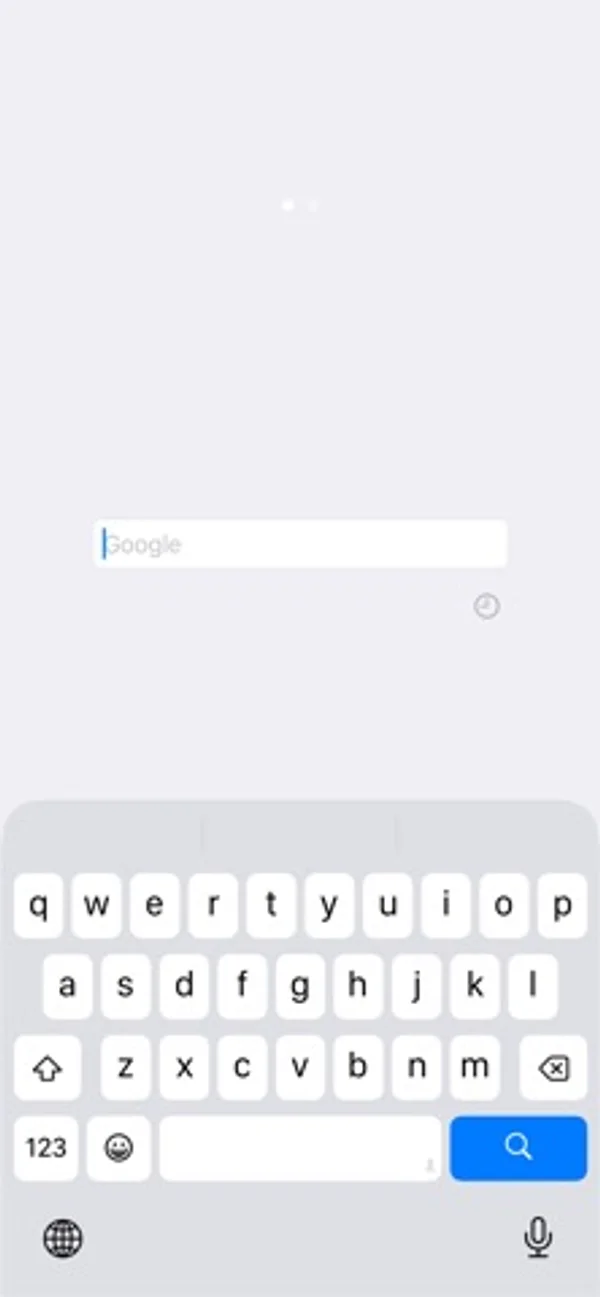
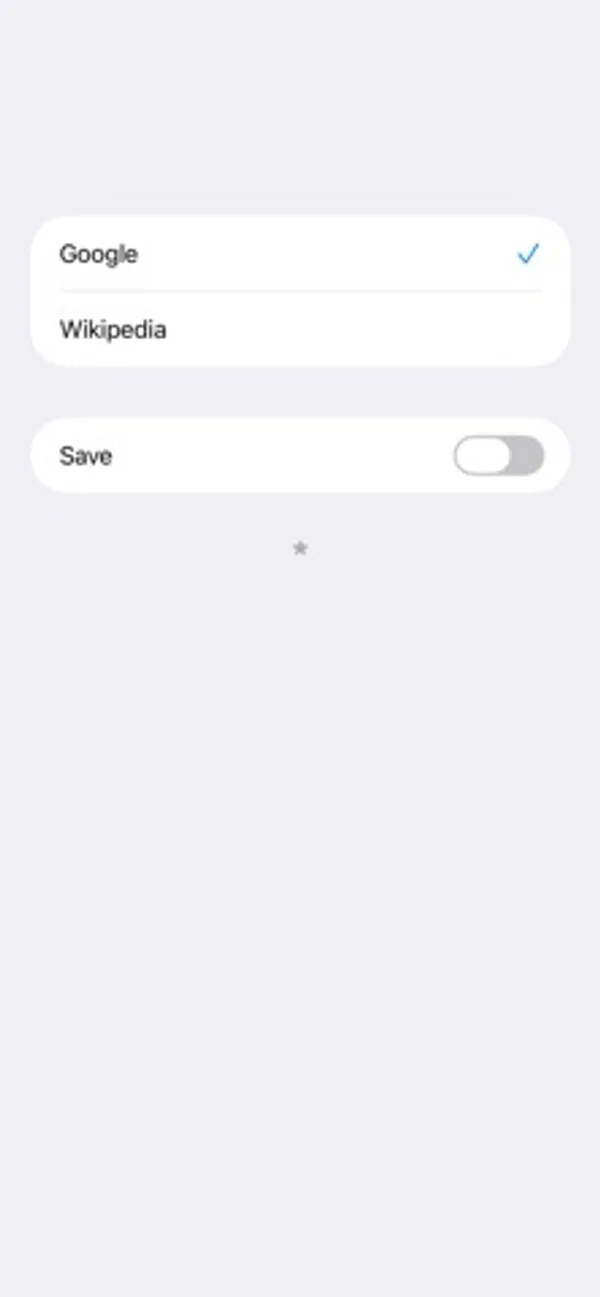
Just Quick Search is helper app to your search very quickly. # Search Targets - Google - Wikipedia - In addition to the above, you can add search targets. # You can input quickly - You don't need to scroll. - You don't need to tap the text field. - When application resumed, text field is empty and you can input immediately. # Save Switch - ON: When application launch or resume, the search target is you selected last. - OFF: When application launch or resume, the search target is the top. # History - Keywords you enter are recorded. - Max 300 items. - Can delete all. - Can delete selectively. # Autocomplete - Input candidates will be displayed in a two-stage. - Top: from History. - Bottom: from Web. # Settings - The view shows when you tap the "STAR" button at the bottom of the right screen. ## In App Browser - You can make settings related to the in app browser. - In app browser's URL Scheme is "jqs". ## Custom Search - You can customize the search targets. - The number of search targets you can add is unlimited. - For more information, please visit the support page. ## Sort - You can sort search targets. ## Wallpaper - You can set the wallpaper. - Optimal image size is the pixel size of the device. - Ex) iPhone 16 Pro: 2,622 x 1,206 pixels. ## Appearance - You can select the appearance, default or light or dark. ## Home - You can specify the URL of Home page. - In the search screen, when the text field is empty and you tap the "Search" button, the home page will be displayed. ## Paste Button - Paste button to the search screen will be displayed. - When you tap the Paste button on the search screen, the contents of the clipboard will be pasted into the text field. ## Auto Copy - When execute search, the contents of the text field will be copied to the clipboard. ## Auto Return - When select the search target, go back to the search screen automatically. ## Auto Move - Automatically displays the search target selection screen when the application is launched or restarted. ## Auto Search - When launching from the custom URL scheme or notification center, the search is execute automatically. ## Open URL - When you execute a search with the URL is entered, open the URL directly. - For more information, please visit the support page. ## Hide Page Control - Hide page control in search screen. ## Support - Jump to the support page of this app. # Custom URL Scheme - Custom URL Scheme is "justquicksearch". ## justquicksearch:// - Launch this app. ## justquicksearch://${keyword} - With the ${keyword} has been entered, this app is launched. # EULA - https://www.apple.com/legal/internet-services/itunes/dev/stdeula/
iPhone Duo에서의 Just Quick Search: 자주 묻는 질문
Just Quick Search은(는) iPhone Duo에 최적화되어 있나요?
아직은 아닙니다. Just Quick Search은(는) 호환 실행 앱으로, 변경 없이 기존 iPhone 레이아웃으로 실행됩니다. 2026년 11월 15일 확인(개발자 발표).
Just Quick Search의 가격은 얼마인가요?
Just Quick Search은(는) App Store에서 무료로 다운로드할 수 있습니다.
다른 유틸리티 앱
모두 보기 ›
꾸밀 수 있는 카운터, 그래프, 위젯으로 일별 및 누적 접기 횟수를 봅니다.

세계 시각과 날씨를 보고 도시 풍경을 화면에 꾸미거나 집중 타이머를 켭니다.

한쪽 엄지에 맞추거나 둘로 나눌 수 있는 키보드로 글자를 누르거나 쓸어 입력합니다.

휴대전화 개폐 횟수와 일별 패턴을 기록하고 위젯으로 통계를 확인합니다.

휴대폰을 접고 펼친 횟수와 추이를 확인하고 하루 한도를 설정합니다.

개폐 횟수, 자세별 시간과 일별 패턴을 기록하고 실시간, 추정과 수동 기록을 구분합니다.