
Snapling: Digital Photo Albums
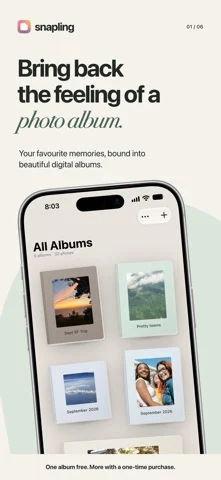
사진을 표지, 레이아웃, 페이지 넘김 효과가 있는 디지털 앨범으로 만듭니다.
Vedantha Kartheek Thirumala Sreenivasan · 크리에이티브 · 무료
iPhone 스크린샷
새로운 기능
버전 2.2 ·
Version 2.2 contains no functional changes from the previously approved version 2.1. This build is provided solely to publish updated US App Store metadata: the description, subtitle, and keywords. The app’s features and behavior remain unchanged.
개발자가 이 내용을 한국어로 제공하지 않았습니다.
App Store 설명개발자가 작성한 내용입니다.
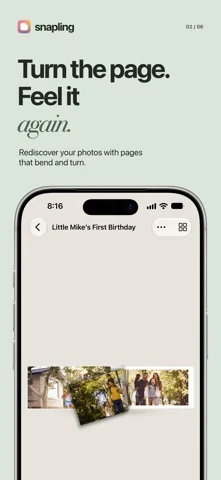
Turn photos you already have into a digital album you can flip through like a real book. Import a Photos album or select photos and videos, choose a cover and page layout, then revisit your memories one page at a time. Start free with one album and up to 50 photos and videos combined. Every feature below is included; the optional Snapling Unlimited one-time purchase removes those limits. No subscription and no Snapling account required. Make it your own: • Choose from four album styles • Turn pages with a realistic page curl • Change album covers and page layouts • Add, remove and reorder photos and videos • Rename albums at any time • Lock private albums with Face ID or your device passcode • Export albums as PDFs for sharing or printing Private and in sync: Album data and imported media are stored on your device and in your private iCloud database. Your albums sync across iPhone and iPad when both use the same iCloud account. No Snapling account is required. IN-APP PURCHASE AND LEGAL INFORMATION All the features above are included in the free version for one album containing up to 50 photos and videos in total. Snapling Unlimited is an optional, one-time in-app purchase that removes the one-album and 50-item limits. It is not a subscription. Purchases are processed by Apple. Restore Purchase is available in Snapling Settings. Privacy Policy: https://snapling.netlify.app/privacy Terms of Service: https://snapling.netlify.app/terms Support: https://snapling.netlify.app/support
iPhone Duo에서의 Snapling: Digital Photo Albums: 자주 묻는 질문
Snapling: Digital Photo Albums은(는) iPhone Duo에 최적화되어 있나요?
개발자 또는 스토어가 iPhone Duo 지원을 안내합니다.
Snapling: Digital Photo Albums의 가격은 얼마인가요?
Snapling: Digital Photo Albums은(는) App Store에서 무료로 다운로드할 수 있습니다.
다른 크리에이티브 앱
모두 보기 ›
iPhone이나 iPad를 영화 슬레이트로 바꿔 클랩, 동기화, 테이크 기록을 합니다.

Duo 화면 절반에 그린 뒤 접었다 펴면 대칭 그림이 나타나는 드로잉 앱.

스포이트와 접기, 문지르기로 접힌 잉크 그림을 만들고 저장하거나 공유합니다.

iPhone을 즉석 카메라로 바꿔 흰 테두리 사진을 찍고 글귀를 붙여 보관한다.

사용자 지정 브러시와 무제한 레이어를 갖춘 드로잉·페인팅 앱

전면·후면 카메라로 동시에 녹화