
iPhone 截图
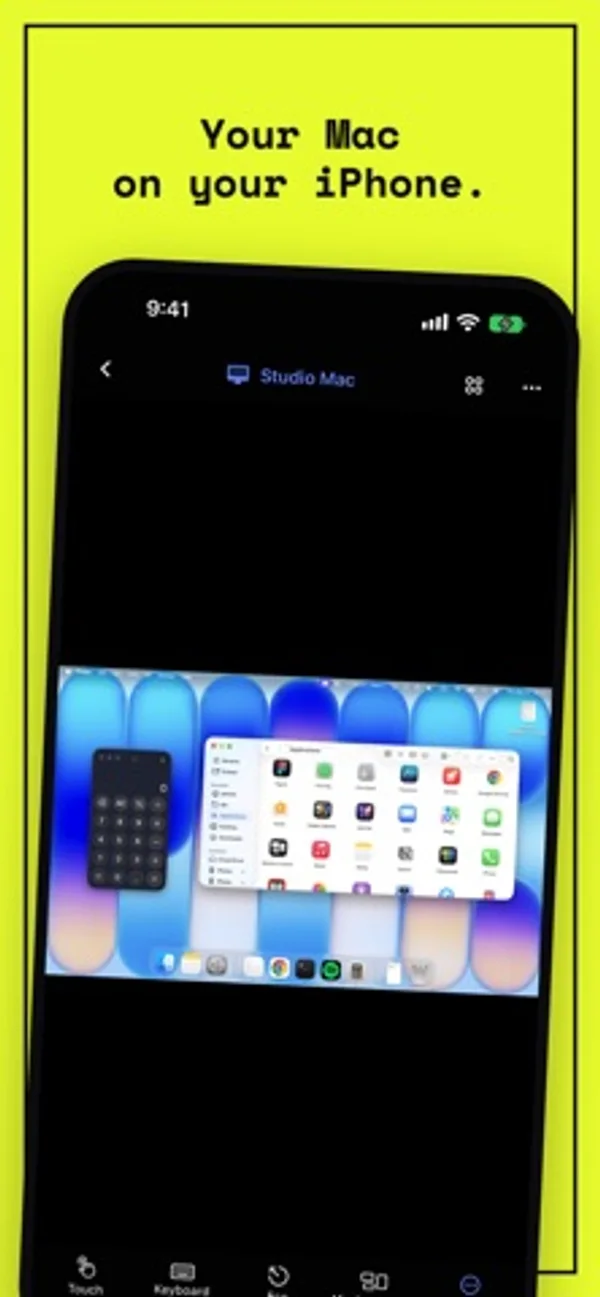
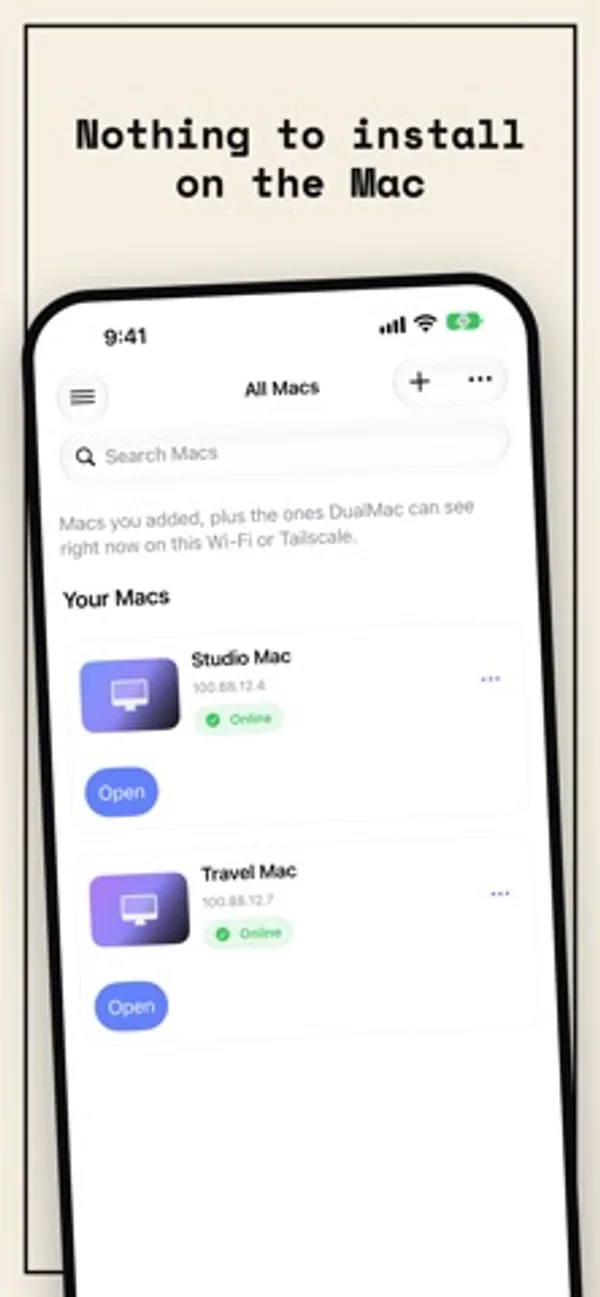
在 iPhone Duo 上的表现
展开 Duo 后切换到 iPad 风格布局,在内屏显示 Mac;合起后回到外屏的 iPhone 布局。
新功能
版本 1.3.2 ·
• New Mac cards in your library, with each Mac’s model and status. Tap anywhere on a card to open the Mac. DualMac recognizes the model on your local network, and you can also choose it when you edit the Mac. • Redesigned session controls: they float over your Mac’s screen, hide on their own and make room when the Mac’s screen fills the display. • A Mac paired with DualMac Companion now opens with the Companion directly. If it doesn’t answer, the session switches to Screen Sharing (VNC) by itself and tells you. • Faster connection over Screen Sharing (VNC), and your session reconnects right away when you come back to DualMac. • If a Mac on your local network is off or out of reach, tapping its card now tells you in about 5 seconds instead of 30. • More precise touch gestures: double-taps are recognized reliably and scrolling stays on one axis. In Enhanced mode, scrolling now follows your fingers, as in Screen Sharing (VNC). • Changing the image quality now takes effect without reconnecting. • Clearer messages when a Mac closes the connection, and automatic reconnection after a brief network drop. • Fixes the display of MacBook Air and other Macs at their default resolution, and a crash on iPadOS 27 when closing a form with the keyboard open.
开发者尚未提供此内容的中文版本。
App Store 简介由开发者撰写。
DualMac is a VNC remote desktop for iPad and iPhone that shows and controls the Mac you own. No subscription, no in-app purchases, no account. Nothing to install on the Mac • Connects straight to macOS Screen Sharing, the remote desktop built into every Mac. Standard VNC (RFB) with Mac authentication. No Companion needed for VNC. • Works on your local network, through your own Tailscale network when away, or over an SSH tunnel with keys. DualMac never exposes VNC to the public Internet and never routes your screen through a relay. • Ideal for a headless Mac mini, a studio Mac or a build machine you check from the couch. All your Macs, one library • Save every Mac you own and open any of them in one tap. • Touch and hold the app icon for your recent Macs, or open any Mac by name with Siri or Spotlight. • Observe or control, per session. Built for iPad • Direct touch, pointer, hardware keyboard, trackpad and Apple Pencil. • Mac shortcuts and Mission Control in one tap, configurable toolbar. • Multi-display switching, adaptive quality, on-device dictation. • Clipboard sharing, Face ID lock, hidden previews in the App Switcher. • Shortcuts, URL schemes, Stage Manager windows, optional iCloud sync of your library (off by default). On iPhone Duo • Open iPhone Duo and DualMac switches to its iPad layout, with your Mac on the inner display. • With iPhone Duo closed, DualMac keeps the iPhone layout on the outer display. Companion for more Install DualMac Companion on the Mac, available from dualmac.app, to add: • Enhanced H.264 streaming • File transfer with pause and resume, rich clipboard • Wake the Mac through your other Mac, privacy curtain, lock and sleep • Remote display selection Enhanced requires DualMac Companion plus Tailscale on both devices. Privacy DualMac has no account, no advertising and no developer-operated cloud backend. Your Macs' names and addresses, screens, files and clipboard never reach the developer. Credentials stay in Keychain. Screen, clipboard and file traffic goes directly between your devices. DualMac is not affiliated with or endorsed by Apple or Tailscale. Requirements • iPad with iPadOS 17.6 or later, or iPhone with iOS 17.6 or later, including iPhone Duo • A Mac you own or are authorized to control, with Screen Sharing enabled • For Enhanced: DualMac Companion, Tailscale on both devices, and the required macOS privacy permissions
DualMac: VNC Remote Desktop 在 iPhone Duo 上:常见问题
DualMac: VNC Remote Desktop 针对 iPhone Duo 优化了吗?
部分优化。DualMac: VNC Remote Desktop 属于「已适配」:它能铺满更大的内屏,但没有针对折叠做特别设计。资料更新于 2026年11月1日(开发者声明)。
DualMac: VNC Remote Desktop 在 iPhone Duo 上是什么样子?
展开 Duo 后切换到 iPad 风格布局,在内屏显示 Mac;合起后回到外屏的 iPhone 布局。
DualMac: VNC Remote Desktop 多少钱?
DualMac: VNC Remote Desktop 可在 App Store 免费下载。
更多效率应用
查看全部 ›
安静的待办清单与纸质风格计划本,按所需时长给任务分类

用月历、日程列表和分栏视图安排活动、记录日记。

用打字机式键盘写作,配合真实录制的按键声和回车动作。

录音并转写对话,整理摘要、行动项和后续邮件草稿。

任务与项目管理,为 iPhone Duo 的两块屏幕分别优化布局

Readdle 的统一收件箱邮件应用,展开后收件箱与邮件并排显示