
Foldaroo: Hinge & Fold Counter
Count openings and closings and see how they vary by hour or day.
Francisco Cantu · Utilities · $1.99
iPhone screenshots

How it uses iPhone Duo
The app reads the hinge while open; two Shortcuts automations record opens and closes in the background.
What’s New
Version 1.2 ·
TL;DR Foldaroo knows your hinge better than ever! + Added hinge life + Added calendar view + Added weekly recaps + Added new widgets + Fixes and improvements
App Store descriptionWritten by the developer.
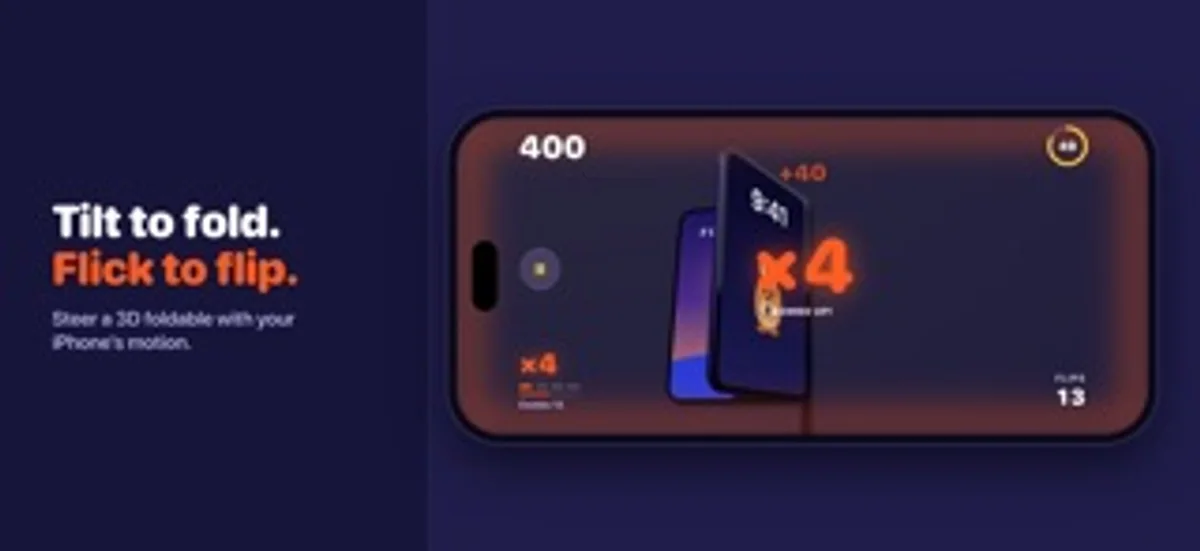
You open and close your iPhone Duo more often than you think. Foldaroo shows you exactly how often: every opening, every closing, every day. Maybe you're looking after your hinge. Maybe you want to unfold less and focus more. Maybe you're just curious. Foldaroo turns each fold into a number you can watch, a chart you can learn from, and a hop from Roo, the kangaroo who lives in the app. Keep your phone shut for an hour and Roo takes a nap. HOW IT WORKS • Add two Shortcuts automations: one runs when your iPhone Duo opens, the other when it closes. A step-by-step walkthrough shows every tap. • From then on, Foldaroo records each opening and closing in the background, without opening the app. • While Foldaroo is on screen, it reads the hinge directly and counts each flip once. • Need a break? Pause counting for an hour, until morning, or until you resume. KNOW YOUR NUMBERS • Your all-time total, with opens and closes side by side • Today, the last 7 days, the last 30 days, and this year at a glance • Bar charts by day, week, month, and year, with your peak and your average • Layouts made for both displays, split right at the hinge on the inner screen CHECK IN WITHOUT UNFOLDING • Five Home Screen and Lock Screen widgets: Total, Today, Badges, Roo, and Stats • Today shows your flips hour by hour and how long it's been since the last one • Extra large sizes for the inner display, plus tinted and clear styles • Widgets refresh as you fold MEET ROO • Roo hops when you open and claps its ears when you close • Sounds and haptics land with every count, and each one can be turned off • Badges to earn as your count climbs, each celebrated with confetti • Share cards for your total, your stats, or your latest badge PRIVATE BY DESIGN • No account, no ads, no analytics, and no tracking • Works offline, and your counts stay on your iPhone • Goes online only when you ask: to show More Apps, open the privacy policy, or draft a support email • Export a backup to Files and bring your history to a new phone NO IPHONE DUO? PLAY GRAVITY FOLD Counting needs a real hinge, so on any other iPhone, Foldaroo opens as Gravity Fold instead: a landscape arcade game starring a 3D foldable phone that you fold with motion. • Tilt your iPhone like a steering wheel to swing the lid open and shut, or flick it to throw the lid • Score every flip in 60-second runs, chain flips into combos up to ×8, and snap the lid shut for double points • Race the ghost of your best run and climb your own top-ten leaderboard • Rather not tilt? Drag the lid with your finger iPhone Duo owners can play too, from Settings. Game flips never touch your real count. GOOD TO KNOW • Automatic counting needs an iPhone Duo running iOS 27.1 or later, with the Display "Opened or Closed" automation trigger in Shortcuts. • Foldaroo counts from the day you set it up. It can't see flips from before then or recover ones it never received, and it counts folds rather than measuring hinge wear. Questions or feedback? Write to support@foldaroo.com.
Foldaroo: Hinge & Fold Counter on iPhone Duo: FAQ
Is Foldaroo: Hinge & Fold Counter optimized for iPhone Duo?
Yes. Foldaroo: Hinge & Fold Counter is Built for Duo: it uses the fold, Split View or the outer display. Verified on November 16, 2026 (Developer statement).
What does Foldaroo: Hinge & Fold Counter look like on iPhone Duo?
The app reads the hinge while open; two Shortcuts automations record opens and closes in the background.
How much does Foldaroo: Hinge & Fold Counter cost?
Foldaroo: Hinge & Fold Counter costs $1.99 on the App Store.
More Utilities apps
See all ›
See daily and lifetime fold counts in customizable counters, charts and widgets.

Check world time and weather, decorate your screen with city scenes, or run a focus timer.

Type or swipe with a customizable keyboard that can sit under one thumb or split across two.

Track phone folds, inspect daily patterns and display totals in widgets.

Track how often you fold and open your phone, review trends and set a daily limit.

Track fold and unfold events, posture time and daily patterns, distinguishing live, inferred and manual counts.