
Hourline: Widgets & Wallpapers
Check world time and weather, decorate your screen with city scenes, or run a focus timer.
成琦 李 · Utilities · Free
iPhone screenshots
How it uses iPhone Duo
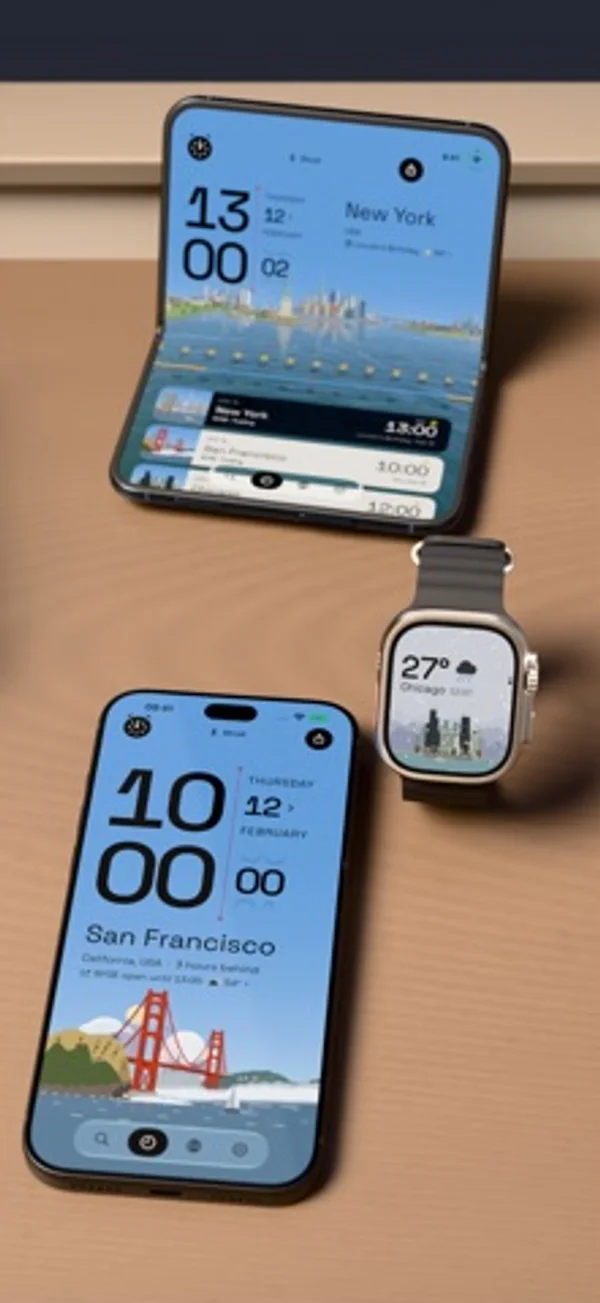
With Pro, the 3D view rotates as the Duo is folded, according to the developer’s release notes.
What’s New
Version 1.1.2 ·
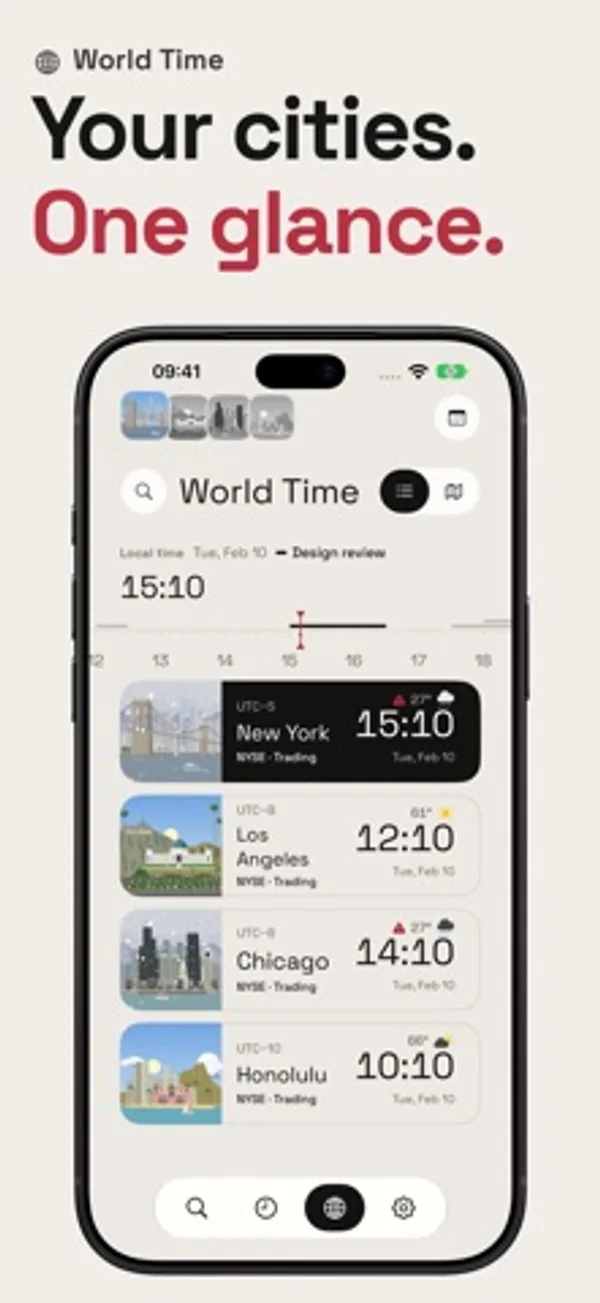
• Desk Clock: Turn your iPhone sideways on the clock page to use it as a desk clock. Turn on Keep Screen On in Settings and the screen stays on while Hourline is open. • OLED Clock (Pro): Go to Settings › Illustration and pick OLED for a full-screen black background. Landmarks are drawn in lines of their own colors and the numerals are reduced to outlines, much easier on the eyes in the dark. • 64 New Places, each with its own landmark, including Cupertino, Rochester, College Station and 33 cities in mainland China. • Custom Lock Screen Clock: You can now adjust the font size, choose which lines to show, and change their order. Daylight hours, your next event and reminder, and the Weather Brief require Pro. • 4 Small Clock Widgets (Pro): Clock Page, Two Cities, Alarm Badge and Postmark. • Weather on World Time Cards: Every card in World Time now shows the weather for free, no tapping first. Turn the ruler and each card also shows the forecast for six hours ahead and behind. • Most Added This Week: Tap the flame next to the Search title to see the 50 places added most this week. Tap the globe beside it to put every place back in west-to-east order. • Invite Friends: Every friend who joins gives you a free city that stays yours, up to 6, and gets 1 extra free city too. Not big on invites? You can also unlock 6 more places in one purchase. • Truer Skies: Sunset now passes through blue twilight before night falls, and foggy weather brings a thin mist across the scene. • Nearby Landmarks: If a place you add is close to a city I’ve already drawn, it uses that city’s landmark and keeps the weather for your own spot. • Redesigned the weather details on Apple Watch, and on iPhone Duo, the 3D view now rotates as you fold the device (Pro). • Bug Fixes: Fixed a crash when opening the Hourline Pro purchase screen, because crashing right when someone tries to pay you isn’t a great business model. Pro now stays unlocked when the App Store temporarily can’t verify a purchase. Settings, event details, alarms and 3D cities open without the wait. Widgets no longer lag behind when you open the app, the share menu stays right where you scrolled, and quite a few translations read much more naturally now.
App Store descriptionWritten by the developer.
Bring New York or San Francisco to your screen. Arrange Home Screen widgets, set a Live Photo Wallpaper of the city, then settle into Pomodoro Focus as its day passes. YOUR CITY, ON YOUR SCREEN • Style your Home Screen and Lock Screen with widgets. “Landmark Widget, Edge to Edge” and other premium widgets require Pro. • Export a Live Photo Wallpaper: the last three hours of the city's sky play as you wake your iPhone. Pro adds 3D. • See local weather free for six hours before and after now, along with the forecast’s update time. Pro unlocks weather for every city, hour by hour and for the next 10 days. • Holiday decorations dress the city scene for local celebrations, free for everyone. TIME TO FOCUS AND CONNECT • Pomodoro Focus is free: work and rest as the city's day passes, with a countdown on the Lock Screen and Dynamic Island. Pro moves each round to the next city and shows the past week. • Compare world time with the time-zone ruler and day–night map. Open World Time’s Calendar to see events in your time and the selected city's; Pro adds each clock's daily weather. Event Alerts let you join a call or snooze an alert. • With Pro, Lock Screen Clock for the Weather starts when you open Hourline if rain, snow, storms or fog are happening or due within three hours. The Dynamic Island shows that weather. • What to Wear (Pro) dresses two people for the hour you choose and explains each outfit. MORE WITH HOURLINE PRO Every place and unlimited saved cities; “Another Place’s Weather on Your Wallpaper”; “Wallpaper Cards in Any Size”; 3D city scenes, including San Francisco and New York; city alarms (iOS 26+); holiday information and market hours; iCloud Sync; extra app icons and “Pro Complications on Apple Watch”. New places with their own landmarks, including Buffalo, New York. The free version includes up to six saved cities from the free collection, scenery wallpapers, many widgets, Focus, the calendar, Live Activities and the Apple Watch app. Places added since 1.0.1 require Pro. City Stroll (Pro after the first free exchange) needs iOS 26+ and Apple Intelligence on device or a model you configure. Day Brief needs iOS 26+ and Apple Intelligence; its text is written on device by default. Availability depends on device, language and region. Choose Yearly, an auto-renewing subscription, or Lifetime, a one-time purchase. Yearly renews automatically at the price shown in the app unless cancelled. Payment is charged to your Apple Account. Cancel at least 24 hours before the current period ends; manage subscriptions in your Apple Account settings. Terms of Use: https://www.apple.com/legal/internet-services/itunes/dev/stdeula/ Privacy Policy: https://hourline.app/privacy
Hourline: Widgets & Wallpapers on iPhone Duo: FAQ
Is Hourline: Widgets & Wallpapers optimized for iPhone Duo?
Yes. Hourline: Widgets & Wallpapers is Built for Duo: it uses the fold, Split View or the outer display. Verified on November 15, 2026 (Developer statement).
What does Hourline: Widgets & Wallpapers look like on iPhone Duo?
With Pro, the 3D view rotates as the Duo is folded, according to the developer’s release notes.
How much does Hourline: Widgets & Wallpapers cost?
Hourline: Widgets & Wallpapers is free to download on the App Store.
More Utilities apps
See all ›
See daily and lifetime fold counts in customizable counters, charts and widgets.

Type or swipe with a customizable keyboard that can sit under one thumb or split across two.

Track phone folds, inspect daily patterns and display totals in widgets.

Track how often you fold and open your phone, review trends and set a daily limit.

Track fold and unfold events, posture time and daily patterns, distinguishing live, inferred and manual counts.

Calculate with basic, scientific and programmer keypads, unit conversion and reusable history.