
PartyGames — Multiplayer Fun
Play seven party mini-games with friends locally, with supported games also offering nearby or online matches.
书艺 付 · Games · Free
iPhone screenshots

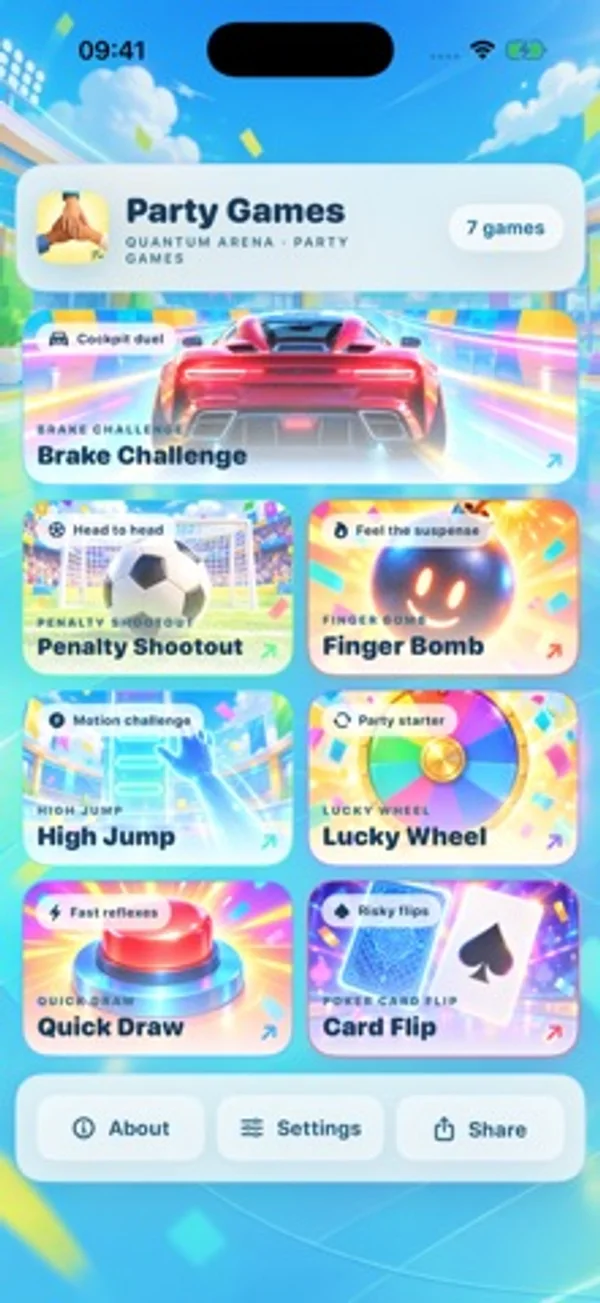
How it uses iPhone Duo
The Duo update redesigns the compact lobby so every game card remains fully visible above the bottom bar.
What’s New
Version 1.3.1 ·
Optimized for iPhone Duo: redesigned the compact lobby so every game card stays fully visible above the bottom bar. Added Japanese and Korean, with stability and detail improvements.
App Store descriptionWritten by the developer.
Seven mini-games for friends, family and face-to-face fun. One purchase, no ads, subscriptions or additional in-app purchases. • Brake Challenge: time your braking across different road surfaces. • Penalty Shootout: take turns as shooter and goalkeeper and choose your direction. • Quick Draw: react after the fire signal; an early tap is a false start. • Lucky Wheel: hold to charge and release to spin, or flick the wheel to choose a participant. • Card Flip: take turns revealing cards and avoid the hidden bombs. • High Jump: time the energy bar and jump button to set a virtual height record. • Finger Bomb: friends hold fingers on the same screen and wait for the randomly selected participant. Optional Game Center Cancel sign-in before the lobby or connect later from a game home. Track personal leaderboards, 32 achievements, system activities and friend score challenges. Quick Draw, standard High Jump and five Brake surfaces have personal boards; online Football also has score boards. Online parties Football supports two players; High Jump, Brake, Card Flip and Wheel support two to four. The host can start at the minimum count once everyone is ready, without waiting for four. Ordinary Wheel matches invite friends; a shared complete activity code offers system matchmaking. Creating an activity copies its code automatically, and system share links are available. Quick Draw has no real-time online match; Finger Bomb remains same-screen. Personal cloud sync is off by default. Enable it separately in Settings using the same Game Center player and available iCloud Drive. Local play works offline. Nearby multiplayer needs the relevant Bluetooth and local-network connections and permissions. Online matches, leaderboards and achievements need internet access. System activities and friend score challenges require iOS / iPadOS 26 or later and available Apple services. Supports Japanese, Korean, English, Simplified Chinese and Traditional Chinese. Prices and availability are shown by the App Store. Privacy policy: https://xuchenfu9.github.io/perfect-list/partygames-privacy-policy-en.html Terms of use: https://xuchenfu9.github.io/perfect-list/partygames-terms-of-service.html
PartyGames — Multiplayer Fun on iPhone Duo: FAQ
Is PartyGames — Multiplayer Fun optimized for iPhone Duo?
Partly. PartyGames — Multiplayer Fun is Adapted: it fills the larger inner display, but it does not do anything special with the fold. Verified on October 31, 2026 (Developer statement).
What does PartyGames — Multiplayer Fun look like on iPhone Duo?
The Duo update redesigns the compact lobby so every game card remains fully visible above the bottom bar.
How much does PartyGames — Multiplayer Fun cost?
PartyGames — Multiplayer Fun is free to download on the App Store.
More Games apps
See all ›
Folding the screen locks cartoon inmates in cells; unfolding frees them.

A tabletop-style naval grid game split across the iPhone Duo's fold

A calm origami puzzle where the iPhone Duo's hinge is the fold line

A calm transit-map logic puzzle that splits its stations across the fold

Explore nine playful experiences, from a candle and photo album to detective puzzles, air hockey and platform challenges.

Play three retro LCD games with ghosted segments, simple controls and high-score challenges.