
RetroDOS Player
Run compatible Japanese 16-bit DOS software with a virtual keyboard, mouse gestures and save slots.
Masato Koshikawa · Games · Free
iPhone screenshots
App Store descriptionWritten by the developer.
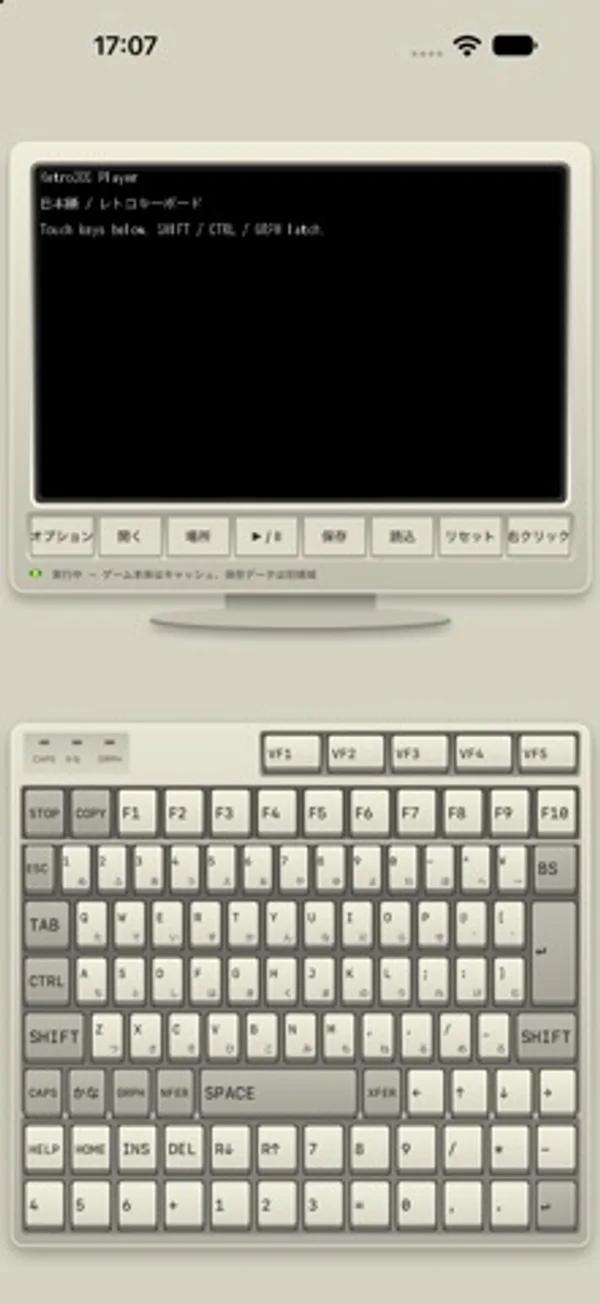
RetroDOS Playerは、日本の16ビットパソコン向けDOSソフトウェアに対応する互換プレイヤーです。 BIOSやROMファイルを追加せずに使える独自の互換実装を搭載しています。 すべてのソフトウェアの動作を保証するものではありません。 ・レトロなモニター表示と日本語ソフトキーボード ・複数キーの同時押し、VF1〜VF5、テンキー、外付けキーボード入力 ・16色/256色表示、OPN/OPNA音源の切り替え ・縦画面、横画面、ダブルタップによる全画面表示 ・ドラッグによるマウス移動、一本指の左クリック、二本指の右クリック ・保存と読込に対応した8つのステートスロット ゲームデータは同梱していません。利用する権利のあるソフトウェアをご自身でご用意ください。 「開く」から、この端末内やファイルアプリで接続したNASのゲームフォルダを選択します。 Mac/NAS上の元データは書き換えず、端末には実行用キャッシュを作成し、保存データを別に保持します。 ゲームデータなしでも「場所」からオリジナルDOSデモを起動し、画面表示やキーボード入力を試せます。 本アプリは独立した開発者による互換プレイヤーです。
RetroDOS Player on iPhone Duo: FAQ
Is RetroDOS Player optimized for iPhone Duo?
The developer or App Store listing mentions iPhone Duo support.
How much does RetroDOS Player cost?
RetroDOS Player is free to download on the App Store.
More Games apps
See all ›
Folding the screen locks cartoon inmates in cells; unfolding frees them.

A tabletop-style naval grid game split across the iPhone Duo's fold

A calm origami puzzle where the iPhone Duo's hinge is the fold line

A calm transit-map logic puzzle that splits its stations across the fold

Race computer drivers, challenge your best lap or play a head-to-head match.

Play supported retro LCD handheld files you own and the included original game Duo Drop.