
Retropa: Arcade & GBA Emulator
Play your own handheld and arcade games with customizable controls, save states and rewind.
延平 陈 · Games · Free
iPhone screenshots
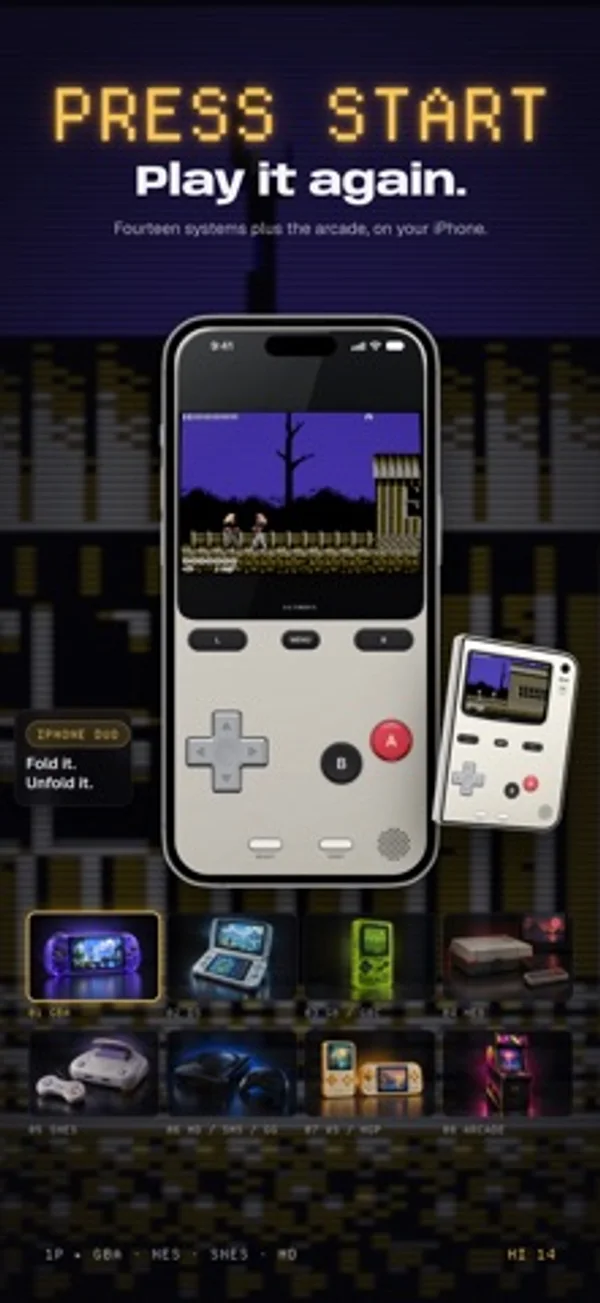
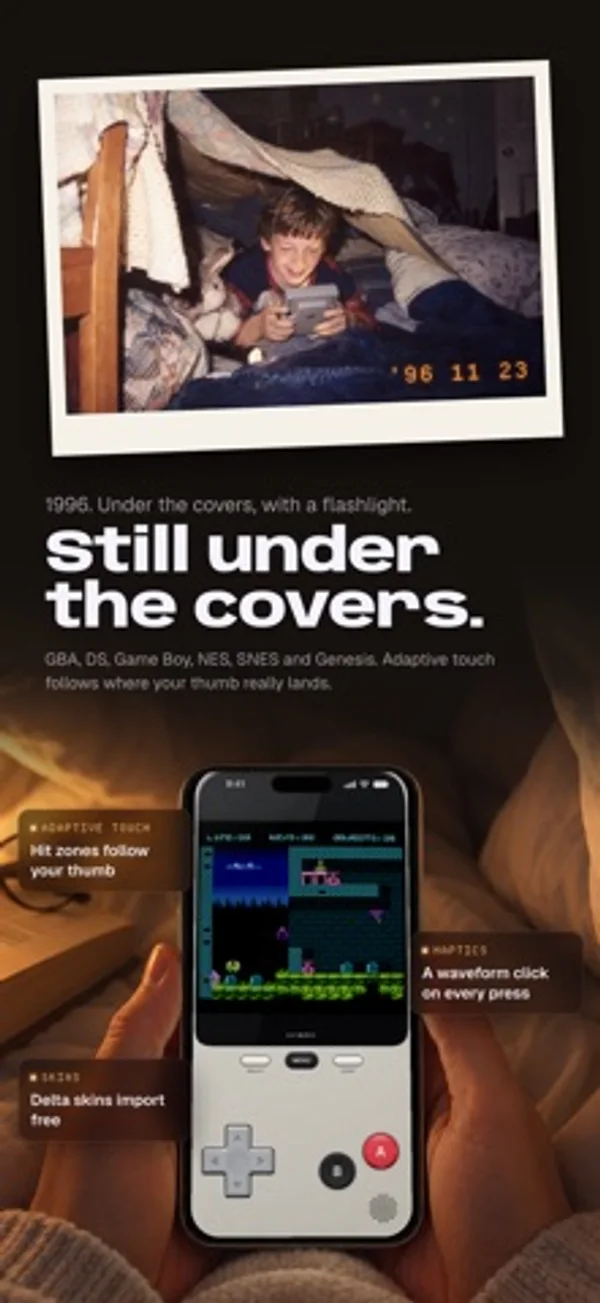
How it uses iPhone Duo
Half open, a single-screen game appears above the fold with the controls below. The cover display has its own full control layout.
What’s New
Version 2.6.0 ·
New in 2.6.0 • Back up your manual saves to Google Drive, Dropbox or OneDrive, as well as iCloud Drive. Pick the destination in Save Sync Settings. • Every backup is a verified snapshot: each file is checked before it becomes the latest. • Restore merges instead of overwriting. Saves only on this device stay, and when the same save holds different progress, both are kept. • Back Up Game Files copies your games to the same drive on Wi‑Fi, so a new device can restore your library with your saves. • Back up automatically after each save state, or shortly after launch. • With Retropa Plus: back up to your own WebDAV server or S3-compatible storage, with guides for Synology, QNAP, TrueNAS and Unraid, and keep more than one account per destination.
App Store descriptionWritten by the developer.
Retropa is a retro emulator for iPhone and iPad, built to feel like the handhelds and arcade cabinets you remember. Bring your own games and play GBA, NDS, GB/GBC, NES, SNES, WS/WSC, NGP/NGPC, SMS/GG and MD/GEN, plus CPS I/II/III, Neo Geo, PGM, Irem M92 and Midway arcade boards. No ads, on any plan. Save states, rewind, your controller and Delta skin import are free; Plus adds more save slots. Bring your own games from Files or over Wi-Fi. No games or BIOS files are included. Import only files you legally own and have the right to use. NEW IN 2.4: IPHONE DUO • The cover display and the inner display each get their own layout of screen and keys • Half open, it plays like a clamshell: a single-screen game shows its picture above the fold and its keys below • The cover display has a full deck of keys: D-pad, face keys, Start, Select and Menu • The key deck wears the shell and keys you choose in Looks NEW IN 2.4: LOOKS • 44 console shells in eight families, from classic plastic, translucent and metal to walnut, marble, cork, croc leather, denim and faux fur • Texture and gloss dials for every shell • PRO key kits with keys seated in molded wells that sink when pressed • Games without a custom skin now play inside a full console shell • Apply a look to every system or just one, and restore defaults anytime PLAY • Eight open-source cores, switchable per game: mGBA, SkyEmu, SameBoy, ares, jgenesis, LakeSnes, Rustico and TetaNES • Save anywhere, browse a timeline of save states, and rewind on supported systems • Fast-forward through the slow parts • Pair a controller that works with iPhone and remap every button • Console Mode: the game goes to your TV while your iPhone becomes the controller LOOK AND FEEL • HD skins for portrait and landscape, plus free Delta skin import • CRT, LCD and handheld display filters built for Retropa's Metal renderer • Custom haptics that give every press a click, a thump or nothing at all KEEP • Import from Files, the Wi-Fi Portal, the browser or the built-in Homebrew catalog • BIOS management that tells you exactly what is missing • A library with covers and collections • Honor medals that turn your milestones into 3D keepsakes • Clip the last few seconds of play and save it to Photos • Back up and restore save states with iCloud Drive, Google Drive, Dropbox or OneDrive FREE AND PLUS Every handheld and console system, every import method, controllers, Delta skin import, save states and rewind are free. Retropa Plus adds arcade boards, Console Mode, custom haptics, turbo, premium skins and looks, advanced CRT filters, audio effects, more save slots and longer highlight clips. Plans and local prices are shown in the app. YOUR GAMES STAY YOURS Your files stay on your device, and you don't need an account to play. Retropa does not sell your personal data. Analytics are used only to improve performance and reliability. TERMS AND PRIVACY Terms of Use (EULA): https://www.apple.com/legal/internet-services/itunes/dev/stdeula/ Privacy Policy: https://retropa.com/privacy/
Retropa: Arcade & GBA Emulator on iPhone Duo: FAQ
Is Retropa: Arcade & GBA Emulator optimized for iPhone Duo?
Partly. Retropa: Arcade & GBA Emulator is Adapted: it fills the larger inner display, but it does not do anything special with the fold. Verified on November 5, 2026 (Developer statement).
What does Retropa: Arcade & GBA Emulator look like on iPhone Duo?
Half open, a single-screen game appears above the fold with the controls below. The cover display has its own full control layout.
How much does Retropa: Arcade & GBA Emulator cost?
Retropa: Arcade & GBA Emulator is free to download on the App Store.
More Games apps
See all ›
Folding the screen locks cartoon inmates in cells; unfolding frees them.

A tabletop-style naval grid game split across the iPhone Duo's fold

A calm origami puzzle where the iPhone Duo's hinge is the fold line

A calm transit-map logic puzzle that splits its stations across the fold

Race computer drivers, challenge your best lap or play a head-to-head match.

Play supported retro LCD handheld files you own and the included original game Duo Drop.