
ShutterLine: Pro Camera
Record vertical and horizontal videos together and shoot photos with manual camera tools.
Robbie Bulus · Creative · Free
iPhone screenshots
How it uses iPhone Duo
On the open Duo, one half shows the camera while the other shows the most recent shot. Advanced recording formats depend on the supported iPhone model.
What’s New
Version 1.1 ·
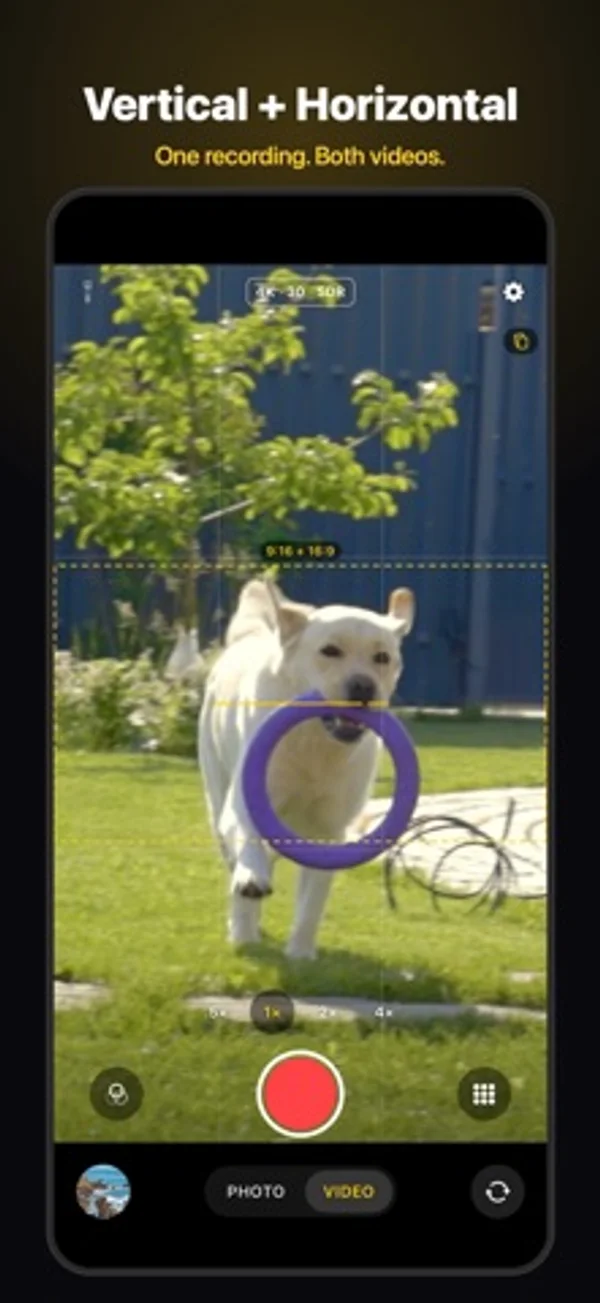
• Burst: hold the shutter to take about 10 photos a second until you let go. Holding a volume button or Camera Control works too. • Slo-mo: tap Slo-mo in the video tools to record at up to 240 fps. Photos plays it back in slow motion. • Split Screen switch for iPhone Duo and iPad: turn it off in Settings and the camera fills the whole screen. • Vertical + Horizontal: the second clip no longer starts on a black frame, the gallery shows each pair as one capture, and you can delete just the vertical or the horizontal clip. • Fixed a black screen at 4K 120, a format menu that flickered in Video mode, and a Flash button on iPads without a flash.
App Store descriptionWritten by the developer.
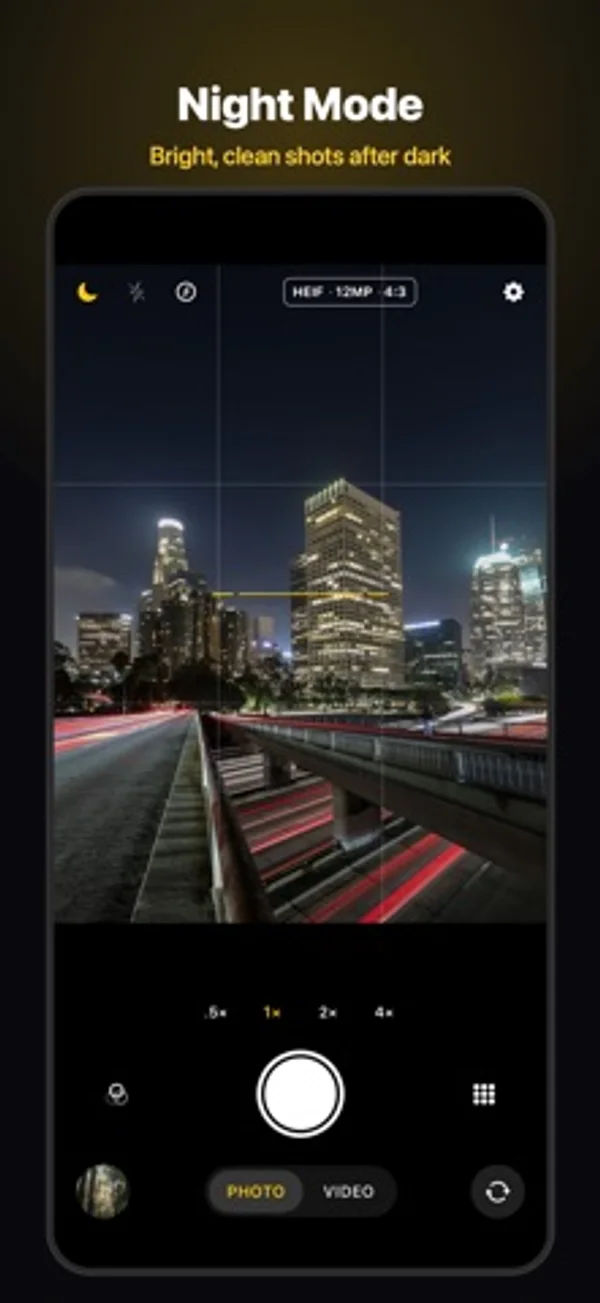
Film once. Get both. Record your kid's game, a concert or your dog in one take, and ShutterLine saves a vertical clip for TikTok, Reels and Shorts and a horizontal clip for YouTube. Use one lens, or two lenses at once for a truly wide horizontal shot. Try it free for 7 days with ShutterLine Pro. VIDEO • Vertical + Horizontal recording, with safe-zone guides for TikTok, Instagram Reels and YouTube Shorts • Up to 4K 60, ProRes and Apple Log on supported iPhones • Slo-mo at up to 240 fps • Rewind keeps the seconds before you press record • A teleprompter that scrolls right under the lens • Audio meters, and support for USB-C wireless mics PHOTO • Burst: hold the shutter for about 10 photos a second • Night mode merges a quick burst for brighter, cleaner low-light photos • Macro for close-ups as near as 2 cm • Portrait background blur you can undo in Photos • Long exposure for silky water and light trails • RAW and ProRAW on supported iPhones PRO CONTROLS • Manual ISO, shutter, focus and white balance • Focus peaking, zebras and a live histogram • 12 film-inspired looks with grain and halation • Horizon level, grids and an overhead bubble level MADE FOR IPHONE AND IPAD • Apple Watch remote with a live preview • Open from Camera Control, the Lock Screen, Control Center or the Action button • iPhone Duo: open it and your last shot fills one half, the camera the other, or turn off Split Screen to give the camera the whole screen • Runs full screen on iPad, with your last shot beside the camera PRIVACY No account, no ads, no tracking. ShutterLine doesn't collect any data. FREE VS PRO Free, for good: every lens, photo and video up to 4K 30, Night mode, Macro, Burst, and three looks. ShutterLine Pro, one purchase: Vertical + Horizontal recording with safe-zone guides, 4K 60 and slow motion, ProRes, HDR and Apple Log, RAW and 48MP photos, manual ISO, shutter, focus and white balance, focus peaking and zebras, Rewind, the teleprompter, long exposure, Portrait, all 12 looks, presets, the Apple Watch remote, and app icons and colors. Try all of Pro free for 7 days. It's not a subscription and nothing is charged when the trial ends; the camera goes back to the free tools. Requires iOS 18 or later: iPhone XS, XR or newer, and iPad.
ShutterLine: Pro Camera on iPhone Duo: FAQ
Is ShutterLine: Pro Camera optimized for iPhone Duo?
Partly. ShutterLine: Pro Camera is Adapted: it fills the larger inner display, but it does not do anything special with the fold. Verified on November 9, 2026 (Developer statement).
What does ShutterLine: Pro Camera look like on iPhone Duo?
On the open Duo, one half shows the camera while the other shows the most recent shot. Advanced recording formats depend on the supported iPhone model.
How much does ShutterLine: Pro Camera cost?
ShutterLine: Pro Camera is free to download on the App Store.
More Creative apps
See all ›
Paint half a sheet and reveal a softly mirrored print by folding and reopening it.

Shoot square vintage-style photos with a waist-level finder, film rolls and contact sheets.

Record front and rear cameras together, with movable picture-in-picture and a teleprompter.

Generate room-design ideas from a photo and a chosen interior style.

Record multiple iPhone cameras together for vlogs, reactions and interviews.

Practice choreography by mirroring, slowing and looping sections of a chosen video.