
MirrorMirror: Dance Practice
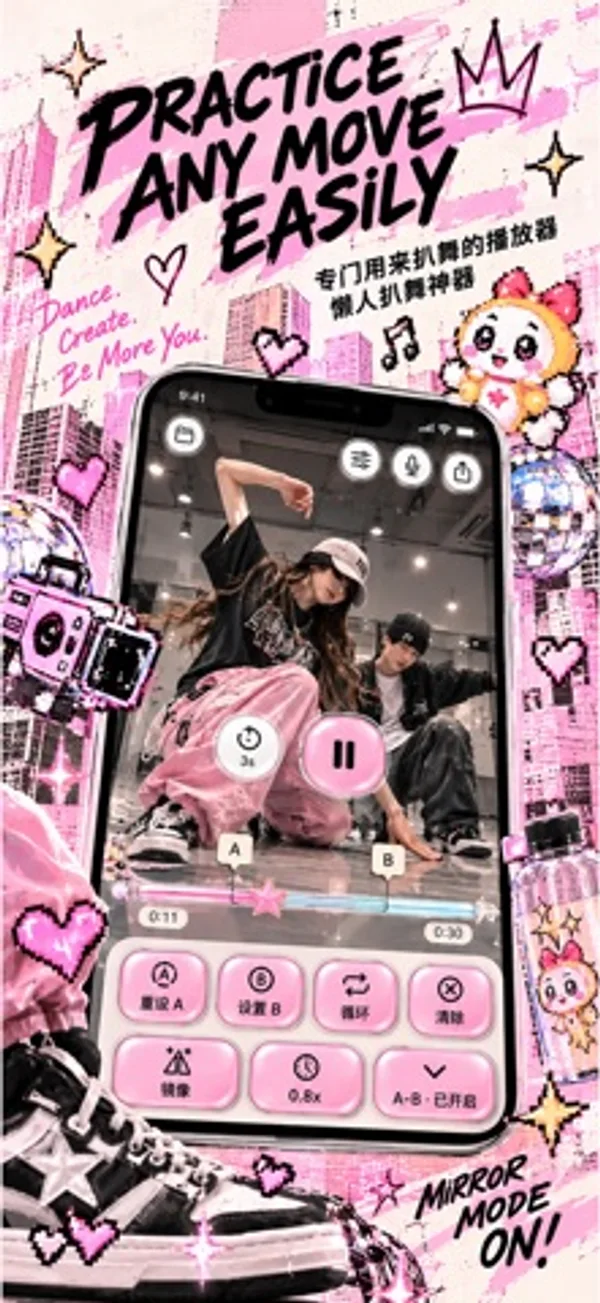
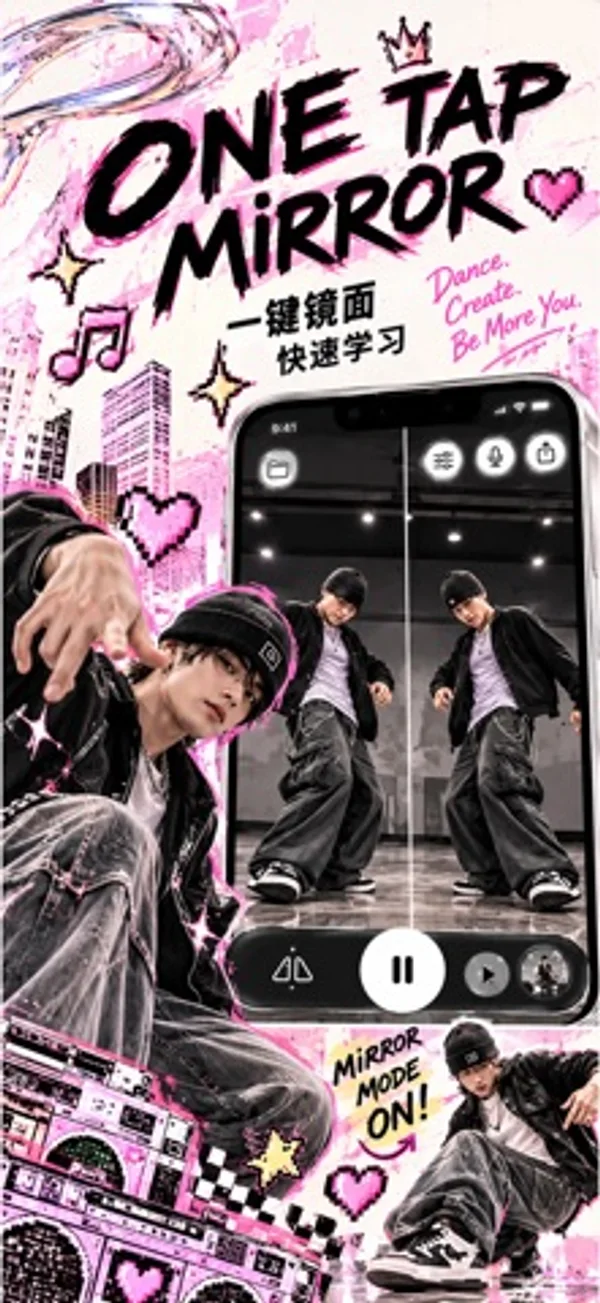
Practice choreography by mirroring, slowing and looping sections of a chosen video.
WEIYANG WANG · Creative · Free
iPhone screenshots
How it uses iPhone Duo
Video and controls rearrange around the fold in book and tabletop poses, alongside outer and fully open layouts.
What’s New
Version 1.5.0 ·
Practice on iPhone Duo • Adaptive layouts for the outer display, unfolded screen, and half-folded book and tabletop poses. • Video and controls rearrange around the fold as you practice. Make your exports your own • Choose from five designer frames, with artwork for portrait and landscape video. • Swipe to compare frames and play a muted preview before exporting. One wake phrase • Chinese and English voice commands now use “Mirror Mirror”. Export refinements • A refreshed export button matches your app style. • Every export includes your selected designer frame.
App Store descriptionWritten by the developer.
READY FOR iPhone Duo Practice across the outer display, unfolded inner screen, and half-folded book or tabletop layouts. Video and controls adapt as the available space changes. Your video. Your practice. Turn a dance video you choose into a focused choreography practice session. Mirror the movement, slow down a difficult move, and repeat the exact section you want to learn. PRACTICE ONE SECTION AT A TIME Set A and B points to loop a short sequence. Repeat it at your own pace, then move on when you are ready. FOLLOW THE MOVEMENT Flip your video horizontally to follow the same direction. Slow playback down to 0.5x, or choose a speed between half speed and normal playback. GET READY BEFORE YOU PLAY Choose a 3-, 6-, or 10-second countdown to get into position before playback starts. BRING YOUR OWN VIDEO Import with Apple's system video picker. Your selected video stays on your device for playback and processing. No MirrorMirror account is needed to start practicing. CHINA MAINLAND PROMOTION All current features are free during the China mainland App Store promotion. No subscription is needed. Pricing may resume after the promotion; we will provide advance notice and you can choose whether to purchase. This promotion does not start a subscription or charge you automatically. Existing subscriptions are not canceled automatically; review or cancel renewal in Manage Subscription. Purchased access is preserved. Eligibility follows your Apple Account App Store country or region. FREE PRACTICE AND SUBSCRIPTIONS IN OTHER REGIONS In other regions, start with 7 days of free practice without subscribing. After this period, a monthly or yearly MirrorMirror Pro subscription lets you continue practicing. Prices and billing periods are shown before you confirm a purchase. Eligible subscribers can also receive a 7-day Apple subscription free trial. Apple determines eligibility. The app's free practice period and the subscription trial are separate periods. Subscriptions renew automatically unless canceled at least 24 hours before the current period ends. Payment is charged to your Apple Account. Manage or cancel your subscription in Apple Account settings. Restore Purchases is available in the app. Privacy Policy: https://stillframe.ai4u.co.nz/privacy Terms of Use: https://www.apple.com/legal/internet-services/itunes/dev/stdeula/
MirrorMirror: Dance Practice on iPhone Duo: FAQ
Is MirrorMirror: Dance Practice optimized for iPhone Duo?
Yes. MirrorMirror: Dance Practice is Built for Duo: it uses the fold, Split View or the outer display. Verified on October 28, 2026 (Developer statement).
What does MirrorMirror: Dance Practice look like on iPhone Duo?
Video and controls rearrange around the fold in book and tabletop poses, alongside outer and fully open layouts.
How much does MirrorMirror: Dance Practice cost?
MirrorMirror: Dance Practice is free to download on the App Store.
More Creative apps
See all ›
Generate room-design ideas from a photo and a chosen interior style.

Record multiple iPhone cameras together for vlogs, reactions and interviews.

Compose and share interactive clock and photo designs with movable blocks and fold animations.

Create coordinated inner and outer wallpapers and export your images in customizable device mockups.

Turns iPhone or iPad into a film slate that claps, syncs, and logs takes.

Draw on one half of the Duo, fold it shut, then reopen to reveal a mirrored picture.