
Volet
Compose and share interactive clock and photo designs with movable blocks and fold animations.
Tsz To Suen · Creative · Free
iPhone screenshots
How it uses iPhone Duo
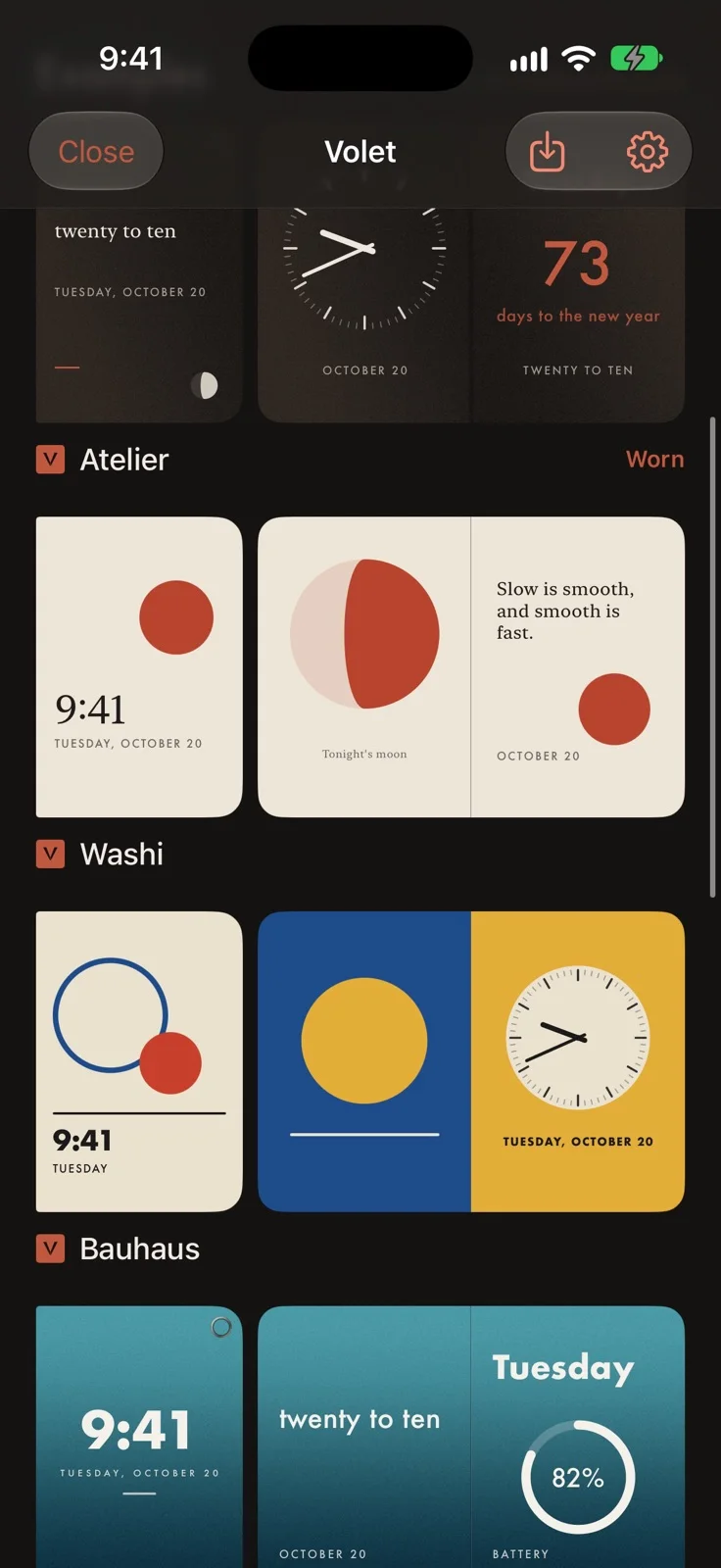
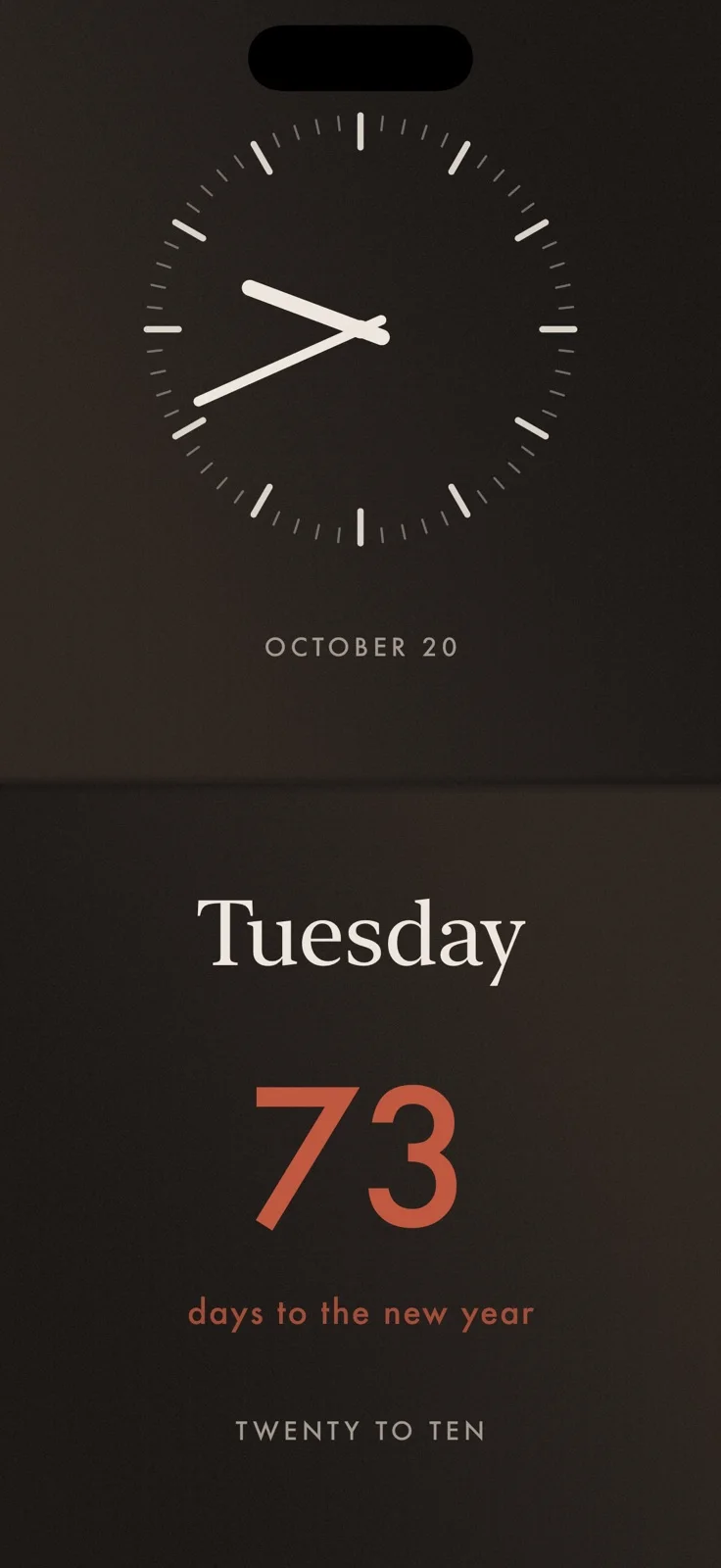
Design separate cover and open-spread faces, with blocks that part, turn or drift as the hinge moves. A Fold slider previews the motion, and a closed phone can stand as an in-app clock. Designs can be shared as .volet files; they do not replace the system wallpaper or Home Screen.
App Store descriptionWritten by the developer.
Volet is a studio for dressing iPhone Duo. A volet is one hinged leaf of a diptych, and iPhone Duo has exactly that shape. In Volet, every design is a piece, and a piece dresses all three faces of the phone: - The cover: what shows when the phone is closed or standing, cut to the cover's own silhouette, with a polished setting around the camera if you like. - The spread: two leaves across the open inner display, and the crease between them. - The hinge: what moves as you fold. Blocks part from the crease, rise into view, settle away, turn or drift, and a gold seam can pour out from the middle of the crease. Wear one of eight examples as it is, or make it yours. Build from blocks: the time (a dial, digits or words), the date, your words, your photos, a countdown, today's moon, shapes and your battery. Set them on colours, grained gradients or your own photographs, in fonts that ship with iOS. Tap to select, drag to move, slide Fold to watch the hinge motions before you wear them. Every piece you make is signed with your chop, a small cinnabar seal with your initials. Send a piece to a friend as a small .volet file; it opens straight into Volet and keeps a credit to the piece it came from. Stand the closed phone on its edges and the cover stays lit, like a clock on a desk or nightstand. Volet works while it is open. It does not change your wallpaper or Home Screen; iPhone Duo keeps those to itself. On other iPhones you can design, preview and share pieces, and wear the open spread. Free: every example, every block and every hinge motion, colours, gradients and photos, up to three pieces of your own, and sharing. Volet Pro adds as many pieces as you like, eight drawn materials (titanium, guilloché, lacquer, enamel, aventurine, walnut, ceramic, suede) and gold and stitched creases: $0.99 a month, $4.99 a year with a 7-day free trial, or $9.99 once. Subscriptions renew automatically unless cancelled at least 24 hours before the end of the period, and can be managed in Settings > Apple Account > Subscriptions. Terms of Use: https://www.apple.com/legal/internet-services/itunes/dev/stdeula/ Privacy: https://volet-studio.vercel.app/privacy.html No account, no ads, no tracking. Nothing leaves your phone unless you share it.
Highlights
- Clock, date, photo and text blocks
- Fold animation preview
- Shareable .volet designs
Volet on iPhone Duo: FAQ
Is Volet optimized for iPhone Duo?
Yes. Volet is Built for Duo: it uses the fold, Split View or the outer display. Verified on October 27, 2026 (App Store text).
What does Volet look like on iPhone Duo?
Design separate cover and open-spread faces, with blocks that part, turn or drift as the hinge moves. A Fold slider previews the motion, and a closed phone can stand as an in-app clock. Designs can be shared as .volet files; they do not replace the system wallpaper or Home Screen.
How much does Volet cost?
Volet is free to download on the App Store.
More Creative apps
See all ›
Create coordinated inner and outer wallpapers and export your images in customizable device mockups.

Turns iPhone or iPad into a film slate that claps, syncs, and logs takes.

Draw on one half of the Duo, fold it shut, then reopen to reveal a mirrored picture.

Make folded inkblot prints with droppers, folding and rubbing, then save or share each print.

Turns your iPhone into an instant camera that prints framed photos you can caption and keep.

Drawing and painting app with custom brushes and unlimited layers