
SidePane: Second Monitor
USBやWi-FiでiPhoneをMacの拡張モニターにし、タッチでウインドウを操作できます。
Yuen Mun Chan · 仕事効率化 · 無料
iPhone スクリーンショット
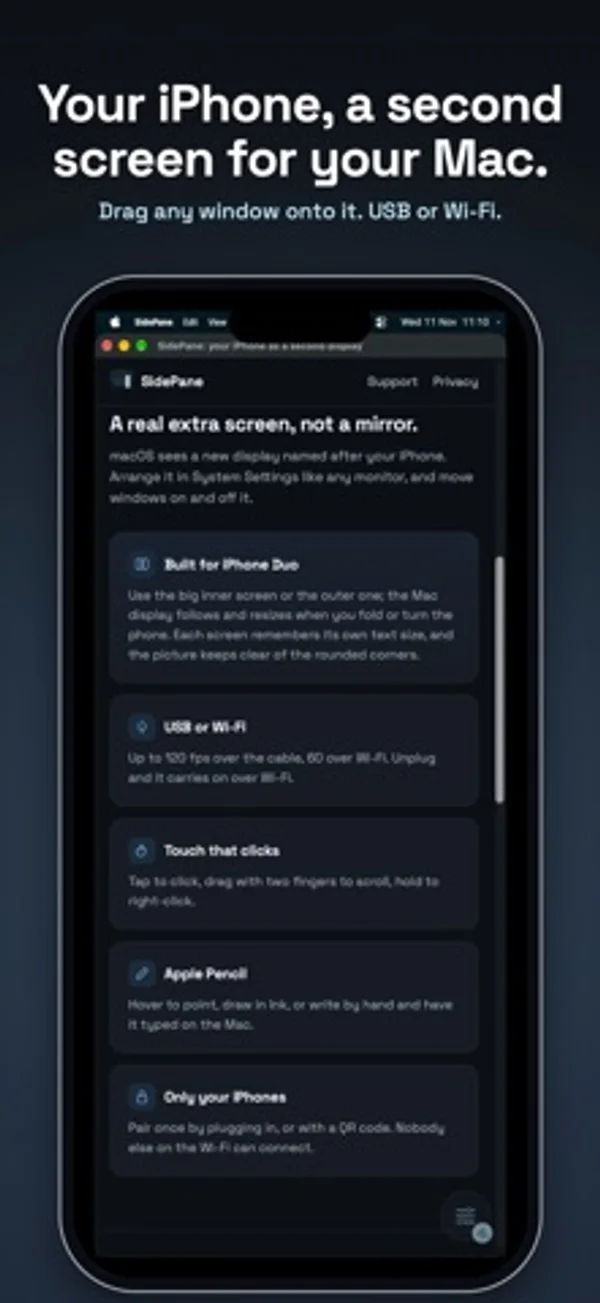
iPhone Duo での活用
Macの拡張画面はDuoの内側・外側に切り替わり、開閉や回転に合わせてサイズが変わります。文字サイズは画面ごとに記憶します。
新機能
バージョン 1.0.1 ·
Setup now shows where to get SidePane for Mac, and can send the link to your Mac by AirDrop, Messages or Mail.
開発者はこの内容を日本語化していません。
App Store の説明開発者による説明です。
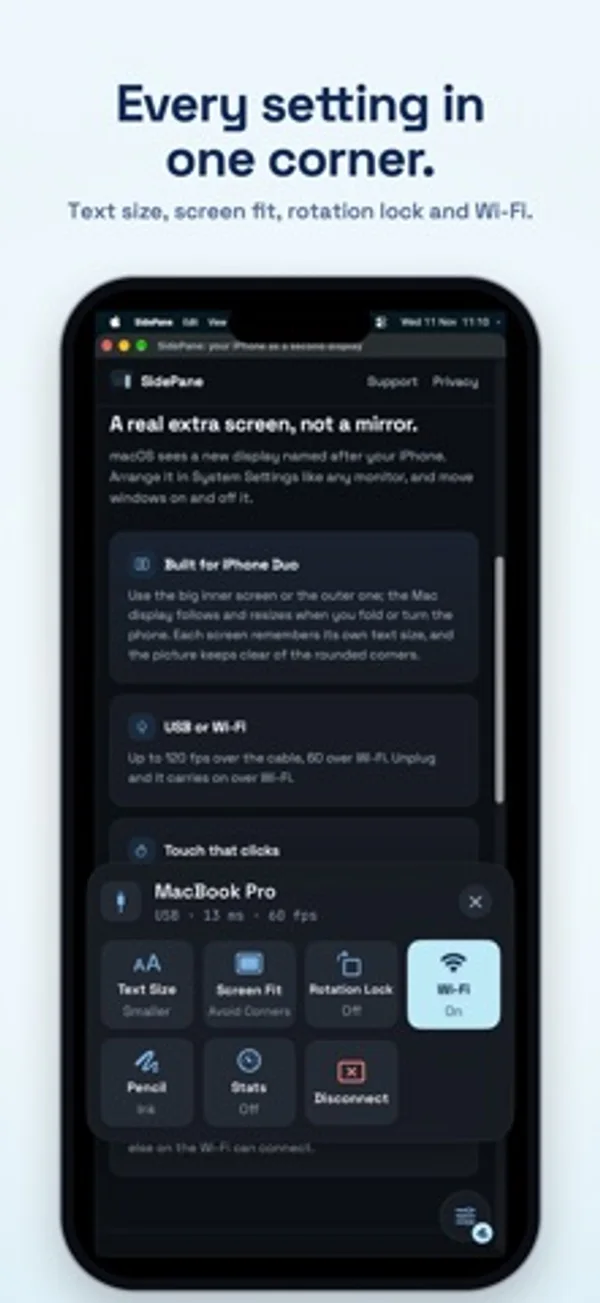
SidePane gives your Mac an extra screen on your iPhone. Drag any window onto it, then tap, scroll and draw on it, over the USB cable or Wi-Fi. It's a real extended display, not a mirror: your Mac sees a new monitor you can arrange like any other. WHAT YOU NEED • The free SidePane app for Mac, from getsidepane.com (Apple silicon, macOS 15 or later). Download it on your Mac. • An iPhone with iOS 18 or later, and a USB cable or the same Wi-Fi. BUILT FOR IPHONE DUO • Use the big inner screen or the cover screen. The Mac display follows the screen you're using and resizes when you fold or turn the phone. • Each screen remembers its own text size, and the picture keeps clear of the rounded corners. • Works on every iPhone running iOS 18 or later. USB OR WI-FI • Plug in for the lowest delay and up to 120 frames a second. • Or use the same Wi-Fi, at up to 60 frames a second. • Unplug and SidePane carries on over Wi-Fi; plug back in and it moves to the cable. • USB keeps working with Chrome or Brave open. TOUCH AND APPLE PENCIL • Tap to click, double-tap to double-click, drag with two fingers to scroll, touch and hold to right-click. • Apple Pencil: hover to point and touch to click, draw in Ink, or write by hand in Write and have it typed on your Mac. • Your palm is ignored while the Pencil is in use. MADE TO STAY OUT OF THE WAY • One small button in a corner opens the controls: Text Size, Screen Fit, Rotation Lock, Wi-Fi, Pencil and Disconnect. • Pair once by plugging in, or with a QR code. Only your iPhones can connect. • Turn off Use Wi-Fi on public networks to use the cable only. FREE TO TRY • Sessions last 15 minutes, as many as you like. • Unlock once for no time limit: one payment, no subscription, Family Sharing included. No account, no ads, no data collected.
iPhone Duo での SidePane: Second Monitor:よくある質問
SidePane: Second Monitor は iPhone Duo に最適化されていますか?
はい。SidePane: Second Monitor は「Duo 専用設計」で、折りたたみ、Split View、外側ディスプレイを活用しています。2026年11月13日 に確認(開発者の発表)。
iPhone Duo での SidePane: Second Monitor はどう見えますか?
Macの拡張画面はDuoの内側・外側に切り替わり、開閉や回転に合わせてサイズが変わります。文字サイズは画面ごとに記憶します。
SidePane: Second Monitor の価格は?
SidePane: Second Monitor は App Store で無料でダウンロードできます。
その他の仕事効率化アプリ
すべて見る ›
所要時間でタスクを分ける、落ち着いた ToDo リスト兼ペーパー風プランナー

キーの配置を変えられ、文字の修正や定型文、絵文字、クリップボードも呼び出せるキーボードです。

月をまたいで週を続けて表示し、iPhoneのカレンダーの予定を確認、編集します。

月表示や予定一覧、分割表示で予定と日記を管理します。

タイプライター風の鍵盤、録音された打鍵音、キャリッジ操作で文章を書けます。

会話を録音・文字起こしし、要約やアクション、連絡文を作成します。