
SidePane: Second Monitor
USB나 Wi-Fi로 iPhone을 Mac의 확장 모니터로 쓰고 터치로 창을 조작합니다.
Yuen Mun Chan · 생산성 · 무료
iPhone 스크린샷
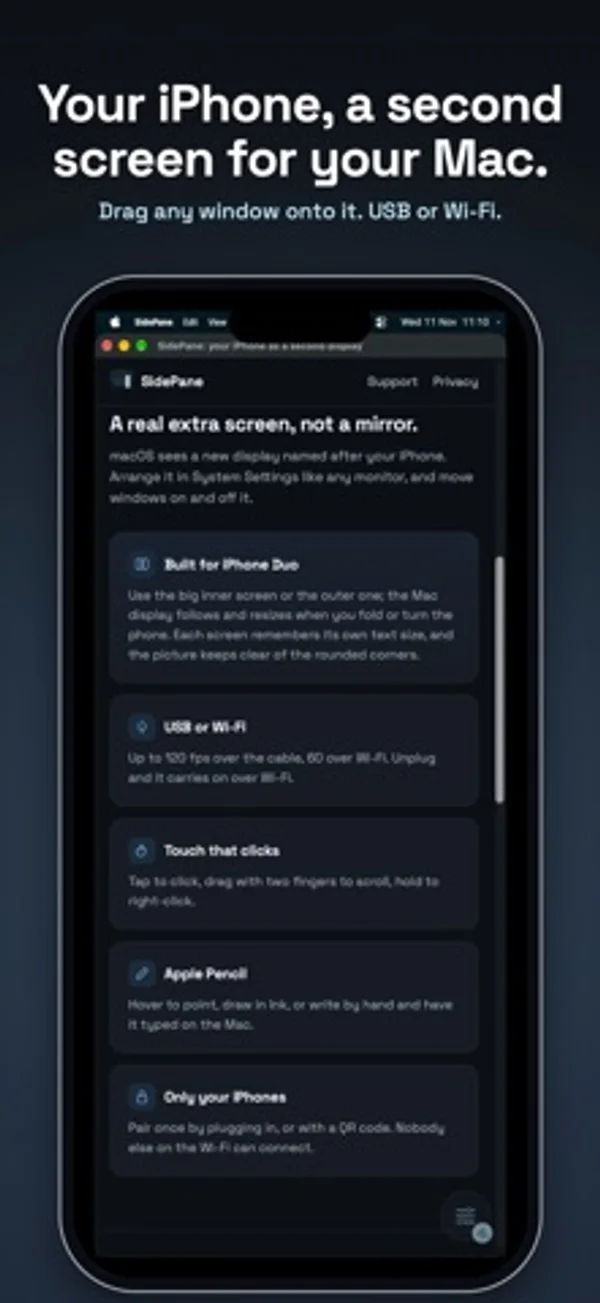
iPhone Duo 활용 방식
Mac 화면이 Duo의 안쪽 또는 바깥 화면에 표시되며, 접거나 돌리면 크기가 바뀝니다. 글자 크기는 화면마다 따로 기억합니다.
새로운 기능
버전 1.0.1 ·
Setup now shows where to get SidePane for Mac, and can send the link to your Mac by AirDrop, Messages or Mail.
개발자가 이 내용을 한국어로 제공하지 않았습니다.
App Store 설명개발자가 작성한 내용입니다.
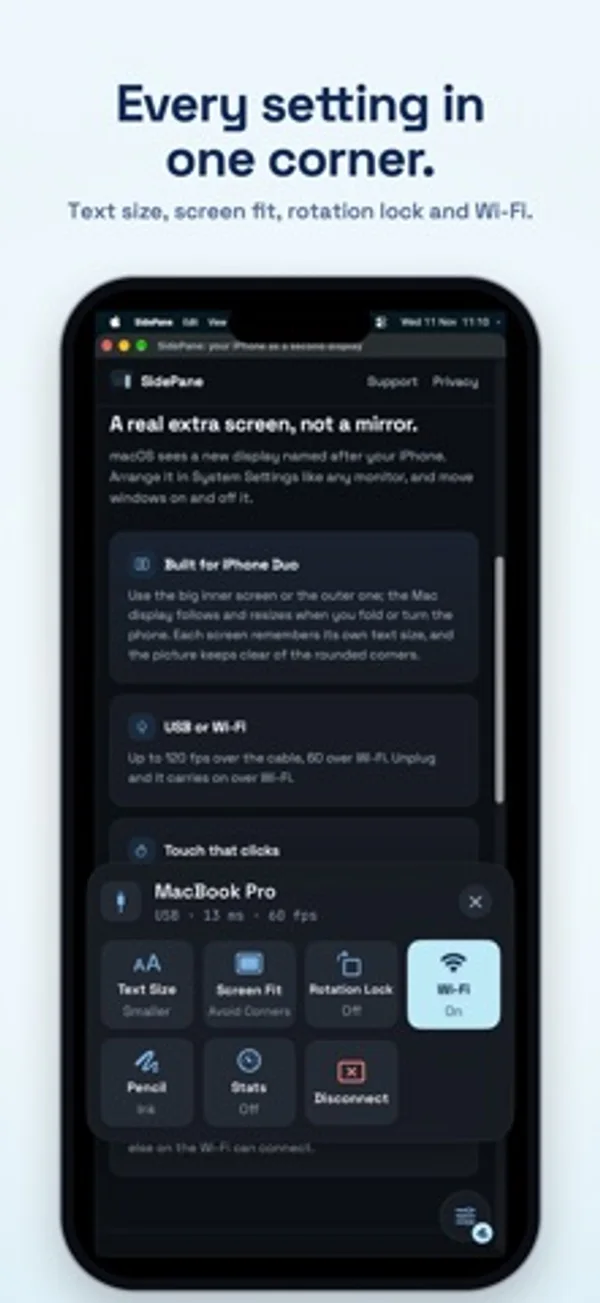
SidePane gives your Mac an extra screen on your iPhone. Drag any window onto it, then tap, scroll and draw on it, over the USB cable or Wi-Fi. It's a real extended display, not a mirror: your Mac sees a new monitor you can arrange like any other. WHAT YOU NEED • The free SidePane app for Mac, from getsidepane.com (Apple silicon, macOS 15 or later). Download it on your Mac. • An iPhone with iOS 18 or later, and a USB cable or the same Wi-Fi. BUILT FOR IPHONE DUO • Use the big inner screen or the cover screen. The Mac display follows the screen you're using and resizes when you fold or turn the phone. • Each screen remembers its own text size, and the picture keeps clear of the rounded corners. • Works on every iPhone running iOS 18 or later. USB OR WI-FI • Plug in for the lowest delay and up to 120 frames a second. • Or use the same Wi-Fi, at up to 60 frames a second. • Unplug and SidePane carries on over Wi-Fi; plug back in and it moves to the cable. • USB keeps working with Chrome or Brave open. TOUCH AND APPLE PENCIL • Tap to click, double-tap to double-click, drag with two fingers to scroll, touch and hold to right-click. • Apple Pencil: hover to point and touch to click, draw in Ink, or write by hand in Write and have it typed on your Mac. • Your palm is ignored while the Pencil is in use. MADE TO STAY OUT OF THE WAY • One small button in a corner opens the controls: Text Size, Screen Fit, Rotation Lock, Wi-Fi, Pencil and Disconnect. • Pair once by plugging in, or with a QR code. Only your iPhones can connect. • Turn off Use Wi-Fi on public networks to use the cable only. FREE TO TRY • Sessions last 15 minutes, as many as you like. • Unlock once for no time limit: one payment, no subscription, Family Sharing included. No account, no ads, no data collected.
iPhone Duo에서의 SidePane: Second Monitor: 자주 묻는 질문
SidePane: Second Monitor은(는) iPhone Duo에 최적화되어 있나요?
네. SidePane: Second Monitor은(는) Duo 전용 설계 앱으로, 폴딩, Split View 또는 외부 디스플레이를 활용합니다. 2026년 11월 13일 확인(개발자 발표).
iPhone Duo에서 SidePane: Second Monitor은(는) 어떻게 보이나요?
Mac 화면이 Duo의 안쪽 또는 바깥 화면에 표시되며, 접거나 돌리면 크기가 바뀝니다. 글자 크기는 화면마다 따로 기억합니다.
SidePane: Second Monitor의 가격은 얼마인가요?
SidePane: Second Monitor은(는) App Store에서 무료로 다운로드할 수 있습니다.
다른 생산성 앱
모두 보기 ›
걸리는 시간별로 할 일을 분류하는 차분한 할 일 목록 겸 종이 스타일 플래너

키 배치를 바꾸고 입력한 글, 이모지, 자주 쓰는 문구와 클립보드를 한곳에서 다루는 키보드입니다.

월이 바뀌어도 주간을 이어 보고 iPhone 캘린더 일정을 확인하거나 수정합니다.

월간 달력과 일정 목록, 분할 보기로 일정과 일기를 관리합니다.

타자기 키보드와 녹음된 키 소리, 캐리지 동작으로 글을 씁니다.

대화를 녹음하고 전사해 요약과 실행 항목, 후속 문안을 만듭니다.