
SidePane: Second Monitor
通过 USB 或 Wi-Fi 把 iPhone 变成 Mac 的扩展屏,可以触控操作窗口。
Yuen Mun Chan · 效率 · 免费
iPhone 截图
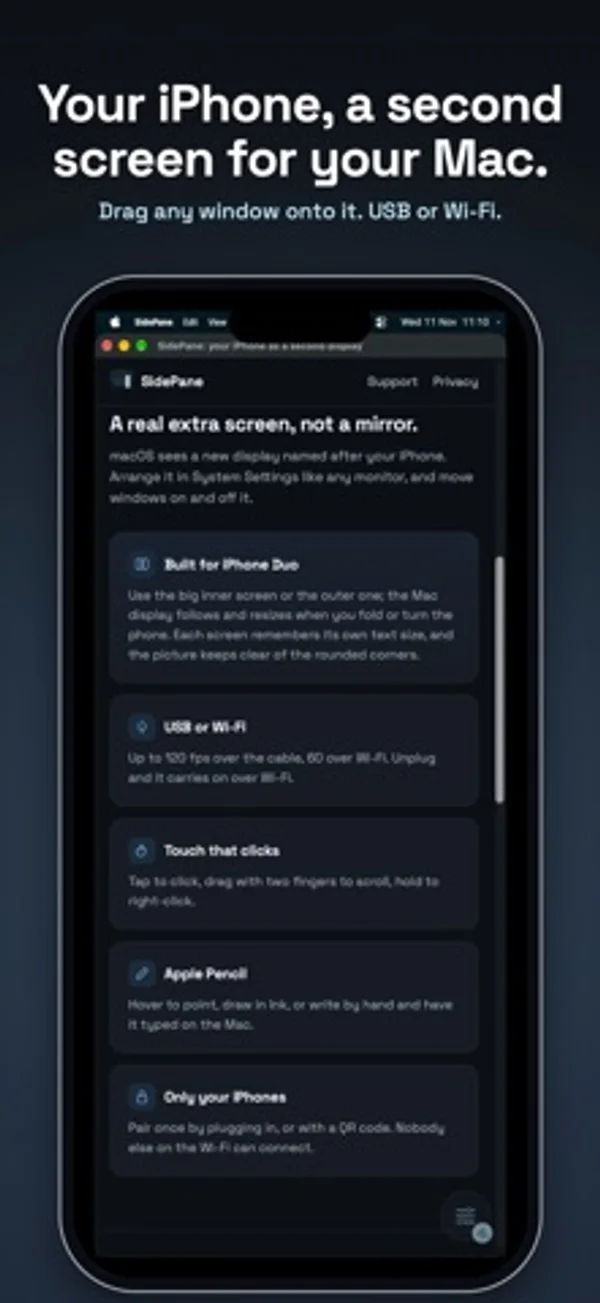
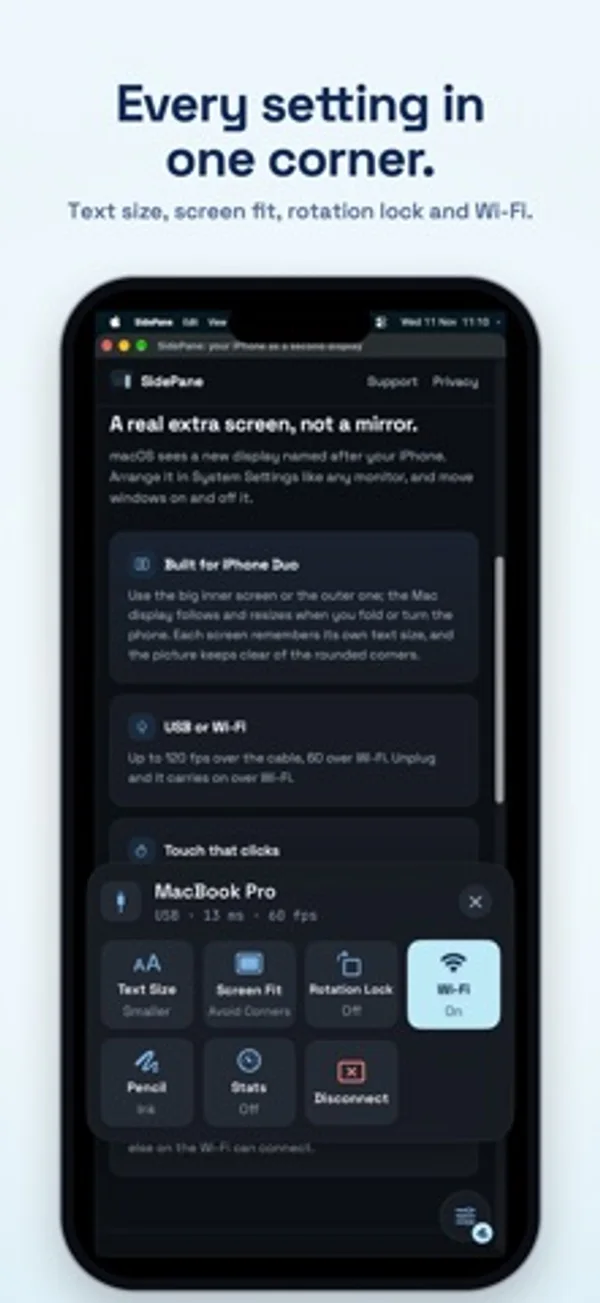
在 iPhone Duo 上的表现
Mac 扩展画面可在 Duo 的内外屏显示,折叠或旋转时会重新调整尺寸,两个屏幕各自记住文字大小。
新功能
版本 1.0.1 ·
Setup now shows where to get SidePane for Mac, and can send the link to your Mac by AirDrop, Messages or Mail.
开发者尚未提供此内容的中文版本。
App Store 简介由开发者撰写。
SidePane gives your Mac an extra screen on your iPhone. Drag any window onto it, then tap, scroll and draw on it, over the USB cable or Wi-Fi. It's a real extended display, not a mirror: your Mac sees a new monitor you can arrange like any other. WHAT YOU NEED • The free SidePane app for Mac, from getsidepane.com (Apple silicon, macOS 15 or later). Download it on your Mac. • An iPhone with iOS 18 or later, and a USB cable or the same Wi-Fi. BUILT FOR IPHONE DUO • Use the big inner screen or the cover screen. The Mac display follows the screen you're using and resizes when you fold or turn the phone. • Each screen remembers its own text size, and the picture keeps clear of the rounded corners. • Works on every iPhone running iOS 18 or later. USB OR WI-FI • Plug in for the lowest delay and up to 120 frames a second. • Or use the same Wi-Fi, at up to 60 frames a second. • Unplug and SidePane carries on over Wi-Fi; plug back in and it moves to the cable. • USB keeps working with Chrome or Brave open. TOUCH AND APPLE PENCIL • Tap to click, double-tap to double-click, drag with two fingers to scroll, touch and hold to right-click. • Apple Pencil: hover to point and touch to click, draw in Ink, or write by hand in Write and have it typed on your Mac. • Your palm is ignored while the Pencil is in use. MADE TO STAY OUT OF THE WAY • One small button in a corner opens the controls: Text Size, Screen Fit, Rotation Lock, Wi-Fi, Pencil and Disconnect. • Pair once by plugging in, or with a QR code. Only your iPhones can connect. • Turn off Use Wi-Fi on public networks to use the cable only. FREE TO TRY • Sessions last 15 minutes, as many as you like. • Unlock once for no time limit: one payment, no subscription, Family Sharing included. No account, no ads, no data collected.
SidePane: Second Monitor 在 iPhone Duo 上:常见问题
SidePane: Second Monitor 针对 iPhone Duo 优化了吗?
是的。SidePane: Second Monitor 属于「专为 Duo 打造」:它利用了折叠形态、Split View 或外屏。资料更新于 2026年11月13日(开发者声明)。
SidePane: Second Monitor 在 iPhone Duo 上是什么样子?
Mac 扩展画面可在 Duo 的内外屏显示,折叠或旋转时会重新调整尺寸,两个屏幕各自记住文字大小。
SidePane: Second Monitor 多少钱?
SidePane: Second Monitor 可在 App Store 免费下载。
更多效率应用
查看全部 ›
安静的待办清单与纸质风格计划本,按所需时长给任务分类

自定义键盘布局,把文字修改、表情、常用短语和剪贴板放在手边。

连续查看跨月的一周,查阅和编辑 iPhone 日历里的安排。

用月历、日程列表和分栏视图安排活动、记录日记。

用打字机式键盘写作,配合真实录制的按键声和回车动作。

录音并转写对话,整理摘要、行动项和后续邮件草稿。