
iPhone 截图
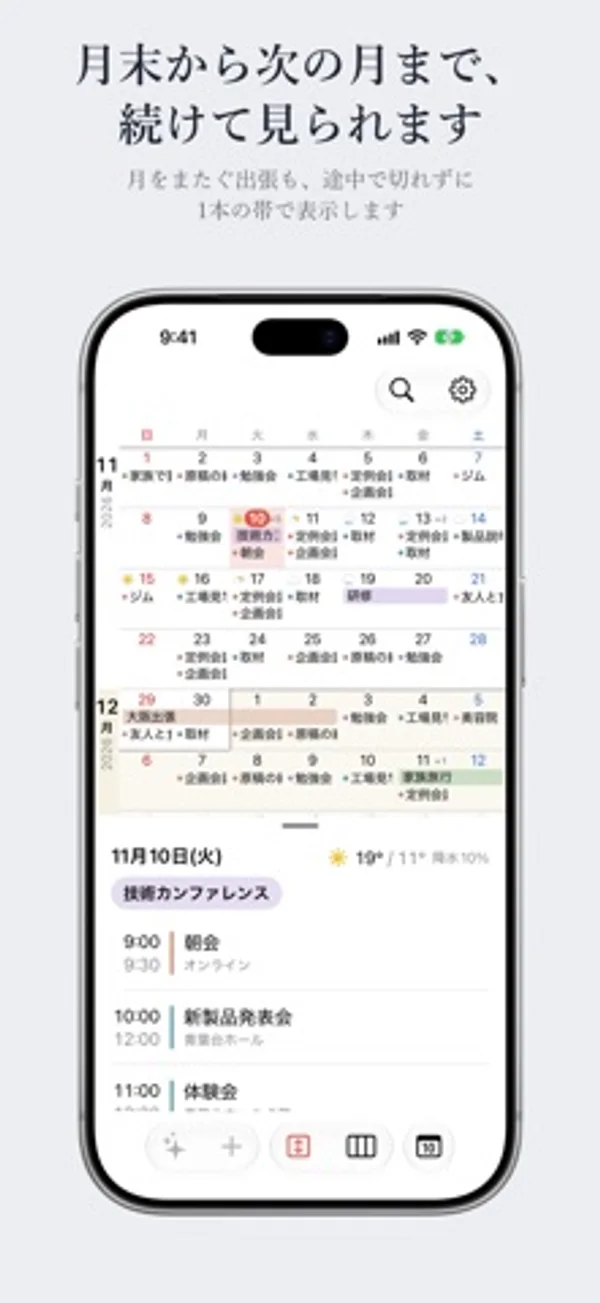
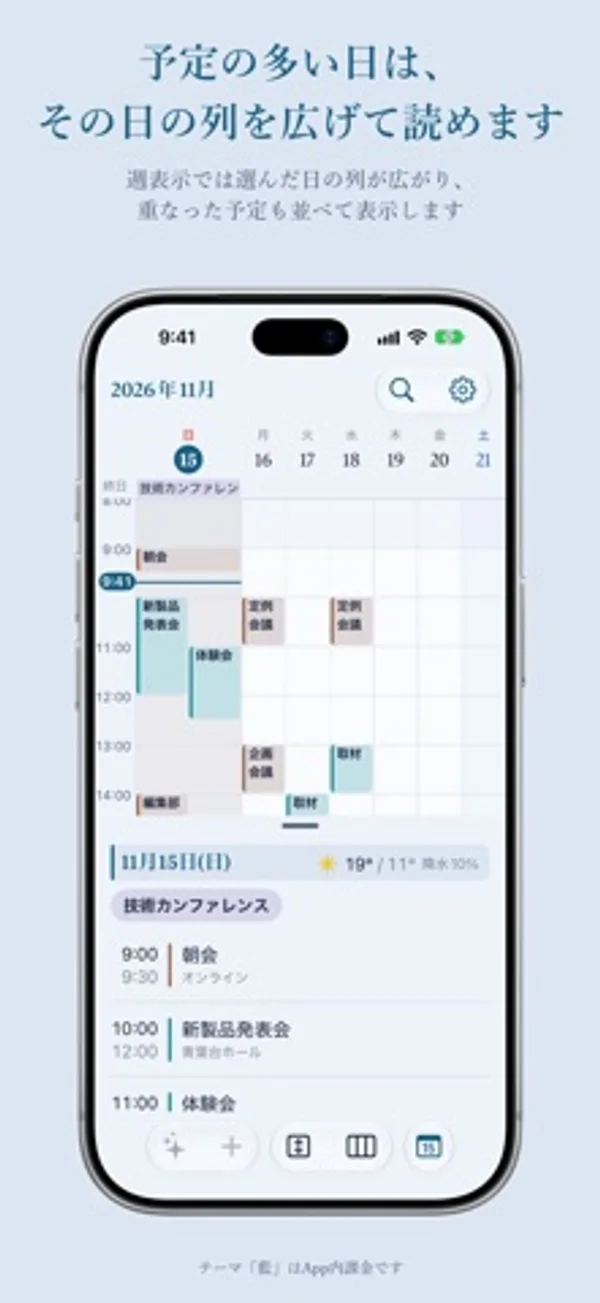
在 iPhone Duo 上的表现
外屏把日历放在当天安排上方。展开后两栏并排,半开时日期格避开折痕。
新功能
版本 1.5 ·
Tsuranari is now available in English. The app and its widgets follow your iPhone's language. To use a different language just for this app, go to Settings > Apps > Tsuranari Cal > Language. - Create Events from Text now reads invitations written in English, including times with time zones such as PST or ET. - The time column in widgets and in the event list now has a fixed width, so events line up. - Weather location search now suggests cities instead of street addresses.
开发者尚未提供此内容的中文版本。
App Store 简介由开发者撰写。
Tsuranari is a calendar that joins the end of one month to the start of the next. It is designed for both screens of iPhone Duo, and it shows and edits the calendars already on your iPhone, such as iCloud and Google. ■ See across month boundaries In the Scroll view, weeks run from top to bottom with no break between months. Events that run from the end of one month into the next stay in one piece. The month you're viewing is shown in white and the months around it in a faint tint, so you can still tell where each month begins. ■ Made for both screens of iPhone Duo On the outer screen, the calendar sits on top and the day's events below. Unfold the large inner screen and they sit side by side, with event details opening where the list is. When the phone is half open, the layout splits at the fold so no date lands on the crease. Tsuranari also works on regular iPhones; turn the phone sideways to place the two side by side. ■ Five views Choose from Month, Scroll, Week, 3 Days, and Day. Put up to three favorite views on buttons and switch with a single tap. ■ Draft events from invitations Paste an invitation to a launch, a meeting, or a get-together, and Tsuranari reads the date, time, place, and URL to draft the events. It also reads photos, PDFs, and LINE chat history, in English and Japanese. If it finds a sign-up deadline, you can add it to Reminders. Everything is read on your device by Apple's language model. This feature requires an iPhone that supports Apple Intelligence (iOS 27 or later). ■ Japanese Colors themes Recolor the app and its widgets in five traditional Japanese colors: Ai Indigo, Moegi Green, Fuji Wisteria, Kinari Cream, and Ginnezu Silver. The Standard theme is free; the five Japanese Colors themes are a single in-app purchase. ■ Privacy Your events are saved in the iPhone Calendar and never copied into the app. No events or text are sent to the developer's servers.
つらなりカレンダー 在 iPhone Duo 上:常见问题
つらなりカレンダー 针对 iPhone Duo 优化了吗?
是的。つらなりカレンダー 属于「专为 Duo 打造」:它利用了折叠形态、Split View 或外屏。资料更新于 2026年11月15日(开发者声明)。
つらなりカレンダー 在 iPhone Duo 上是什么样子?
外屏把日历放在当天安排上方。展开后两栏并排,半开时日期格避开折痕。
つらなりカレンダー 多少钱?
つらなりカレンダー 可在 App Store 免费下载。
更多效率应用
查看全部 ›
安静的待办清单与纸质风格计划本,按所需时长给任务分类

自定义键盘布局,把文字修改、表情、常用短语和剪贴板放在手边。

通过 USB 或 Wi-Fi 把 iPhone 变成 Mac 的扩展屏,可以触控操作窗口。

用月历、日程列表和分栏视图安排活动、记录日记。

用打字机式键盘写作,配合真实录制的按键声和回车动作。

录音并转写对话,整理摘要、行动项和后续邮件草稿。