
つらなりカレンダー
Scroll across month boundaries and review or edit events from your iPhone calendars.
Toru Ishii · Productivity · Free
iPhone screenshots
How it uses iPhone Duo
The cover stacks the calendar above the agenda. Open it to place the two side by side. In the half-open pose dates stay clear of the fold.
What’s New
Version 1.5 ·
Tsuranari is now available in English. The app and its widgets follow your iPhone's language. To use a different language just for this app, go to Settings > Apps > Tsuranari Cal > Language. - Create Events from Text now reads invitations written in English, including times with time zones such as PST or ET. - The time column in widgets and in the event list now has a fixed width, so events line up. - Weather location search now suggests cities instead of street addresses.
App Store descriptionWritten by the developer.
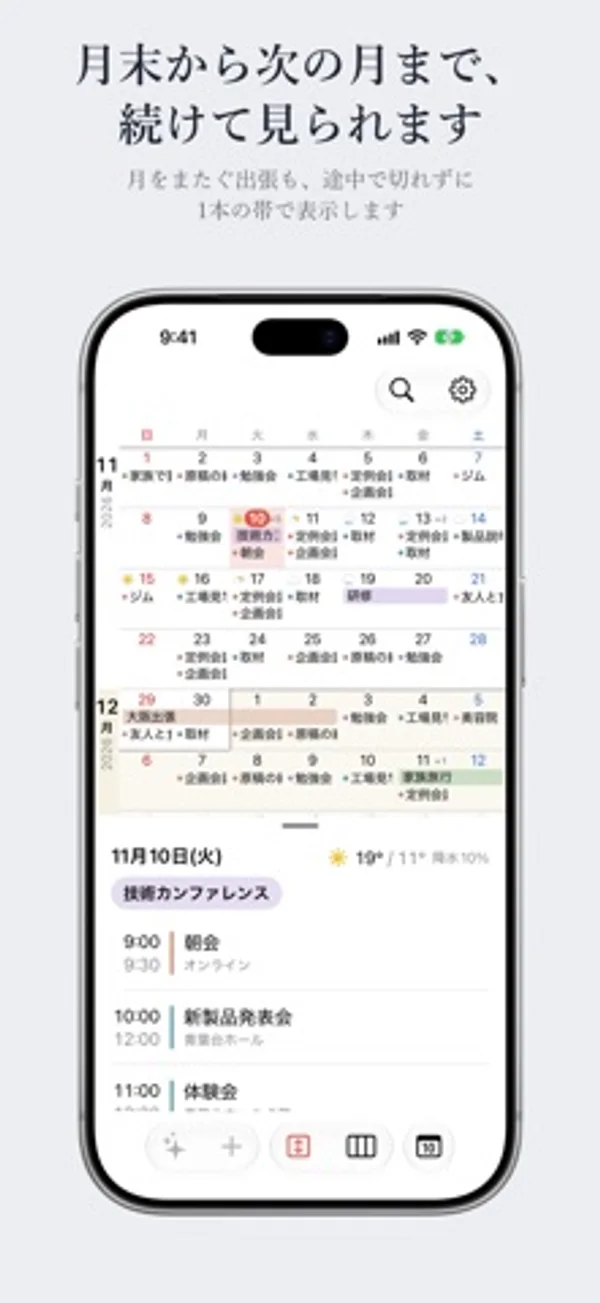
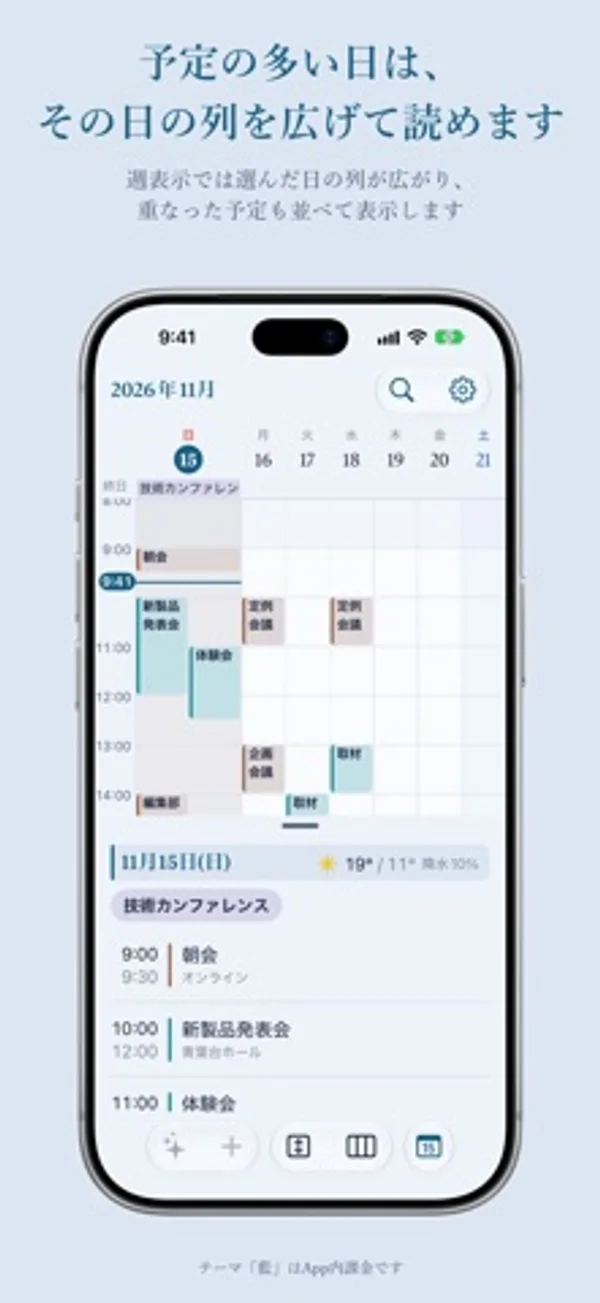
Tsuranari is a calendar that joins the end of one month to the start of the next. It is designed for both screens of iPhone Duo, and it shows and edits the calendars already on your iPhone, such as iCloud and Google. ■ See across month boundaries In the Scroll view, weeks run from top to bottom with no break between months. Events that run from the end of one month into the next stay in one piece. The month you're viewing is shown in white and the months around it in a faint tint, so you can still tell where each month begins. ■ Made for both screens of iPhone Duo On the outer screen, the calendar sits on top and the day's events below. Unfold the large inner screen and they sit side by side, with event details opening where the list is. When the phone is half open, the layout splits at the fold so no date lands on the crease. Tsuranari also works on regular iPhones; turn the phone sideways to place the two side by side. ■ Five views Choose from Month, Scroll, Week, 3 Days, and Day. Put up to three favorite views on buttons and switch with a single tap. ■ Draft events from invitations Paste an invitation to a launch, a meeting, or a get-together, and Tsuranari reads the date, time, place, and URL to draft the events. It also reads photos, PDFs, and LINE chat history, in English and Japanese. If it finds a sign-up deadline, you can add it to Reminders. Everything is read on your device by Apple's language model. This feature requires an iPhone that supports Apple Intelligence (iOS 27 or later). ■ Japanese Colors themes Recolor the app and its widgets in five traditional Japanese colors: Ai Indigo, Moegi Green, Fuji Wisteria, Kinari Cream, and Ginnezu Silver. The Standard theme is free; the five Japanese Colors themes are a single in-app purchase. ■ Privacy Your events are saved in the iPhone Calendar and never copied into the app. No events or text are sent to the developer's servers.
つらなりカレンダー on iPhone Duo: FAQ
Is つらなりカレンダー optimized for iPhone Duo?
Yes. つらなりカレンダー is Built for Duo: it uses the fold, Split View or the outer display. Verified on November 15, 2026 (Developer statement).
What does つらなりカレンダー look like on iPhone Duo?
The cover stacks the calendar above the agenda. Open it to place the two side by side. In the half-open pose dates stay clear of the fold.
How much does つらなりカレンダー cost?
つらなりカレンダー is free to download on the App Store.
More Productivity apps
See all ›
Calm to-do list and paper-style planner that sorts tasks by how long they take

Type with a customizable keyboard that keeps text editing, emoji, snippets and clipboard tools close at hand.

Use an iPhone as a second Mac monitor over USB or Wi-Fi, with touch controls.

Plan appointments and keep a diary with month, list and split calendar views.

Write with a typewriter-style keyboard, recorded key sounds and carriage-return actions.

Record conversations and turn transcripts into summaries, action items and follow-up drafts.