
Carriage: Typewriter
Write with a typewriter-style keyboard, recorded key sounds and carriage-return actions.
Justin Lee · Productivity · Free
iPhone screenshots
How it uses iPhone Duo
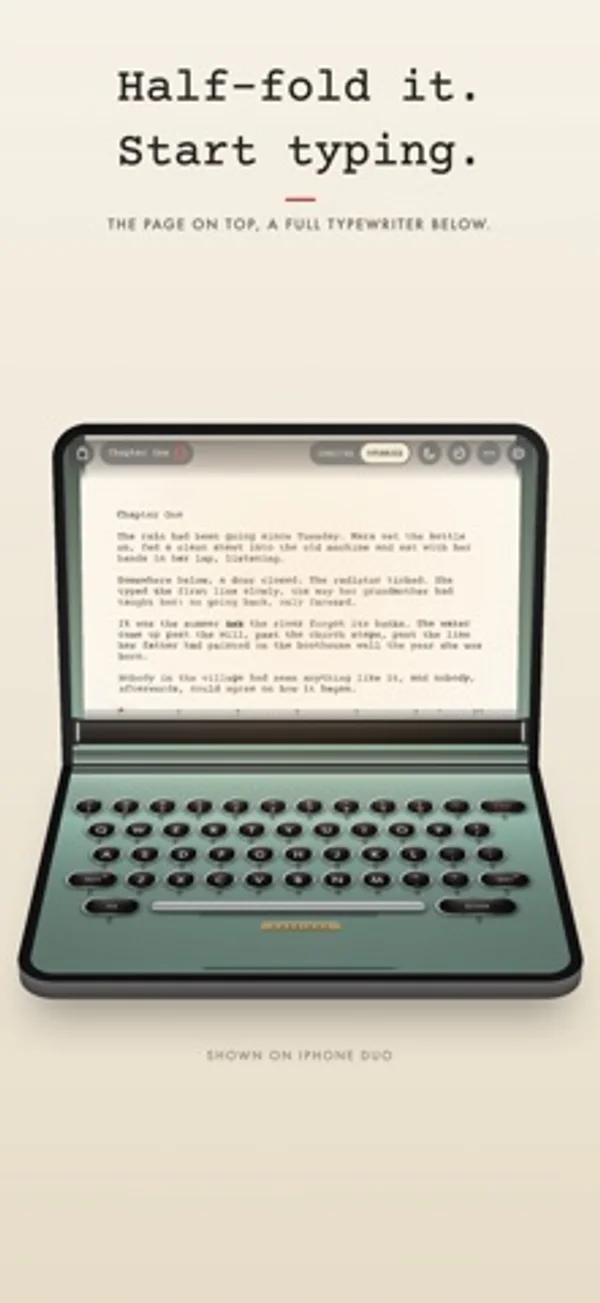
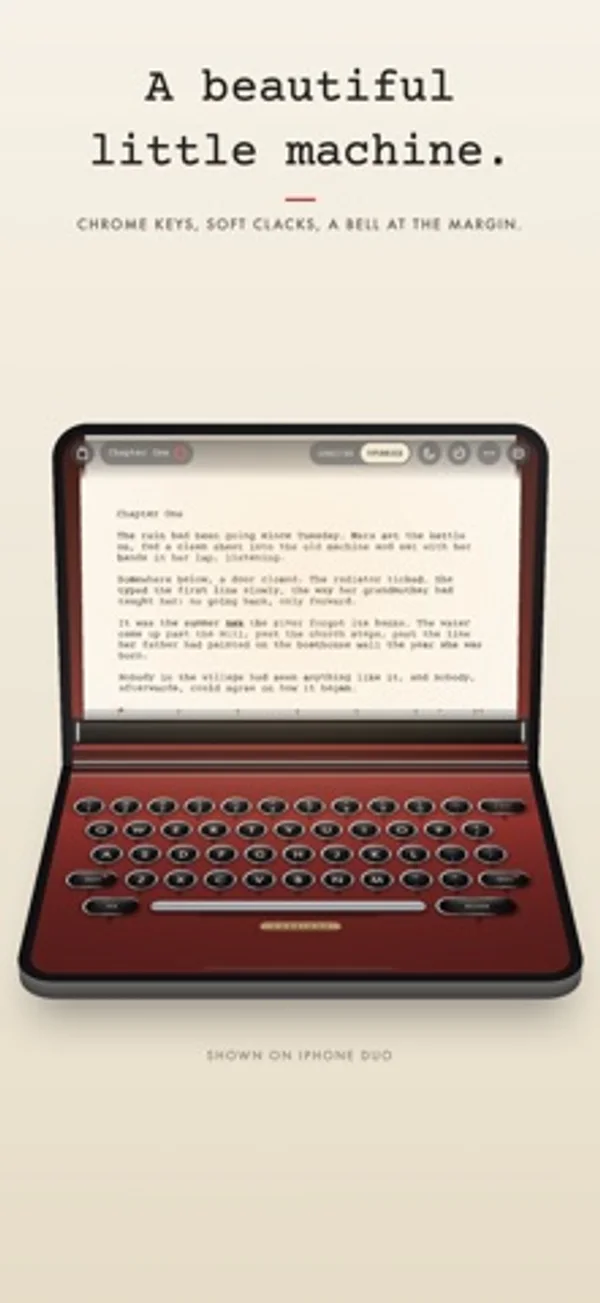
Half-fold the Duo like a laptop: the page stands above the hinge and the full keyboard sits below.
What’s New
Version 1.0.1 ·
Small polish and stability improvements. Writing on an iPhone Duo? Half-fold it like a little laptop: the page stands up on top, and a full typewriter waits below.
App Store descriptionWritten by the developer.
Carriage turns your iPhone into a typewriter. Half-fold an iPhone Duo like a little laptop and the page stands up on the top half while a full typewriter keyboard waits on the bottom. On any other iPhone, the page and the keys share one screen. Open it and your iPhone goes quiet. Every key lands with the clack of a real, recorded typewriter, the bell rings near the margin, and you push the carriage home at the end of each line. MADE FOR IPHONE DUO • Half-fold it like a tiny laptop: the page on the top half, a full typewriter keyboard on the bottom. • Hold it like a book and your draft becomes a two-page spread to read. • Close it and read on the outer screen. Fold it shut mid-sentence and your page is saved; open it and you're back where you were. • On every other iPhone, Carriage is a lovely pocket machine. MADE TO HELP YOU FOCUS • Set it up once and your iPhone silences notifications whenever Carriage is open. Carriage walks you through it in a few taps. • Tap the moon and everything but the page and keys fades away. • Add Carriage's Focus Filter to any Focus, and the page clears itself whenever that Focus is on. • It types like a typewriter: no delete (X-OUT strikes through with an x) and the keys stop at the margin until you return the carriage. Prefer backspace and automatic line wrap? They're a setting away. A BEAUTIFUL MACHINE • Round, chrome-ringed keys that press down under your fingers, with a tap you can feel on every stroke. • Real typewriters, recorded: every key, the space bar, the bell near the margin and the carriage sliding home. A 1950s Italian portable comes with Carriage; three more machines come with the unlock. • Ink that sits on the paper like real type, a little uneven from letter to letter. • Four paper stocks, from crisp bond to onion skin, four ribbon colours and five machine finishes, from seafoam to cherry. Night desk for light ink on dark paper. • Push the paper to return the carriage, like the real thing, and feel every part of it: the keys, the ratchet, the bell. • Recorded rain on the window or a fire in the grate under the keys. A warm desk lamp that follows the hour. • Engrave your name on the brass plate. YOUR WRITING, KEPT SAFE • Saves as you type and syncs with iCloud. • Keeps a plain Markdown copy of every page in Files. • Version history for every page, notebooks for projects and a journal page for each day. • Daily word goals, streaks and a calendar of every day you wrote. • Export a PDF that looks typed, or Markdown and plain text. Print it, share it as an image or send it to Notes. No subscription. No ads. No accounts. Nothing collected. Your first 5,000 words are free, with every paper and ribbon. Unlock Carriage once for unlimited words and every machine, forever.
Carriage: Typewriter on iPhone Duo: FAQ
Is Carriage: Typewriter optimized for iPhone Duo?
Yes. Carriage: Typewriter is Built for Duo: it uses the fold, Split View or the outer display. Verified on October 28, 2026 (Developer statement).
What does Carriage: Typewriter look like on iPhone Duo?
Half-fold the Duo like a laptop: the page stands above the hinge and the full keyboard sits below.
How much does Carriage: Typewriter cost?
Carriage: Typewriter is free to download on the App Store.
More Productivity apps
See all ›
Calm to-do list and paper-style planner that sorts tasks by how long they take

Record conversations and turn transcripts into summaries, action items and follow-up drafts.

Task and project management with layouts for both iPhone Duo displays

Unified inbox from Readdle with message and inbox side by side when unfolded

Task manager from Cultured Code, reshaped for every iPhone Duo pose

A private handwriting-style notebook that opens when you unfold iPhone Duo