
iPhone 스크린샷
iPhone Duo 활용 방식
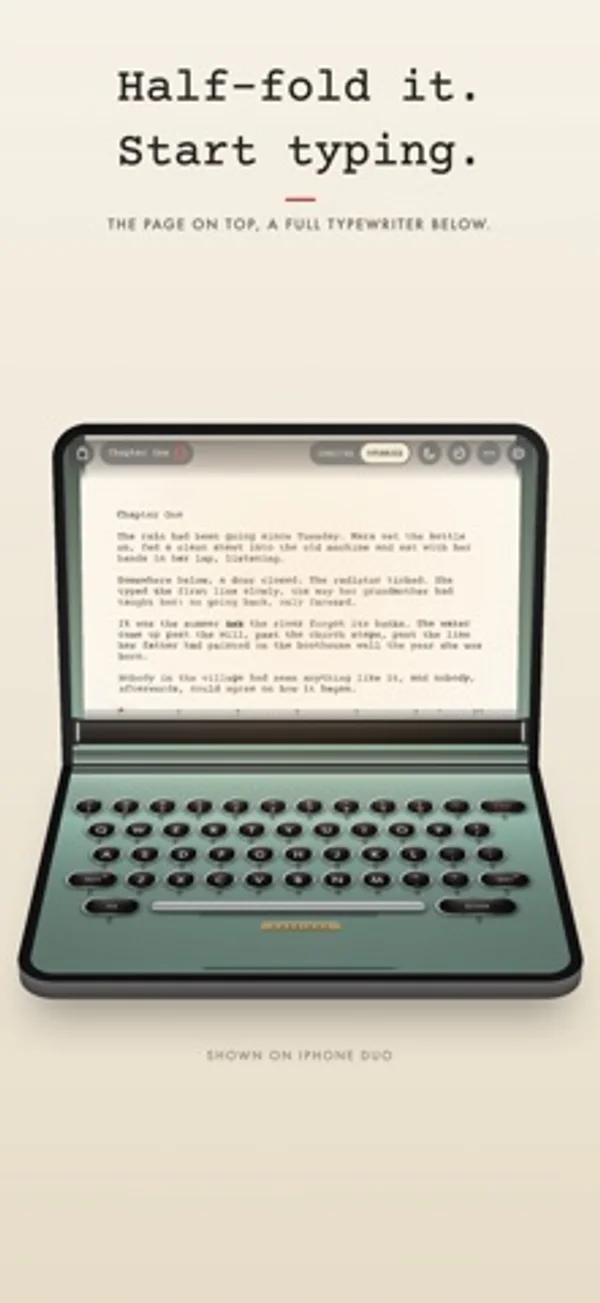
노트북처럼 반쯤 접으면 위에는 종이, 아래에는 전체 키보드가 놓입니다.
새로운 기능
버전 1.0.1 ·
Small polish and stability improvements. Writing on an iPhone Duo? Half-fold it like a little laptop: the page stands up on top, and a full typewriter waits below.
개발자가 이 내용을 한국어로 제공하지 않았습니다.
App Store 설명개발자가 작성한 내용입니다.
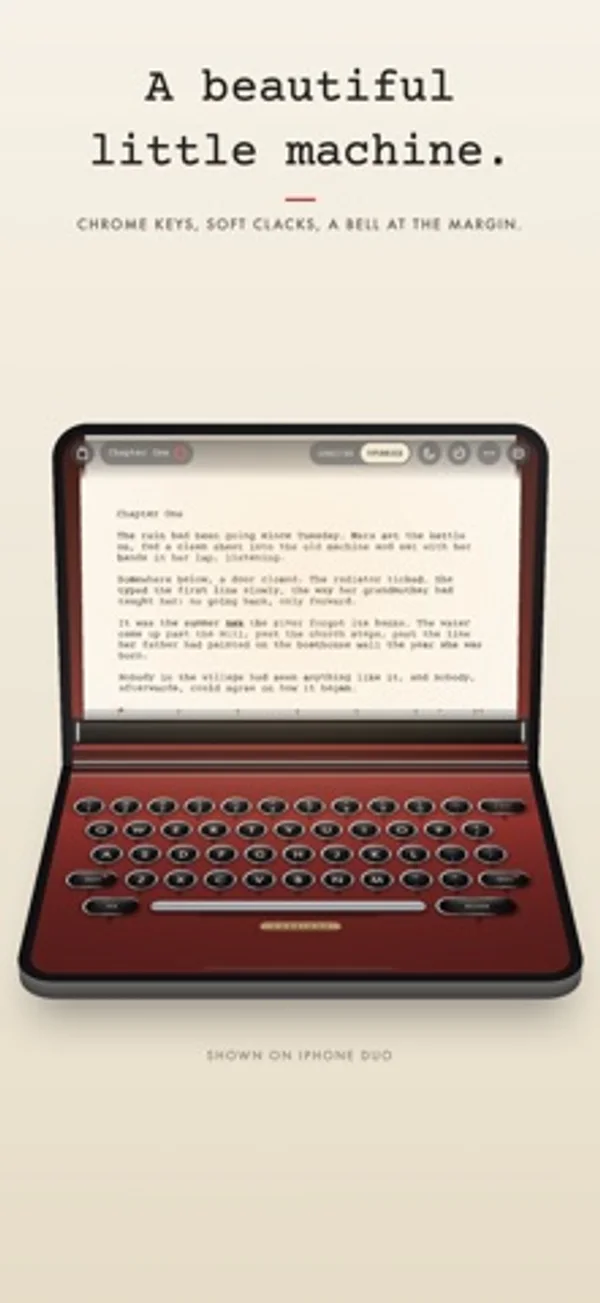
Carriage turns your iPhone into a typewriter. Half-fold an iPhone Duo like a little laptop and the page stands up on the top half while a full typewriter keyboard waits on the bottom. On any other iPhone, the page and the keys share one screen. Open it and your iPhone goes quiet. Every key lands with the clack of a real, recorded typewriter, the bell rings near the margin, and you push the carriage home at the end of each line. MADE FOR IPHONE DUO • Half-fold it like a tiny laptop: the page on the top half, a full typewriter keyboard on the bottom. • Hold it like a book and your draft becomes a two-page spread to read. • Close it and read on the outer screen. Fold it shut mid-sentence and your page is saved; open it and you're back where you were. • On every other iPhone, Carriage is a lovely pocket machine. MADE TO HELP YOU FOCUS • Set it up once and your iPhone silences notifications whenever Carriage is open. Carriage walks you through it in a few taps. • Tap the moon and everything but the page and keys fades away. • Add Carriage's Focus Filter to any Focus, and the page clears itself whenever that Focus is on. • It types like a typewriter: no delete (X-OUT strikes through with an x) and the keys stop at the margin until you return the carriage. Prefer backspace and automatic line wrap? They're a setting away. A BEAUTIFUL MACHINE • Round, chrome-ringed keys that press down under your fingers, with a tap you can feel on every stroke. • Real typewriters, recorded: every key, the space bar, the bell near the margin and the carriage sliding home. A 1950s Italian portable comes with Carriage; three more machines come with the unlock. • Ink that sits on the paper like real type, a little uneven from letter to letter. • Four paper stocks, from crisp bond to onion skin, four ribbon colours and five machine finishes, from seafoam to cherry. Night desk for light ink on dark paper. • Push the paper to return the carriage, like the real thing, and feel every part of it: the keys, the ratchet, the bell. • Recorded rain on the window or a fire in the grate under the keys. A warm desk lamp that follows the hour. • Engrave your name on the brass plate. YOUR WRITING, KEPT SAFE • Saves as you type and syncs with iCloud. • Keeps a plain Markdown copy of every page in Files. • Version history for every page, notebooks for projects and a journal page for each day. • Daily word goals, streaks and a calendar of every day you wrote. • Export a PDF that looks typed, or Markdown and plain text. Print it, share it as an image or send it to Notes. No subscription. No ads. No accounts. Nothing collected. Your first 5,000 words are free, with every paper and ribbon. Unlock Carriage once for unlimited words and every machine, forever.
iPhone Duo에서의 Carriage: Typewriter: 자주 묻는 질문
Carriage: Typewriter은(는) iPhone Duo에 최적화되어 있나요?
네. Carriage: Typewriter은(는) Duo 전용 설계 앱으로, 폴딩, Split View 또는 외부 디스플레이를 활용합니다. 2026년 10월 28일 확인(개발자 발표).
iPhone Duo에서 Carriage: Typewriter은(는) 어떻게 보이나요?
노트북처럼 반쯤 접으면 위에는 종이, 아래에는 전체 키보드가 놓입니다.
Carriage: Typewriter의 가격은 얼마인가요?
Carriage: Typewriter은(는) App Store에서 무료로 다운로드할 수 있습니다.
다른 생산성 앱
모두 보기 ›
걸리는 시간별로 할 일을 분류하는 차분한 할 일 목록 겸 종이 스타일 플래너

대화를 녹음하고 전사해 요약과 실행 항목, 후속 문안을 만듭니다.

iPhone Duo의 두 디스플레이에 맞춘 레이아웃을 갖춘 작업·프로젝트 관리 앱

펼치면 메시지와 받은 편지함을 나란히 보여 주는 Readdle의 통합 받은 편지함

Cultured Code의 작업 관리 앱, iPhone Duo의 모든 자세에 맞게 재구성

iPhone Duo를 펼치면 열리는, 손글씨 느낌의 프라이빗 노트