
Duoboard: Foldable Keyboard
Type with a customizable keyboard that keeps text editing, emoji, snippets and clipboard tools close at hand.
Patrick Gatewood · Productivity · Free
iPhone screenshots
How it uses iPhone Duo
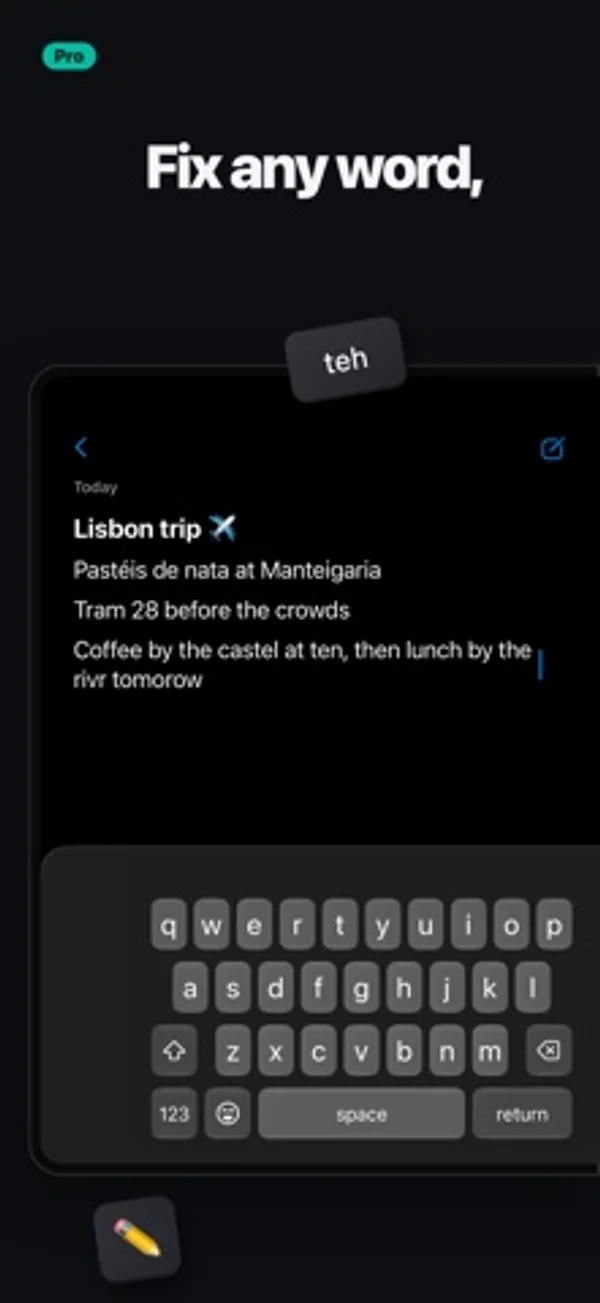
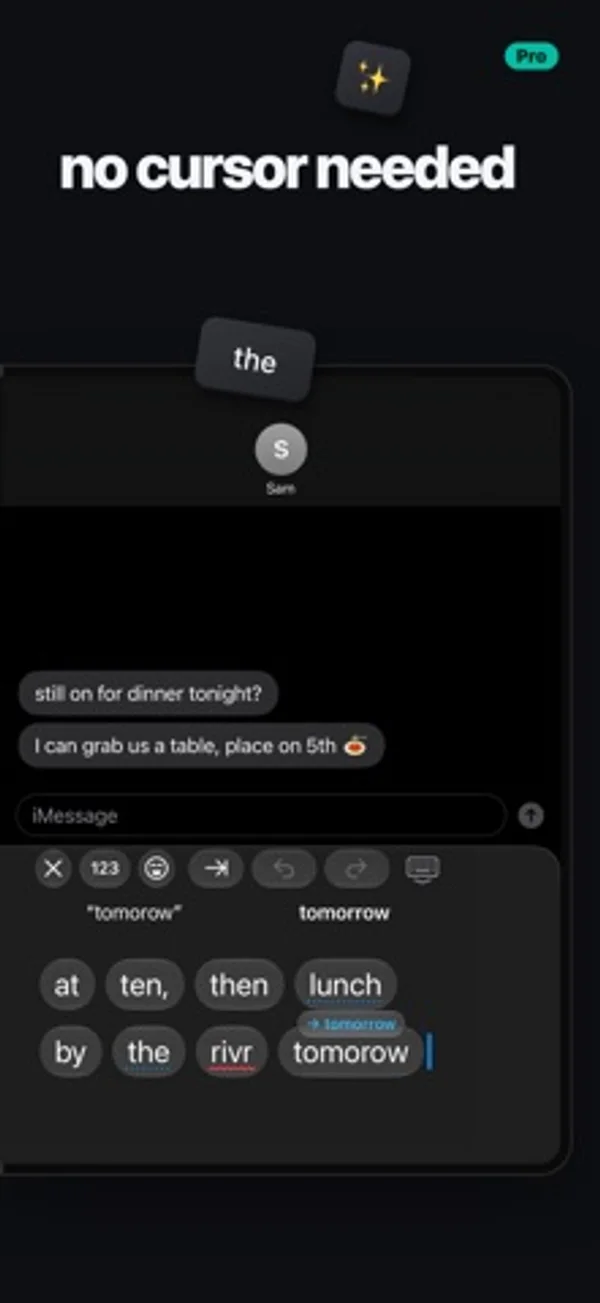
Open the Duo to put keys on one side and editing tools on the other, or split the keyboard between your thumbs.
What’s New
Version 1.3 ·
Make Duoboard exactly your size. In Half or one-handed, slowly drag the space bar to make the keys exactly as wide as you like. Full, Half, Split and Dual each remember the size you set for them. Also in this update: • Slide for capitals and numbers: slide from shift onto a letter, or from 123 onto a number, and let go • Customizable Split View: choose which keys show on each half, in Settings • Smoother gestures: switching layouts now follows your fingers, so you can let go to keep it or slide back to cancel. Spread two fingers to split from any layout • Better swipe typing: swiping picks the word you meant more often • Smarter autocorrect: it fixes a word only when it's fairly sure, catches more missed letters, and learns fewer typos • A better demo to share: the try-before-installing demo is shorter and more fun • Suggestions stay in the top row, and the keys keep their full height • Plenty of small fixes under the hood
App Store descriptionWritten by the developer.
Duoboard puts your keyboard on one half of the open iPhone Duo and a productivity sidekick on the other. Or split the keys across both. LIVE EDIT No more cursor dance. Everything you've typed shows up right beside the keys, word by word, big enough to hit. Tap any word to swap it, fix it or retype it, without wrestling with the text in your app. Pinch two words to join them, or spread one to split it. In Half and in Split. HALF The keys on the screen you're holding, and your sidekick on the other: Live Edit, emoji with search, a number pad and symbols, your snippets and your clipboard. SPLIT One keyboard, a half under each thumb, like on iPad. Spread two fingers on the keys to split them, pinch to bring them back together, and drag the halves wider or narrower to fit your hands. Choose which keys show on which side. DUAL A whole keyboard under each thumb, split across the fold. FULL Or keep it classic, one keyboard across the whole screen. ONE-HANDED, WITHOUT THE FUSS • Sweep two fingers or flick the space bar toward a thumb, and the keyboard drops into Half under it. Sweep again to tuck the keys in for one hand. No holding the globe key, no menu. • On the closed Duo, flick the space bar toward your thumb for one-handed keys, and back for full width. • Drag the keyboard to any height and set its width, remembered for closed, open upright and open sideways. TYPES THE WAY YOU DO • Swipe typing, with suggestions as you swipe • Autocorrect that learns your words and your contacts' names, and reads the words before it • Next-word suggestions after a space • Missed spaces come apart: "itsjust" becomes "it's just" • Hold the space bar for a trackpad: the higher your thumb, the faster the cursor • Hold 123 for snake_case, kebab-case, camelCase or file paths • An optional number row, and a touch and hold on a letter for its accents • Emoji search that forgives typos • What you just copied waits in the suggestion bar, one tap to paste • Undo and redo in the suggestion bar • Set how fast the delete key repeats SNIPPETS AND CLIPBOARD Save the things you type all the time, your address, your email, a go-to reply, and send them with a tap. Duoboard can also keep what you copy, so it's there when you need it again. ON IPAD TOO Duoboard works on iPad too, Split and Live Edit included. PRIVATE Nothing you type leaves your device. No account, no ads, no tracking. DUOBOARD PRO The Full keyboard is free, with autocorrect, emoji, snippets and your clipboard. Duoboard Pro unlocks Half, Split, Dual, Live Edit and swipe typing: try it free for 7 days, then keep it with a one-time purchase. No subscription.
Duoboard: Foldable Keyboard on iPhone Duo: FAQ
Is Duoboard: Foldable Keyboard optimized for iPhone Duo?
Yes. Duoboard: Foldable Keyboard is Built for Duo: it uses the fold, Split View or the outer display. Verified on November 16, 2026 (Developer statement).
What does Duoboard: Foldable Keyboard look like on iPhone Duo?
Open the Duo to put keys on one side and editing tools on the other, or split the keyboard between your thumbs.
How much does Duoboard: Foldable Keyboard cost?
Duoboard: Foldable Keyboard is free to download on the App Store.
More Productivity apps
See all ›
Calm to-do list and paper-style planner that sorts tasks by how long they take

Scroll across month boundaries and review or edit events from your iPhone calendars.

Use an iPhone as a second Mac monitor over USB or Wi-Fi, with touch controls.

Plan appointments and keep a diary with month, list and split calendar views.

Write with a typewriter-style keyboard, recorded key sounds and carriage-return actions.

Record conversations and turn transcripts into summaries, action items and follow-up drafts.