
Calendar Op.2: Planner & Diary
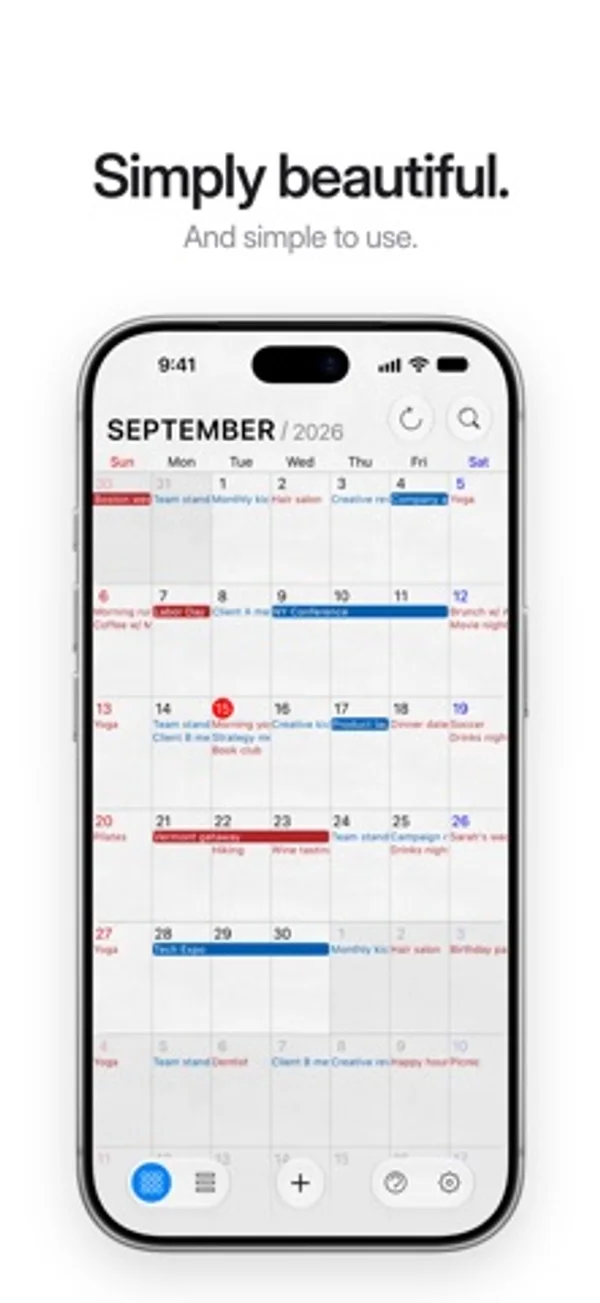
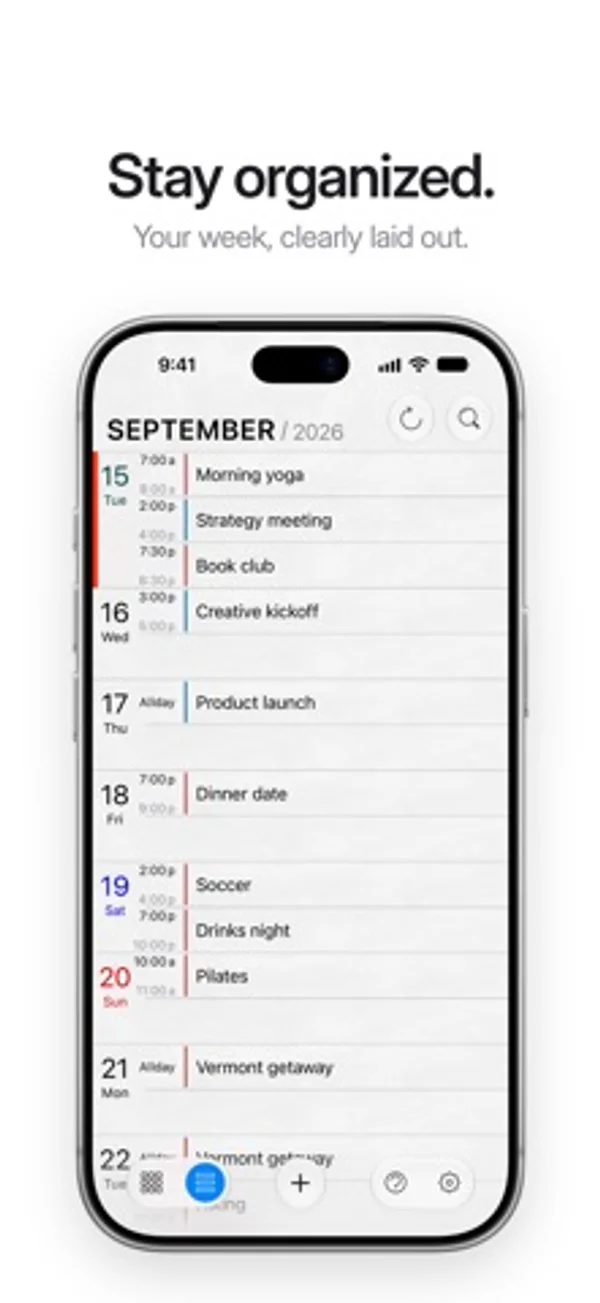
Plan appointments and keep a diary with month, list and split calendar views.
Yoshihiro Sakamoto · Productivity · Free
iPhone screenshots
How it uses iPhone Duo
On Duo, the month and list appear side by side with an adjustable divider; half-folding aligns that divider with the crease.
What’s New
Version 3.0.1 ·
V3.0.1 fixes - Minor bug fixes for iOS 27.1. What was new in V3.0 Full support for iPhone Duo - On the large inner display, use Split View with the month and the list side by side, just like on iPad. Drag the divider to adjust the panes. - On the folded outer display, the app works with its usual iPhone layout, and switches automatically as you open and close the device. - When the device is half open, the Split View divider moves to the fold by itself. - Support for the new vertical bar in iOS 27.1: depending on orientation and posture, the buttons move to a column at the side of the screen. iOS 27.1 support - The whole app has been tuned for the latest iOS 27.1. Refreshed for the Liquid Glass design - The buttons in the top and bottom bars are now Liquid Glass buttons. Month, Split and List form one group, with the current view shown as a blue circle. - The day pop-up header has been refined: the weekday is shown in a lighter colour, with Sunday in red and Saturday in blue, and the + and × buttons are now round glass buttons. Thank you for using Calendar Op.2!
App Store descriptionWritten by the developer.
Calendar Op.2 [opus two] is a very simple and easy-to-use calendar application designed for everyone who loves simple life. With its clean user interface and carefully selected feature set, you can organize your daily schedule smoother than ever. FEATURES: ● Works with built-in iOS calendar. ● Beautiful month & list view with event title. ● Mini pop-up window for daily events. ● Seamless vertical scrolling to the previous and next month. ● Copy & Paste for events. ● Incremental search view. ● Syncing with iCloud, Google Calendar, etc. via built-in iOS calendar.
Calendar Op.2: Planner & Diary on iPhone Duo: FAQ
Is Calendar Op.2: Planner & Diary optimized for iPhone Duo?
Yes. Calendar Op.2: Planner & Diary is Built for Duo: it uses the fold, Split View or the outer display. Verified on October 29, 2026 (Developer statement).
What does Calendar Op.2: Planner & Diary look like on iPhone Duo?
On Duo, the month and list appear side by side with an adjustable divider; half-folding aligns that divider with the crease.
How much does Calendar Op.2: Planner & Diary cost?
Calendar Op.2: Planner & Diary is free to download on the App Store.
More Productivity apps
See all ›
Calm to-do list and paper-style planner that sorts tasks by how long they take

Write with a typewriter-style keyboard, recorded key sounds and carriage-return actions.

Record conversations and turn transcripts into summaries, action items and follow-up drafts.

Task and project management with layouts for both iPhone Duo displays

Unified inbox from Readdle with message and inbox side by side when unfolded

Task manager from Cultured Code, reshaped for every iPhone Duo pose