
SidePane: Second Monitor
Use an iPhone as a second Mac monitor over USB or Wi-Fi, with touch controls.
Yuen Mun Chan · Productivity · Free
iPhone screenshots
How it uses iPhone Duo
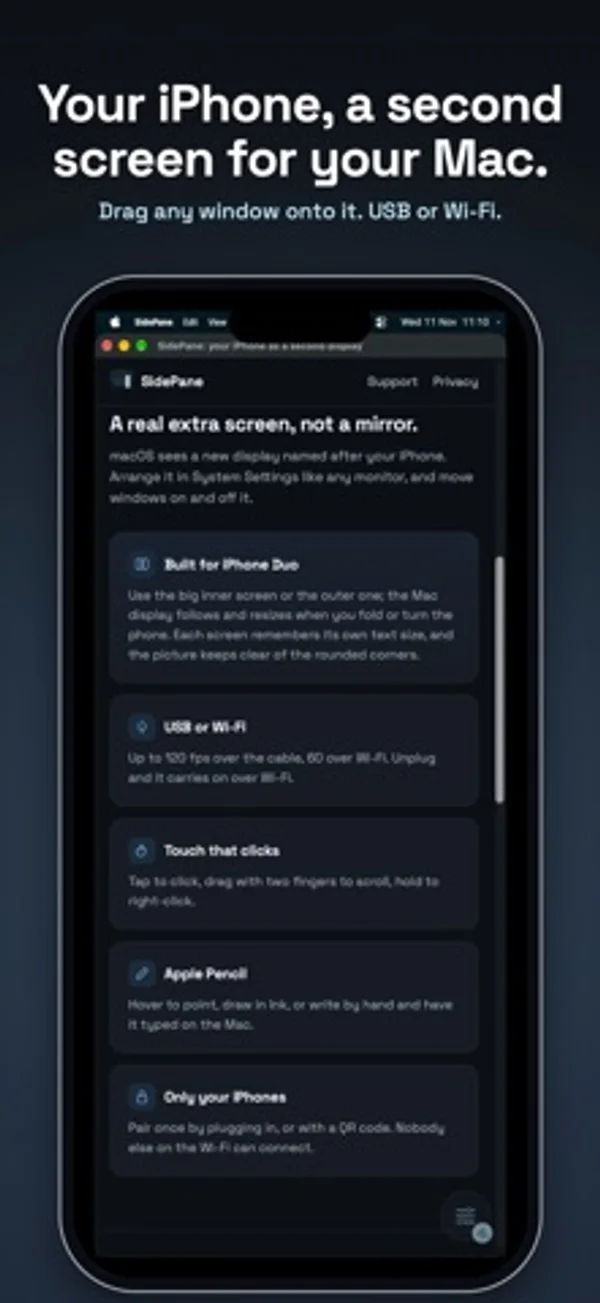
The Mac desktop extends onto the Duo’s inner or cover display and resizes when you fold or rotate it. The app remembers a text size for each display.
What’s New
Version 1.0.1 ·
Setup now shows where to get SidePane for Mac, and can send the link to your Mac by AirDrop, Messages or Mail.
App Store descriptionWritten by the developer.
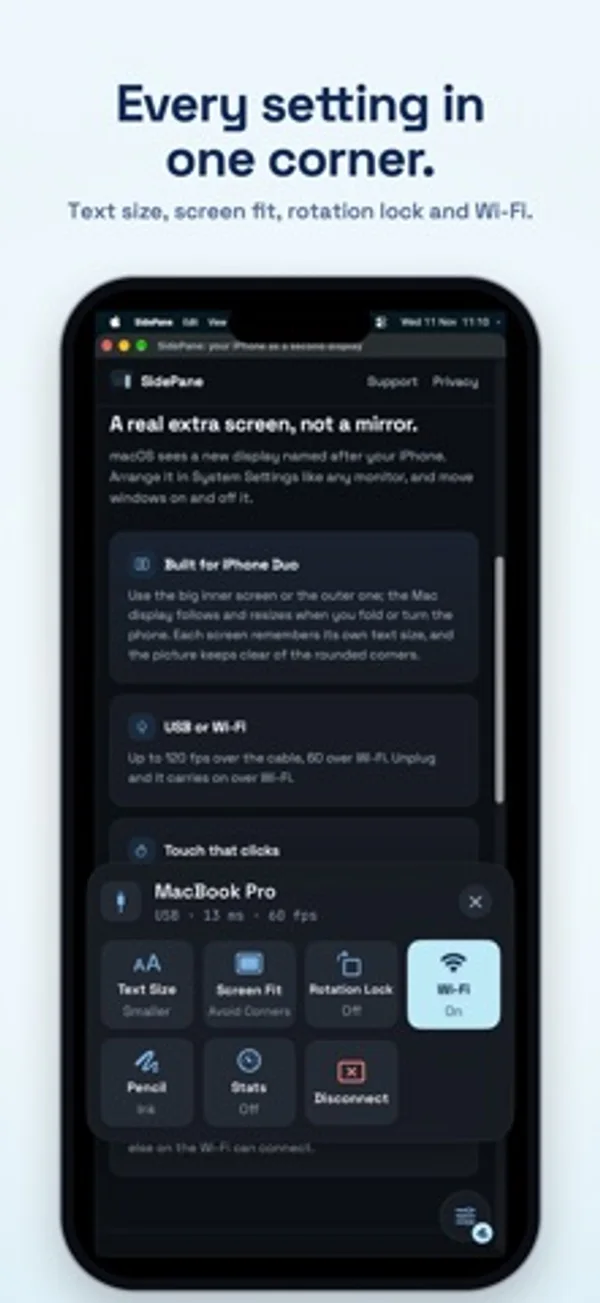
SidePane gives your Mac an extra screen on your iPhone. Drag any window onto it, then tap, scroll and draw on it, over the USB cable or Wi-Fi. It's a real extended display, not a mirror: your Mac sees a new monitor you can arrange like any other. WHAT YOU NEED • The free SidePane app for Mac, from getsidepane.com (Apple silicon, macOS 15 or later). Download it on your Mac. • An iPhone with iOS 18 or later, and a USB cable or the same Wi-Fi. BUILT FOR IPHONE DUO • Use the big inner screen or the cover screen. The Mac display follows the screen you're using and resizes when you fold or turn the phone. • Each screen remembers its own text size, and the picture keeps clear of the rounded corners. • Works on every iPhone running iOS 18 or later. USB OR WI-FI • Plug in for the lowest delay and up to 120 frames a second. • Or use the same Wi-Fi, at up to 60 frames a second. • Unplug and SidePane carries on over Wi-Fi; plug back in and it moves to the cable. • USB keeps working with Chrome or Brave open. TOUCH AND APPLE PENCIL • Tap to click, double-tap to double-click, drag with two fingers to scroll, touch and hold to right-click. • Apple Pencil: hover to point and touch to click, draw in Ink, or write by hand in Write and have it typed on your Mac. • Your palm is ignored while the Pencil is in use. MADE TO STAY OUT OF THE WAY • One small button in a corner opens the controls: Text Size, Screen Fit, Rotation Lock, Wi-Fi, Pencil and Disconnect. • Pair once by plugging in, or with a QR code. Only your iPhones can connect. • Turn off Use Wi-Fi on public networks to use the cable only. FREE TO TRY • Sessions last 15 minutes, as many as you like. • Unlock once for no time limit: one payment, no subscription, Family Sharing included. No account, no ads, no data collected.
SidePane: Second Monitor on iPhone Duo: FAQ
Is SidePane: Second Monitor optimized for iPhone Duo?
Yes. SidePane: Second Monitor is Built for Duo: it uses the fold, Split View or the outer display. Verified on November 13, 2026 (Developer statement).
What does SidePane: Second Monitor look like on iPhone Duo?
The Mac desktop extends onto the Duo’s inner or cover display and resizes when you fold or rotate it. The app remembers a text size for each display.
How much does SidePane: Second Monitor cost?
SidePane: Second Monitor is free to download on the App Store.
More Productivity apps
See all ›
Calm to-do list and paper-style planner that sorts tasks by how long they take

Type with a customizable keyboard that keeps text editing, emoji, snippets and clipboard tools close at hand.

Scroll across month boundaries and review or edit events from your iPhone calendars.

Plan appointments and keep a diary with month, list and split calendar views.

Write with a typewriter-style keyboard, recorded key sounds and carriage-return actions.

Record conversations and turn transcripts into summaries, action items and follow-up drafts.