
iPhone 스크린샷
iPhone Duo 활용 방식
바깥 화면은 달력과 일정 목록을 위아래로 놓습니다. 펼치면 나란히 보이고, 반쯤 접으면 날짜가 접히는 곳을 피합니다.
새로운 기능
버전 1.5 ·
Tsuranari is now available in English. The app and its widgets follow your iPhone's language. To use a different language just for this app, go to Settings > Apps > Tsuranari Cal > Language. - Create Events from Text now reads invitations written in English, including times with time zones such as PST or ET. - The time column in widgets and in the event list now has a fixed width, so events line up. - Weather location search now suggests cities instead of street addresses.
개발자가 이 내용을 한국어로 제공하지 않았습니다.
App Store 설명개발자가 작성한 내용입니다.
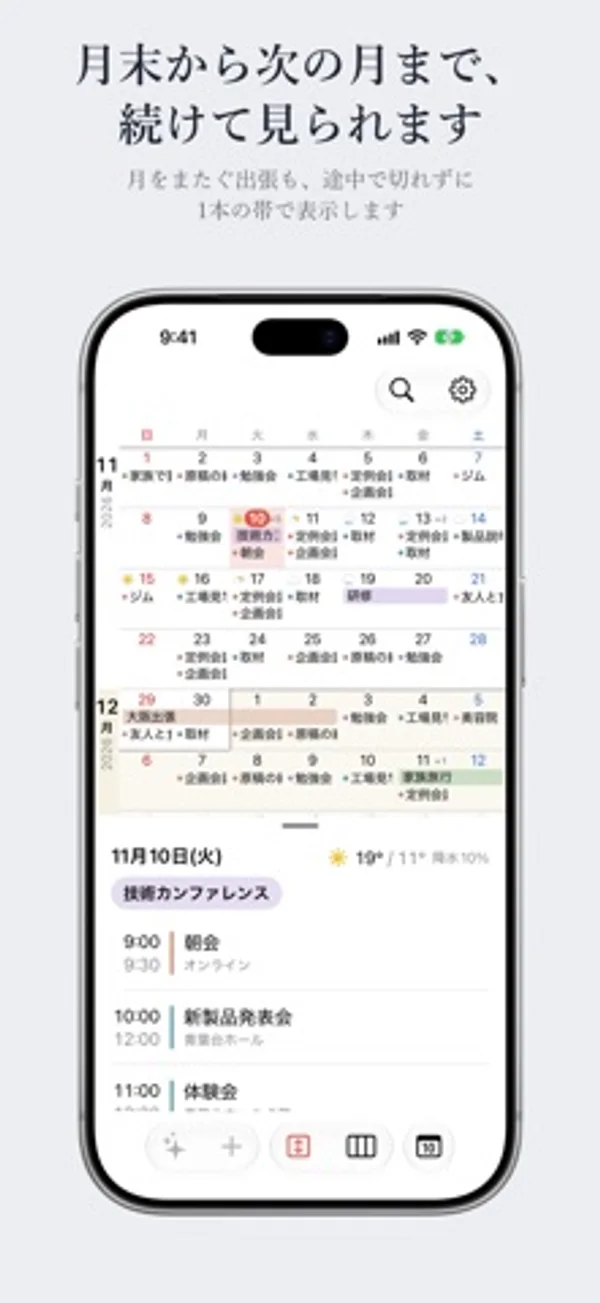
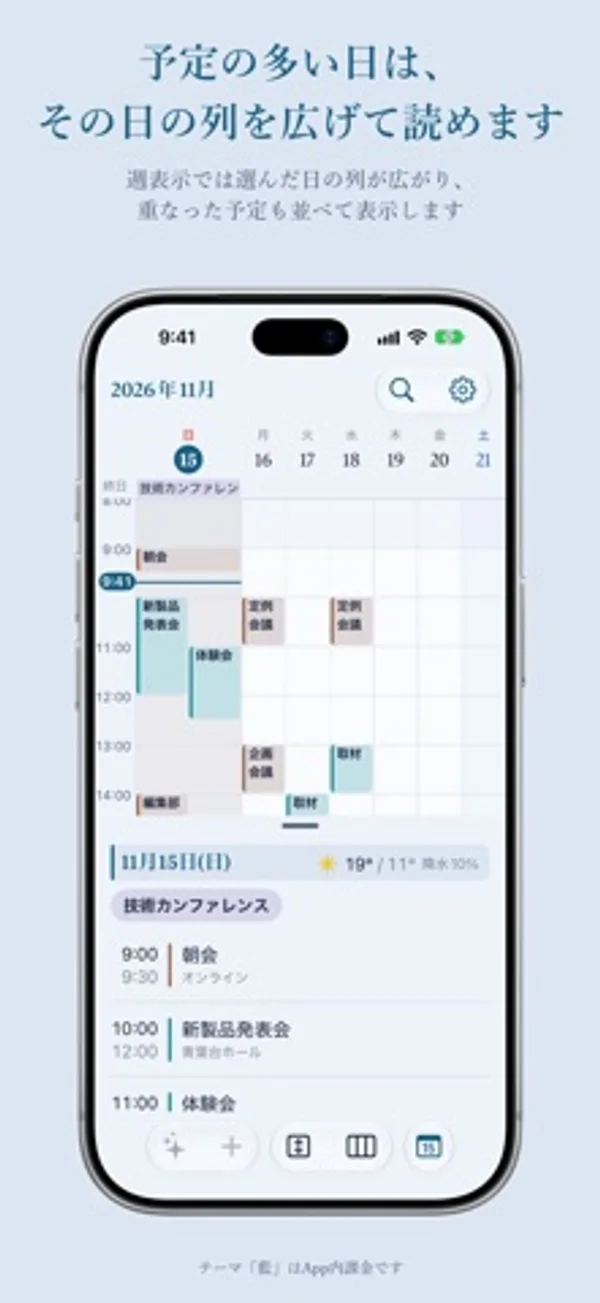
Tsuranari is a calendar that joins the end of one month to the start of the next. It is designed for both screens of iPhone Duo, and it shows and edits the calendars already on your iPhone, such as iCloud and Google. ■ See across month boundaries In the Scroll view, weeks run from top to bottom with no break between months. Events that run from the end of one month into the next stay in one piece. The month you're viewing is shown in white and the months around it in a faint tint, so you can still tell where each month begins. ■ Made for both screens of iPhone Duo On the outer screen, the calendar sits on top and the day's events below. Unfold the large inner screen and they sit side by side, with event details opening where the list is. When the phone is half open, the layout splits at the fold so no date lands on the crease. Tsuranari also works on regular iPhones; turn the phone sideways to place the two side by side. ■ Five views Choose from Month, Scroll, Week, 3 Days, and Day. Put up to three favorite views on buttons and switch with a single tap. ■ Draft events from invitations Paste an invitation to a launch, a meeting, or a get-together, and Tsuranari reads the date, time, place, and URL to draft the events. It also reads photos, PDFs, and LINE chat history, in English and Japanese. If it finds a sign-up deadline, you can add it to Reminders. Everything is read on your device by Apple's language model. This feature requires an iPhone that supports Apple Intelligence (iOS 27 or later). ■ Japanese Colors themes Recolor the app and its widgets in five traditional Japanese colors: Ai Indigo, Moegi Green, Fuji Wisteria, Kinari Cream, and Ginnezu Silver. The Standard theme is free; the five Japanese Colors themes are a single in-app purchase. ■ Privacy Your events are saved in the iPhone Calendar and never copied into the app. No events or text are sent to the developer's servers.
iPhone Duo에서의 つらなりカレンダー: 자주 묻는 질문
つらなりカレンダー은(는) iPhone Duo에 최적화되어 있나요?
네. つらなりカレンダー은(는) Duo 전용 설계 앱으로, 폴딩, Split View 또는 외부 디스플레이를 활용합니다. 2026년 11월 15일 확인(개발자 발표).
iPhone Duo에서 つらなりカレンダー은(는) 어떻게 보이나요?
바깥 화면은 달력과 일정 목록을 위아래로 놓습니다. 펼치면 나란히 보이고, 반쯤 접으면 날짜가 접히는 곳을 피합니다.
つらなりカレンダー의 가격은 얼마인가요?
つらなりカレンダー은(는) App Store에서 무료로 다운로드할 수 있습니다.
다른 생산성 앱
모두 보기 ›
걸리는 시간별로 할 일을 분류하는 차분한 할 일 목록 겸 종이 스타일 플래너

키 배치를 바꾸고 입력한 글, 이모지, 자주 쓰는 문구와 클립보드를 한곳에서 다루는 키보드입니다.

USB나 Wi-Fi로 iPhone을 Mac의 확장 모니터로 쓰고 터치로 창을 조작합니다.

월간 달력과 일정 목록, 분할 보기로 일정과 일기를 관리합니다.

타자기 키보드와 녹음된 키 소리, 캐리지 동작으로 글을 씁니다.

대화를 녹음하고 전사해 요약과 실행 항목, 후속 문안을 만듭니다.