
Daycard • Today's Reminders
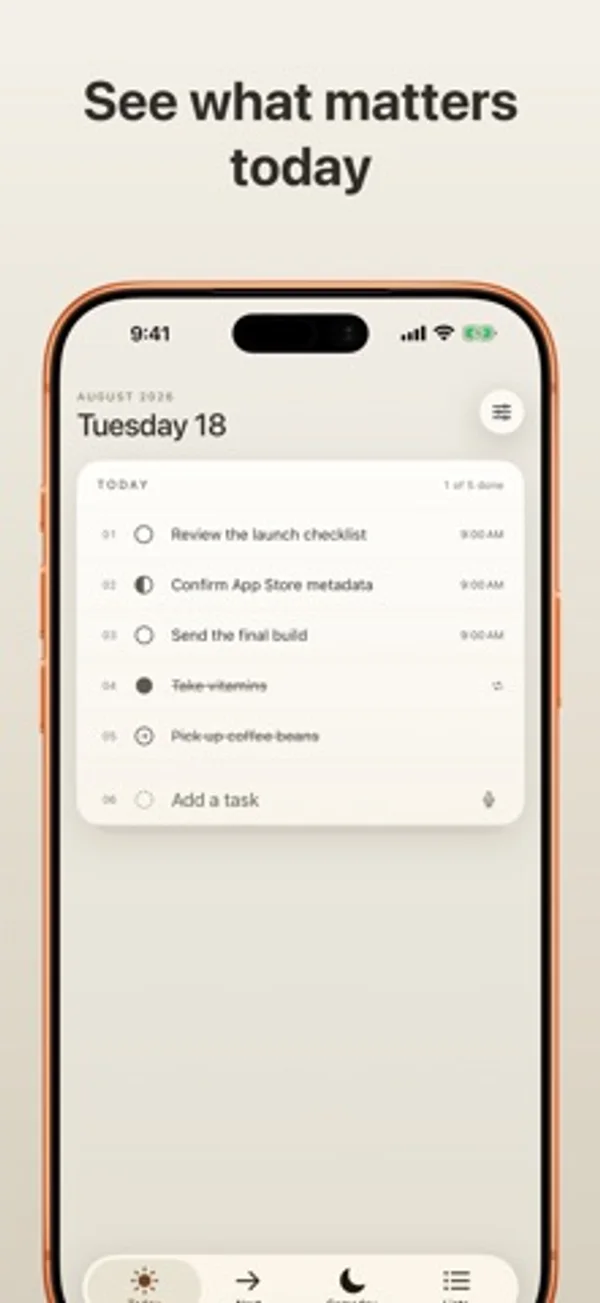
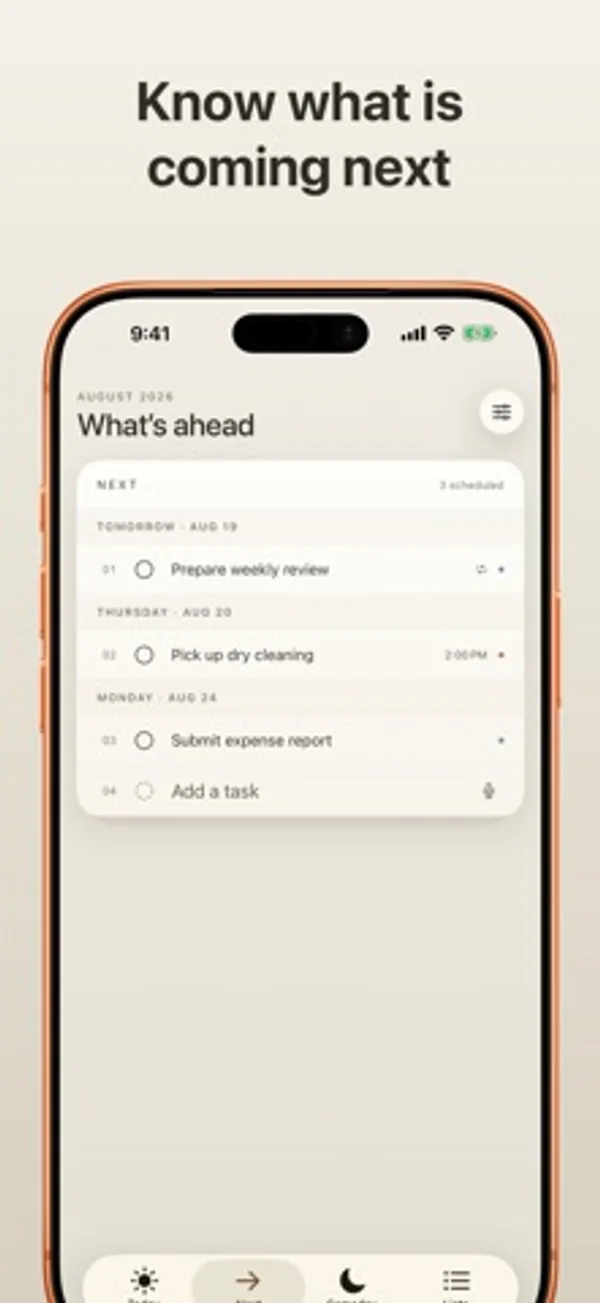
Apple 미리 알림을 오늘·다음·언젠가 보기로 정리하고 위젯과 자연어 입력을 활용합니다.
OmarKnows LLC · 생산성 · 무료
iPhone 스크린샷
iPhone Duo 활용 방식
펼치면 오늘과 다음 또는 목록과 개요가 나란히 보이고 접으면 한 카드로 돌아갑니다. 구역을 옮겨도 계획 페이지의 스크롤 위치를 유지합니다.
새로운 기능
버전 1.0.6 ·
Fits iPhone Duo Open Duo to see Today and Next side by side, and browse a list beside your list overview. Fold it to return to a single card. Each planner page keeps its scroll position when you visit Someday or Lists. Fresher widgets Widgets fetch current Apple Reminders even when Daycard is closed. Refresh timing is managed by the system. Quick moves from Someday On iPhone and iPad, swipe a Someday task to move it to Today or Tomorrow. On Mac, use the hover shortcuts. Undo restores the previous schedule. Smoother task changes Completed list tasks briefly show their finished state before disappearing when hidden. Mac task titles, status circles and cards move together as rows change. Keep your place Switch sections without losing your draft or scheduling Undo. Task entry stays steady as date and list suggestions appear. Long task titles wrap in narrow cards. Add Task preserves your wording Writing and drafting actions and full product names stay in your task titles. Daycard extracts dates, times, links, and list hints, with better handling of French dates and times and repeated date words. More reliable scheduling and refresh Schedule repeating reminders without losing their repeat rules. Upcoming weekday requests keep their time on the correct day. More reliable handling of noon and midnight, Spanish weekdays, and Spanish and Japanese relative dates. Reminders refresh handles interrupted or failed fetches more safely. Better daily words Examples match the displayed word. Daycard remembers shown words and uses the full vocabulary before repeating. Open in Reminders safely (Mac) Fixed a crash that could occur after opening a task in Apple Reminders.
개발자가 이 내용을 한국어로 제공하지 않았습니다.
App Store 설명개발자가 작성한 내용입니다.
Daycard turns Apple Reminders into a calm, focused daily card. Apple Reminders remains the source of truth and syncs your reminders through iCloud. Daycard decides what deserves your attention today. There is no separate Daycard account or Daycard server. TODAY, NEXT, AND SOMEDAY • See unfinished overdue reminders alongside today’s work • Keep completed items on Today only when you actually completed them today • Browse future reminders grouped clearly by due date • Hold ideas in a dedicated Someday Reminders list • Create that Someday list only when you choose to BUILT FOR REAL REMINDERS • Work with every Apple Reminders list • Create, edit, complete, move, reorder, and delete reminders • Edit notes, links, location, priority, start and due dates, and alerts • Keep recurring reminders on their schedule instead of rolling them forward • Preserve advanced recurrence rules unless you intentionally replace them • Open useful link cards automatically when notes contain a web address YOUR OWN WORKFLOW • Mark a task open, in progress, or complete • Sync in-progress marks and custom order privately through your iCloud account • Choose whether task lines show due times and Reminders list labels ADD TASKS NATURALLY Type or dictate lines such as “Call Sarah tomorrow at 3 #Work.” Daycard extracts dates, times, and lists while preserving the task text you wrote. Apple’s on-device Foundation Models are used when available, with a built-in parser as a reliable fallback. WIDGETS AND SHARING See your card on your Home Screen or Lock Screen, complete reminders from a widget, and share links or text into a new task. CALM BY DESIGN • Fluid spring motion and a drawn completion strike • Tactile feedback for marking, moving, and adding tasks • A clean iPhone layout plus adaptive iPad navigation • Warm light and dark appearances • Light, dark, and tinted layered app-icon appearances PRIVATE BY DESIGN Daycard has no account, ads, analytics SDKs, tracking, or developer-operated cloud service. It reads and updates Reminders only after you grant access. Daycard’s in-progress marks and custom order use your private iCloud account. Dictation and Apple Foundation Models use Apple’s system frameworks. DAYCARD ACCESS Task management, widgets, and sharing require Daycard Annual or Daycard Lifetime. Annual is an auto-renewing yearly subscription with a one-month free trial for eligible customers. Lifetime is a one-time purchase. Both unlock every Daycard feature. Prices and trial eligibility appear before purchase. Manage or cancel an annual subscription in your Apple Account settings, and restore purchases in Daycard. Buying Lifetime does not cancel an existing annual subscription. Requires iOS 26 or iPadOS 26. Terms of Use: https://www.apple.com/legal/internet-services/itunes/dev/stdeula/ Privacy Policy: https://omarknows.app/daycard/privacy/ Questions or feedback? Email daycard@omarknows.app.
iPhone Duo에서의 Daycard • Today's Reminders: 자주 묻는 질문
Daycard • Today's Reminders은(는) iPhone Duo에 최적화되어 있나요?
부분적으로요. Daycard • Today's Reminders은(는) 화면 대응 앱으로, 더 넓은 내부 디스플레이를 꽉 채웁니다. 다만 폴딩 전용 기능은 없습니다. 2026년 11월 1일 확인(개발자 발표).
iPhone Duo에서 Daycard • Today's Reminders은(는) 어떻게 보이나요?
펼치면 오늘과 다음 또는 목록과 개요가 나란히 보이고 접으면 한 카드로 돌아갑니다. 구역을 옮겨도 계획 페이지의 스크롤 위치를 유지합니다.
Daycard • Today's Reminders의 가격은 얼마인가요?
Daycard • Today's Reminders은(는) App Store에서 무료로 다운로드할 수 있습니다.
다른 생산성 앱
모두 보기 ›
걸리는 시간별로 할 일을 분류하는 차분한 할 일 목록 겸 종이 스타일 플래너

월간 달력과 일정 목록, 분할 보기로 일정과 일기를 관리합니다.

타자기 키보드와 녹음된 키 소리, 캐리지 동작으로 글을 씁니다.

대화를 녹음하고 전사해 요약과 실행 항목, 후속 문안을 만듭니다.

iPhone Duo의 두 디스플레이에 맞춘 레이아웃을 갖춘 작업·프로젝트 관리 앱

펼치면 메시지와 받은 편지함을 나란히 보여 주는 Readdle의 통합 받은 편지함