
iPhone 스크린샷
iPhone Duo 활용 방식
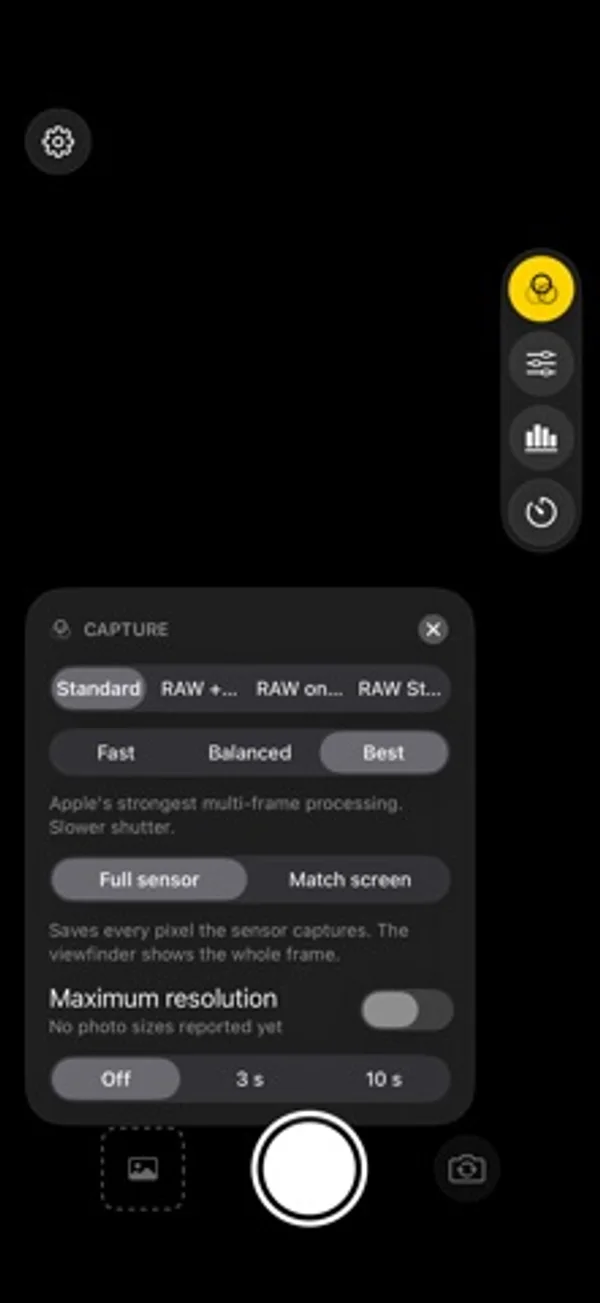
조작부를 오른쪽 가장자리에 두고 안팎 화면에서 센서 전체 또는 화면 비율에 맞춘 저장 구도를 선택합니다.
새로운 기능
버전 1.0.1 ·
• Face exposure: keeps a person's face from blowing out or sinking into shadow, without changing skin tone. Switch it off in the Capture card if you prefer. • In portrait, the side controls tuck away after a few seconds. Tap the small tab at the screen edge to bring them back (Settings has a switch). • A clearer unlock screen while the price loads. • The two front cameras are now labelled Front and Front Wide. • Fixes and polish.
개발자가 이 내용을 한국어로 제공하지 않았습니다.
App Store 설명개발자가 작성한 내용입니다.
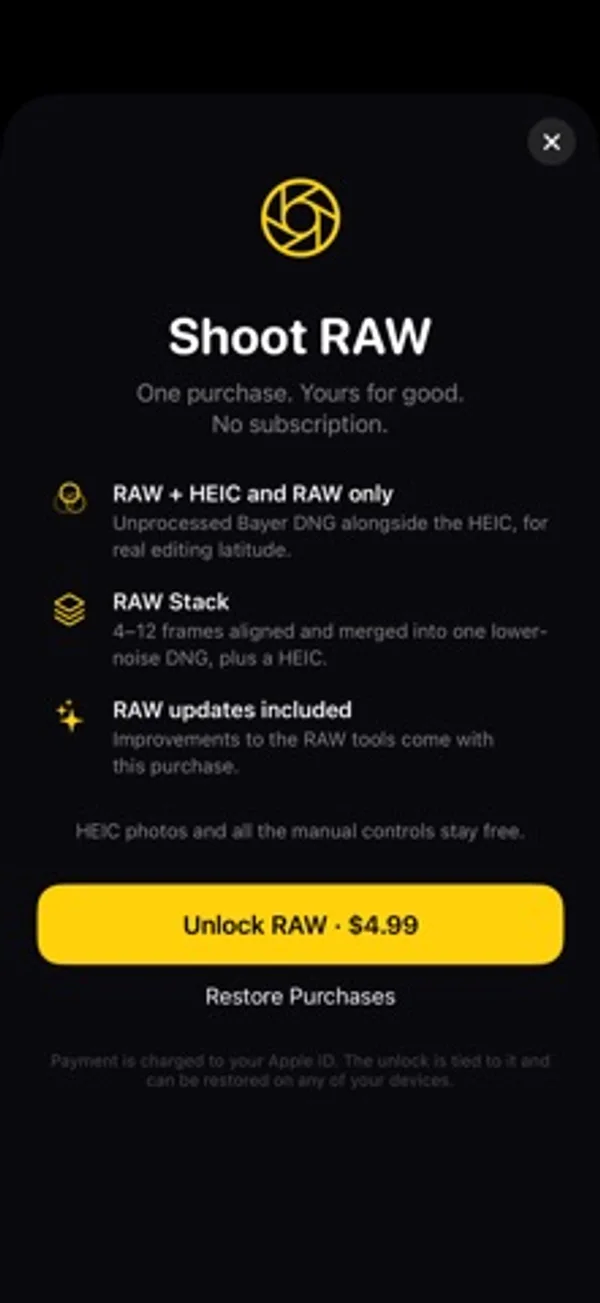
DuoFrame Pro is a camera app built around the sensor in your phone, with extra care for foldables like the iPhone Duo. FREE • HEIC photos with Apple's multi-frame processing • Manual exposure: ISO, shutter, exposure compensation • Manual focus and white balance • Live histogram • Every lens: 0.5×, 1× and the front cameras • Self timer • Your settings are remembered between launches RAW UNLOCK (one purchase, no subscription) • RAW and RAW + HEIC capture as DNG files • RAW Stack: captures a burst of RAW frames, aligns them and merges them before the picture is developed, so you get less noise and a real DNG you can edit in Lightroom, Photos and other editors • Low-light boost for dim scenes BUILT FOR THE FOLD • Controls sit on the right edge so the viewfinder stays clear • Choose Full sensor to keep every pixel, or Match screen to fill the display and save what you see • Opens correctly on the cover screen and the inner display No account. No ads. No tracking. Photos are saved straight to your library and nothing leaves your phone.
iPhone Duo에서의 DuoFrame Pro: 자주 묻는 질문
DuoFrame Pro은(는) iPhone Duo에 최적화되어 있나요?
네. DuoFrame Pro은(는) Duo 전용 설계 앱으로, 폴딩, Split View 또는 외부 디스플레이를 활용합니다. 2026년 11월 9일 확인(개발자 발표).
iPhone Duo에서 DuoFrame Pro은(는) 어떻게 보이나요?
조작부를 오른쪽 가장자리에 두고 안팎 화면에서 센서 전체 또는 화면 비율에 맞춘 저장 구도를 선택합니다.
DuoFrame Pro의 가격은 얼마인가요?
DuoFrame Pro은(는) App Store에서 무료로 다운로드할 수 있습니다.
다른 크리에이티브 앱
모두 보기 ›
종이 절반에 그린 뒤 접었다 펼치면 부드럽게 번진 거울 대칭 그림을 만듭니다.

허리 높이 파인더로 정사각 빈티지 사진을 찍고 필름과 콘택트 시트로 정리합니다.

전후 카메라를 함께 녹화하고 이동식 화면 속 화면과 프롬프터를 사용합니다.

방 사진과 원하는 스타일로 인테리어 아이디어를 생성합니다.

여러 iPhone 카메라를 함께 녹화해 브이로그와 인터뷰를 만듭니다.

영상 반전과 속도 조절, 구간 반복으로 안무를 연습합니다.