
iPhone 截图
在 iPhone Duo 上的表现
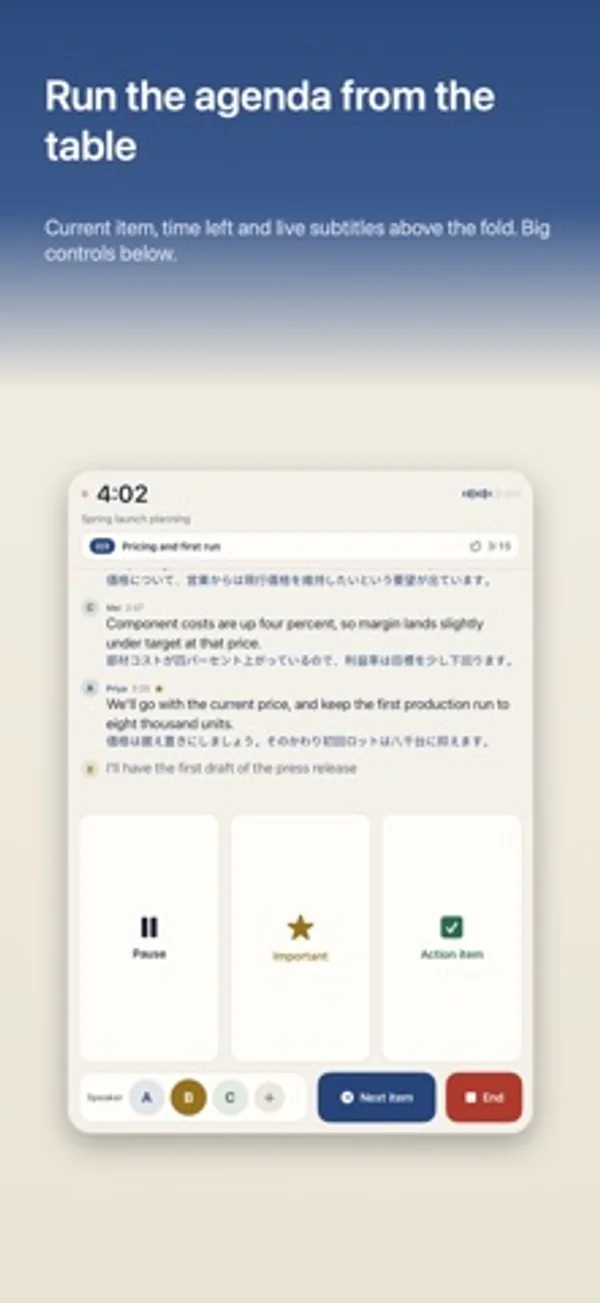
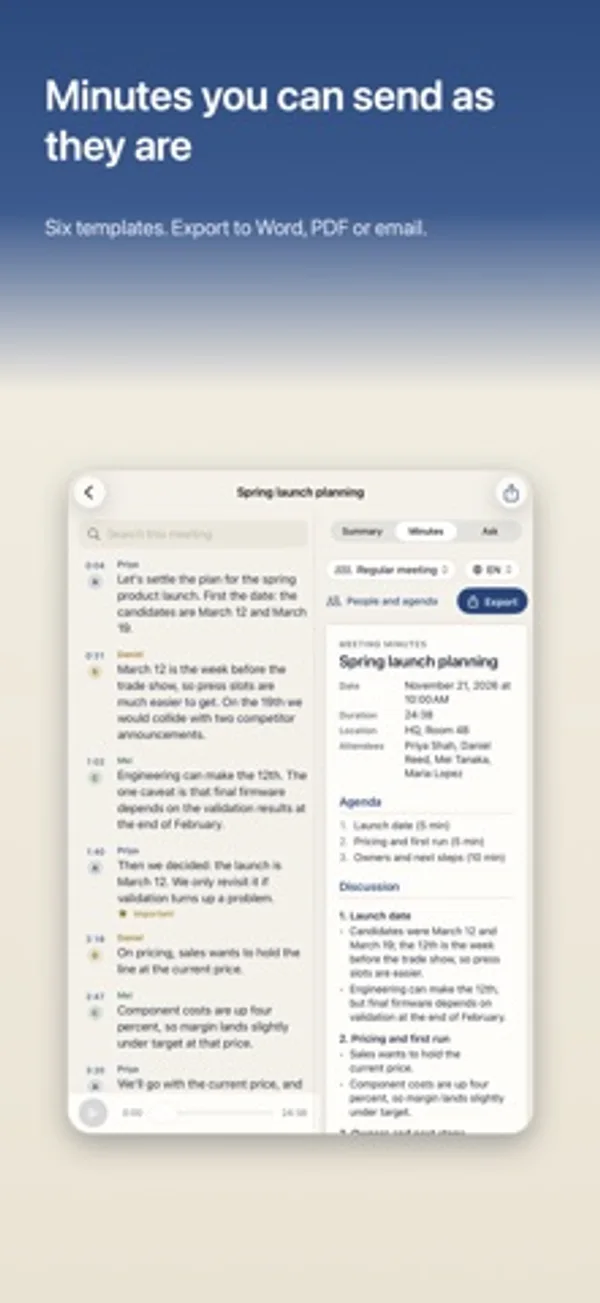
开发者介绍,半开时折痕上方显示实时转写,下方为大按钮;展开后原文与纪要、问答并排。
App Store 简介由开发者撰写。
Stop writing up meetings. Put your iPhone on the table, talk, and leave with minutes you can send. Tabletop Minutes records the meeting, transcribes it on your iPhone, and turns the transcript into real minutes: what was discussed, what was decided, who does what by when. Not a wall of quotes. The discussion is restated, repetition is merged, and numbers and dates are kept exact. MINUTES THAT READ LIKE SOMEONE WROTE THEM • An overview of the meeting in a few sentences • Decisions, separated from discussion • Action items with owner and due date, linked to the moment they came up • Open questions and next steps • Notes under each agenda item when you set an agenda • Six formats: regular meeting, sales call, 1-on-1, interview, staff meeting, class or lecture • Write the minutes in English, Japanese, Spanish, French, German, Chinese or Korean, whatever language the meeting was in • Export to Word (.docx), PDF (A4 or Letter), Markdown or plain text, or copy it ready for email RUN THE MEETING, NOT THE APP • Agenda mode: time each item, see the current item and time left, tap "Next item" to move on • One tap to mark a remark as important or as an action item while people talk • Live translation subtitles under the transcript, translated on device • Speakers are told apart automatically by voice, on device; name them once, see talk time • Custom vocabulary for names, products and jargon • Keeps recording when the screen locks; pauses for calls and resumes AFTER THE MEETING • Every action item from every meeting in one tracker, with due dates and an overdue badge • Send action items to Reminders • Follow-up email drafted from the minutes • Ask a meeting, or all of them: "What did we decide about pricing?" Answers cite the meeting and the exact moment • Import recordings from Files, Voice Memos or another app and get minutes for those too • Search every transcript; folders, tags, Face ID lock BUILT FOR THE FOLD On a folding iPhone the app follows the hinge: • Half open on the table: live transcript and the current agenda item above the fold, large controls below • Fully open: transcript on one side; summary, minutes and questions on the other • Closed: one big record button and a timer on the outer display On an iPhone that does not fold, everything works in a single-column layout. YOUR AUDIO STAYS ON YOUR IPHONE • Recording and transcription happen on device, using Apple's speech recognition. Audio is never uploaded. • The free plan is fully on device: transcripts and summaries from the on-device Apple Intelligence model, nothing sent anywhere. • High-accuracy minutes (Pro) send the transcript text, never the audio, to our server, where a large AI model writes the minutes. The text is not saved on our server. The app asks before the first time, and you can turn this off in Settings and stay fully on device. • No account, no ads, no analytics. FREE AND PRO Free: 3 meetings a month, up to 30 minutes each. On-device transcripts and summaries, speaker names, talk time, the action tracker, Siri shortcuts, and Markdown, text and audio export. Tabletop Minutes Pro (subscription): high-accuracy AI minutes, unlimited meetings, and every feature above. • Monthly or yearly, with a 1-week free trial for new subscribers. • Payment is charged to your Apple Account. The subscription renews automatically unless you cancel at least 24 hours before the end of the current period. Manage or cancel it in your Apple Account settings. • High-accuracy minutes include a generous monthly allowance (40 hours of meetings). Terms of Use (EULA): https://www.apple.com/legal/internet-services/itunes/dev/stdeula/ Privacy Policy: https://takawmd2524-boop.github.io/tabletop-minutes-legal/privacy.html Languages depend on what iOS supports on your device. On-device summaries need Apple Intelligence. High-accuracy minutes need an internet connection. Tell people in the room that you are recording.
Tabletop Minutes: AI Notes 在 iPhone Duo 上:常见问题
Tabletop Minutes: AI Notes 针对 iPhone Duo 优化了吗?
开发者或商店资料已标明支持 iPhone Duo。
Tabletop Minutes: AI Notes 在 iPhone Duo 上是什么样子?
开发者介绍,半开时折痕上方显示实时转写,下方为大按钮;展开后原文与纪要、问答并排。
Tabletop Minutes: AI Notes 多少钱?
Tabletop Minutes: AI Notes 可在 App Store 免费下载。
更多效率应用
查看全部 ›
安静的待办清单与纸质风格计划本,按所需时长给任务分类

自定义键盘布局,把文字修改、表情、常用短语和剪贴板放在手边。

连续查看跨月的一周,查阅和编辑 iPhone 日历里的安排。

通过 USB 或 Wi-Fi 把 iPhone 变成 Mac 的扩展屏,可以触控操作窗口。

用月历、日程列表和分栏视图安排活动、记录日记。

用打字机式键盘写作,配合真实录制的按键声和回车动作。