
Framedevice
Duo support is reported in the linked sources. The specific fold interaction and real-device behavior have not been independently verified.
Anders Johansson · Creative · Free
iPhone screenshots
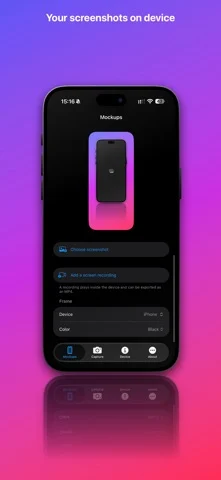
How it uses iPhone Duo
Duo support is reported in the linked sources. The specific fold interaction and real-device behavior have not been independently verified.
About this app
Framedevice turns your screenshots and screen recordings into polished device mockups, and shows you everything about the device in your hand.
App Store descriptionWritten by the developer.
Framedevice turns your screenshots and screen recordings into polished device mockups, and shows you everything about the device in your hand. MOCKUPS • Frames for iPhone 16, 17 and 18 models, including 16e, 17e and iPhone Air, plus iPhone Duo (open and closed), iPad Pro, iPad Air, iPad and iPad mini, Apple Watch Series 12 and Ultra 4, and MacBook Pro and MacBook Air. • Portrait or landscape, in the finishes Apple sells for each device. • Put up to three devices on one canvas, each with its own frame, finish and screenshot. Great for App Store and website images. • Add a screen recording to any device, watch it play inside the frame, and export the whole mockup as an MP4. • Backdrops: your own gradients with an angle, patterns, your screenshot blurred, a colour, your own photo or transparent. • A floor reflection, a soft contact shadow and a headline and subtitle above or below the device. • Drag, pinch and twist a device right on the preview, or fine-tune it with sliders: move, resize, rotate, flip and tilt. • Export sizes for Instagram, Stories and Reels, Full HD, YouTube, link previews and X, and App Store sizes for iPhone, iPad, Mac and iPhone Duo. • Save as PNG or JPEG, copy to the clipboard, save to Photos or share. • Ready-made templates, your own saved looks, and your settings remembered between launches. MADE FOR IPHONE DUO Split layouts, fold and hinge awareness, frames for every posture, and a layout that follows the device as you open and close it. The outer display can show the camera view while the phone is open. CAPTURE Take a photo and drop it straight into a mockup. EVERYTHING ABOUT YOUR DEVICE Model, system, display, battery, hardware and storage, network, sensors, cameras, accessibility and locale. See whether a newer iOS is available for your model, search it all, and export the whole report as a PDF. PRIVATE BY DESIGN No accounts, no ads and no tracking. Your screenshots, recordings and device details stay on your device. The device frames in Framedevice are original illustrations, not Apple artwork. Framedevice is an independent app and is not affiliated with or endorsed by Apple. iPhone, iPad, Apple Watch, Mac, MacBook and iPhone Duo are trademarks of Apple Inc.
Framedevice on iPhone Duo: FAQ
Is Framedevice optimized for iPhone Duo?
The developer or App Store listing mentions iPhone Duo support.
What does Framedevice look like on iPhone Duo?
Duo support is reported in the linked sources. The specific fold interaction and real-device behavior have not been independently verified.
How much does Framedevice cost?
Framedevice is free to download on the App Store.
More Creative apps
See all ›
On iPhone Duo, the phone is the clapperboard. Open it to the slate, hold it up to the lens and shut it

Requires iPhone Duo with iOS 27.1 or later for drawing.

On iPhone Duo the sheet fills the inner display with its crease on the fold. Close the phone and you've folded the

DESIGNED FOR IPHONE DUO

Drawing and painting app with custom brushes and unlimited layers

Record with the front and back cameras at the same time