iPhone Duo and Apple Pencil: a notebook you will actually carry?
Choose the right Pencil, understand cable pairing and build a handwriting routine that is easy to search, share and continue.
Published · 13 min read
On this page
- Read the name on the Pencil first
- The cable is a small detail with a large effect
- A quick line outside, a little thinking inside
- Penjo describes an actual route into writing
- Handwriting search still benefits from a good title
- Repeated work deserves a simple page
- In a meeting, capture decisions rather than every word
- A circle on an image can be worth a whole page
- Export something for others and keep something for yourself
- Sync moves the notebook; organization makes it usable
- Half-open is not automatically the best writing pose
- A pocket notebook and a smaller iPad are different expectations
- The real cost is continuing to use it
- Make one page worth returning to
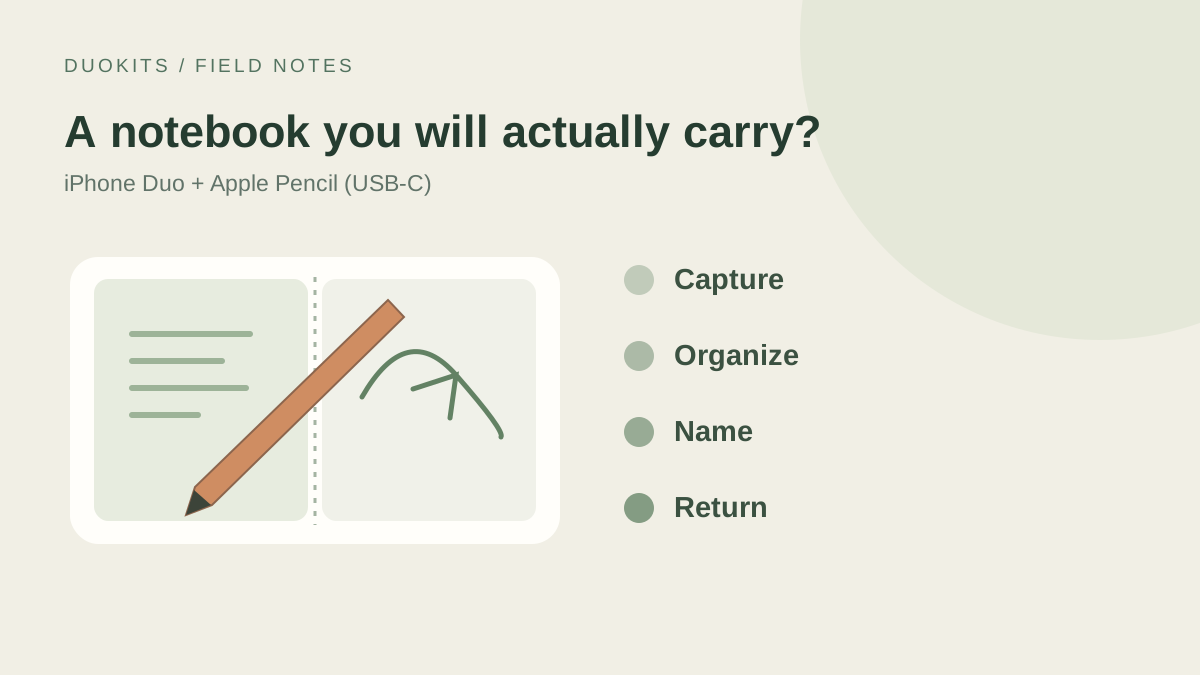
The phone fits in a pocket. The notebook often stays in the bag. That is not because typing a sentence is difficult. It is because an arrow, a circled detail or a quick sketch can be surprisingly awkward to express with a keyboard.
Apple Pencil support makes the iPhone Duo interesting for that gap. The opportunity is less about having another drawing tablet than about finishing a small piece of thinking before returning to a desk. Open a writable page; close it back into the phone you were carrying anyway.
Apps are beginning to connect those pieces. Penjo’s version 3.8.1 notes explicitly describe writing with Apple Pencil (USB-C) on both Duo displays when running iOS 27.2. Apple’s current compatibility list also includes the Duo.
Being able to write is one thing; wanting to carry the arrangement every day is another. This guide uses official documentation and developer materials checked on October 28, 2026 to explore that practical difference. It is not a hands-on assessment of writing feel.
Read the name on the Pencil first
If you already own an Apple Pencil, do not start by looking for the pairing button. Similar names conceal different connections and device requirements. Apple lists the Duo under Apple Pencil (USB-C), rather than under Pencil Pro or either numbered generation.
The expensive one is not automatically the universal one. Pencil Pro’s extra controls do not override device compatibility. Check the model before spending time toggling Bluetooth or assuming that an accessory bought for an iPad will transfer to a phone.
| What to establish | What it means for Duo |
|---|---|
| Listed compatible model | Apple Pencil (USB-C) |
| Pairing and charging | A USB-C cable, rather than the Pencil Pro wireless routine |
| Pressure sensitivity | Not provided by the USB-C model in Apple’s comparison |
| Tilt sensitivity | A Pencil capability whose effect depends on the app’s tools |
| Pro controls such as squeeze and barrel roll | Not features to expect from the USB-C Pencil |
Apple’s feature comparison is worth consulting before buying. Missing pressure sensitivity may matter little for a diagram or a few notes. For drawing built around light and heavy strokes, it is a real compromise. Software cannot simply supply a hardware capability the accessory lacks.
The cable is a small detail with a large effect
Apple’s pairing instructions describe sliding open the end, connecting the Pencil to the device with a USB-C cable and following the connection prompt. Once paired, it can be disconnected for writing. Charging still uses a cable.
That is straightforward at a desk. Outside, a few ordinary questions intrude: where is the cable, is the Pencil charged, and is the phone’s port already occupied? An attractive page does not answer them. If every note begins with searching the bag and waiting for a charge, the keyboard will probably win.
Give the pen a regular place and make charging part of getting ready to leave. Pairing is not necessarily permanent through every change: Apple’s instructions describe reconnecting after a restart, switching off Bluetooth or pairing with another device.
Storage and charging are separate, too. Apple’s description of magnetic attachment to an iPad should not become an assumption that placing the Pencil somewhere on a Duo charges it. Choose a confirmed carrying arrangement if you need one, but a whole accessory collection can wait until a writing habit exists.
A quick line outside, a little thinking inside
The two screens need not host identical writing sessions. The cover can act like a sticky note: a measurement, room number or word you do not want to lose. Its advantage is capturing something without rearranging the situation around it.
Unfolding leaves room for relationships. Circle a group of ideas, connect them with arrows or annotate a photograph. A wider working area can reduce the constant movement between the edge of a screen and the next part of a sketch.
It is still fine to type an extra shopping-list item. A furniture arrangement may be easier to draw. A useful pocket notebook should tolerate both, rather than requiring a ceremonial writing posture for every thought.
Imagine measuring a table away from home. Record its dimensions first, sketch how it relates to the door and furniture later, then turn the important numbers into searchable text. The input method can change at each step. What matters is keeping the material in a recognizable place.
Penjo describes an actual route into writing
Penjo combines a handwritten journal with planning. Its store description brings calendar events, reminders and a page for text, handwriting and pictures into one product. Plan around the day in the morning; add its experiences to the same page later. It is an understandable routine, rather than simply a collection of pen tools.
The Duo note in 3.8.1 is specific: use iOS 27.2 and the USB-C Pencil, enable drawing in the toolbar, then write on the page. Both displays are mentioned. Those details say more about where to start than an undifferentiated optimization badge.
The update also changes multi-day organization and expands the languages available to handwriting search and Copy As Text. That highlights a quieter requirement. A notebook must handle not only the moment you write, but the moment weeks later when you need the material again.
Start with one trip, project or a few recent days before moving an entire archive. Daily writers and occasional note-takers need different entrances and rhythms. Available modes are useful when they serve those habits, rather than when you feel obliged to use every one.
Handwriting search still benefits from a good title
Immediately after writing, you remember everything. Two weeks later, you remember discussing shelf measurements but not the date or the doodle beside them. A wall of thumbnails may be no easier to search than a paper notebook.
Penjo describes handwriting search and a recognition-language setting. Give that search something reliable to work with. Type an important project name, place or date when useful. If one handwritten word is missed, there is still a sensible starting point.
“Living-room shelves, second measurement” is more memorable than “Quick note 7.” A sentence explaining why a photograph matters can also make it more useful than another unlabeled picture in a growing collection.
Try your own abbreviations, names and mixed-language notes on a small sample. Language support and perfect recognition of an individual’s handwriting are different promises. Finding a familiar keyword tells you more than a large handwriting-recognition headline.
Repeated work deserves a simple page
Starting from blank paper can be pleasant. Repeated work may benefit from a little structure. If every room measurement needs a place, date, wall and dimensions, give those details predictable positions and leave a generous middle area for the drawing.
Do not include every field that might someday matter. Measuring three things while facing twenty empty boxes turns handwriting into paperwork. Notice what repeats over several real occasions, fix that small part and leave occasional details free to appear in the margin.
Paper style can follow the job: grids for alignment, lines for continuous text, blank space for sketches and short phrases. Penjo describes several paper options, but none can decide which information is important. A page with room to continue is often better than one that looks complete before anything happens.
Before sharing, replace private shorthand and add units and subjects. A beautifully written number without millimeters or centimeters can still cause confusion. The last minute of editing turns “I knew what this meant” into something another person can use.
In a meeting, capture decisions rather than every word
A pen is good at relationships. For a project discussion, imagine three areas: decisions, open questions and who does what next. An arrow or circled disagreement can be quicker than reorganizing a typed outline while someone is talking.
Before finishing, make the actions explicit. “Change the home page” is broad; a deadline, deliverable and owner make it actionable. That final sentence can be typed. Keeping the sketching speed and producing an understandable result matter more than making the entire page handwritten.
A relevant image can sit beneath the discussion. An arrow then points to a particular button, route or dimension, rather than leaving “change this bit” in a separate document. Someone reading later has a better chance of understanding without relying on the meeting’s shared memory.
A phone need not take over every meeting. Frequent switching among complex documents can still favor a larger device. Duo’s opportunity is the discussion that happens when it is already with you and one page is enough to hold the important parts.
A circle on an image can be worth a whole page
Some thoughts are visual from the start. A friend sends a room plan and asks whether a cabinet blocks the route. You want to explain why a button is hard to find. Keeping the image, circling the location and adding a reason is more direct than describing “the second thing below the one on the left.”
Penjo lists photos, text boxes, shapes and maps among its page elements. Treat them as materials: the image holds the scene, the mark supplies position and the sentence explains intent. Having more tools does not mean every page needs all of them.
For PDFs or other documents, check the chosen app’s actual import, annotation and export options. Pencil support alone does not establish support for every file type. Material meant for another person should open in a form they can read, with the relevant marks intact.
Leave the page and return through the entrance you expect to use later. That says more about whether you created a usable record than spending the same time switching brushes during the first burst of enthusiasm.
Export something for others and keep something for yourself
A notebook needs a destination. Penjo describes PDF exports for a day, week or month, alongside .penjo files for backing up and transferring whole journals. These outputs serve different purposes.
A PDF is convenient for someone without the same app. A native journal file is for preservation and movement of the working material. A static page is not necessarily the complete editable original; a native file is not necessarily a convenient reading copy for someone else.
| Future need | What to establish now |
|---|---|
| Send material to someone | They can open it and read the relevant text, images and marks |
| Continue editing after changing devices | A route for backing up, transferring and restoring the journal |
| Build a lasting reference | Names, dates and a known file location |
| Turn writing into further work | Which parts need text conversion or transfer into another tool |
Run the route once with an unimportant page: write, export, open it elsewhere and return to the editable original. Future pages then have somewhere to go. You will not have to investigate an export button for the first time when a deadline arrives.
Sync moves the notebook; organization makes it usable
Penjo describes syncing through personal iCloud across several Apple devices. If you already write on an iPad or Mac, the Duo may be most attractive as a companion: add something while out, then organize it on the larger screen.
Check how the same entry connects across devices. Does the new picture appear, is the page complete, and what happens to an offline change? Ordinary sample material makes that route easier to understand before the collection becomes important.
Sync will not name a folder for you. An untitled note visible everywhere remains untitled. A clear project or date makes cross-device availability useful. Moving something to the right device and being able to find it after arrival are separate jobs.
Keep the structure light enough for a pocket tool. One primary route—project or date—with a few stable keywords may be sufficient. A system demanding constant directory maintenance can discourage the very quick capture it was meant to support.
Half-open is not automatically the best writing pose
A folding phone suggests a small laptop: look above, operate below. A pen changes that arrangement. Whether the writable page sits above, below or across the display affects how eyes and hands work together. A good viewing pose need not be the most comfortable one for continuous writing.
Separate reading from making marks. Keep a reference where it is visible, then check whether the writing area is large enough. Reaching for tools, covering new text with a hand, and accommodating left- or right-handed use matter more than reproducing the angle in a promotional picture.
The available support surface changes things as well. A desk, a lap and standing with the phone offer different opportunities. Capture a keyword if that is what the moment permits; expand it when the situation suits drawing.
The page can begin small and grow, with text first and an image later. A flexible workflow lets you return after interruption. The pose should follow the task rather than make a simple note depend on one elaborate arrangement.
A pocket notebook and a smaller iPad are different expectations
Duo can fold a working area back into a pocket, but writing still depends on the size, grip and surrounding tools. Apple’s specifications describe two differently sized displays; diagonal measurements alone cannot determine a comfortable writing setup.
Long drawing sessions involve canvas, arm movement and tool access that differ from recording an address while standing. An iPad owner need not frame the question as whether to sell the tablet. Ask whether the phone helps on occasions when the tablet stayed home.
Pressure-based artwork or Pencil Pro controls put the USB-C model’s limits near the front of the decision. Short notes, diagrams and annotations may not need those capabilities. The right choice follows the job rather than a single ranking of the devices.
Paper retains its advantages: no charge, pairing or notifications. Digital notes connect pictures, search and sharing. Which inconvenience repeatedly gets in your way is more useful to know than which object feels newest.
The real cost is continuing to use it
Consider what you will carry alongside the purchase price: phone, pen, cable and a place to keep them. If one piece is routinely missing, the fact that the phone is always present has not fully carried over to handwriting.
The app should fit too. An established calendar need not move into a journal, and occasional image annotation may not require a planning system. Start with the most frequent need; the rest can wait.
Do not force every sentence into handwriting to justify the arrangement. Keyboards serve searches, links and longer editable text. Pens serve shape, position and sketches made without interrupting a thought. Moving naturally between them is a strength.
After a little use, look at ordinary results: fewer lost ideas, a findable drawing from last week, clearer material sent to someone else, and a pen that appears when needed. Those outcomes matter more than the prettiest page on the first day.
Make one page worth returning to
With a compatible Pencil already available, choose a current meeting, trip or room sketch. Find pairing and drawing, give the page a title, make a shareable copy and know where the editable version lives.
Without a Pencil, first decide whether handwriting solves a recurring problem. A few daily tasks may already be well served by typing. Repeatedly needing to circle, diagram or add a mark in the moment is a stronger reason to consider the accessory.
The appealing possibility is turning “I’ll record that when I get back” into something kept now. Whether Duo replaces a small notebook depends on records surviving and being found again, rather than the number of handwriting apps installed for the new phone.