Final Cut Camera
Apple's pro video capture app with manual controls and monitoring tools
Apple Inc. · Creative · Free
iPhone screenshots
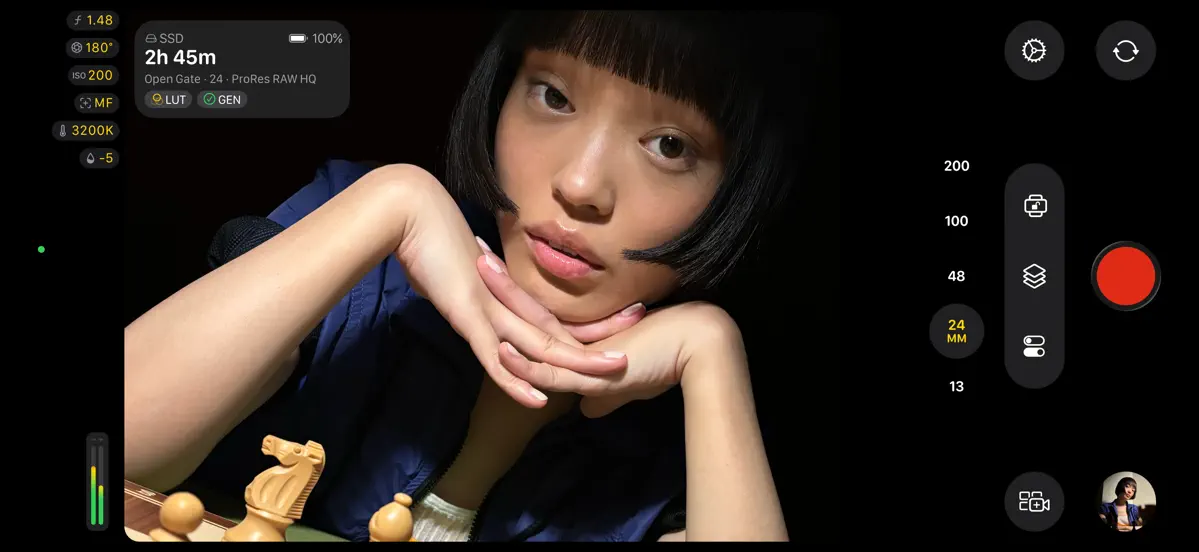
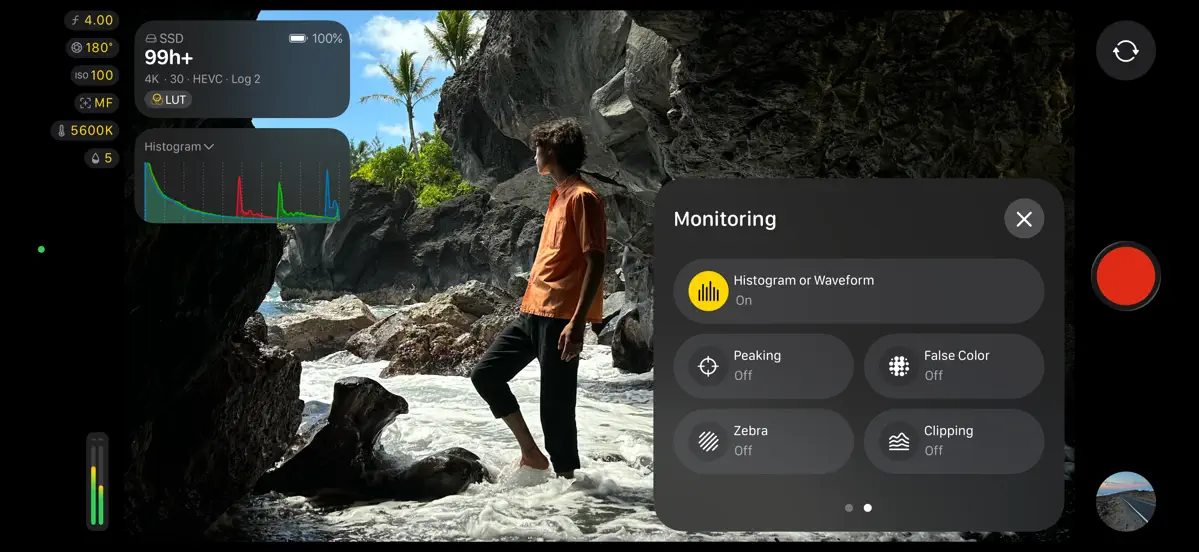
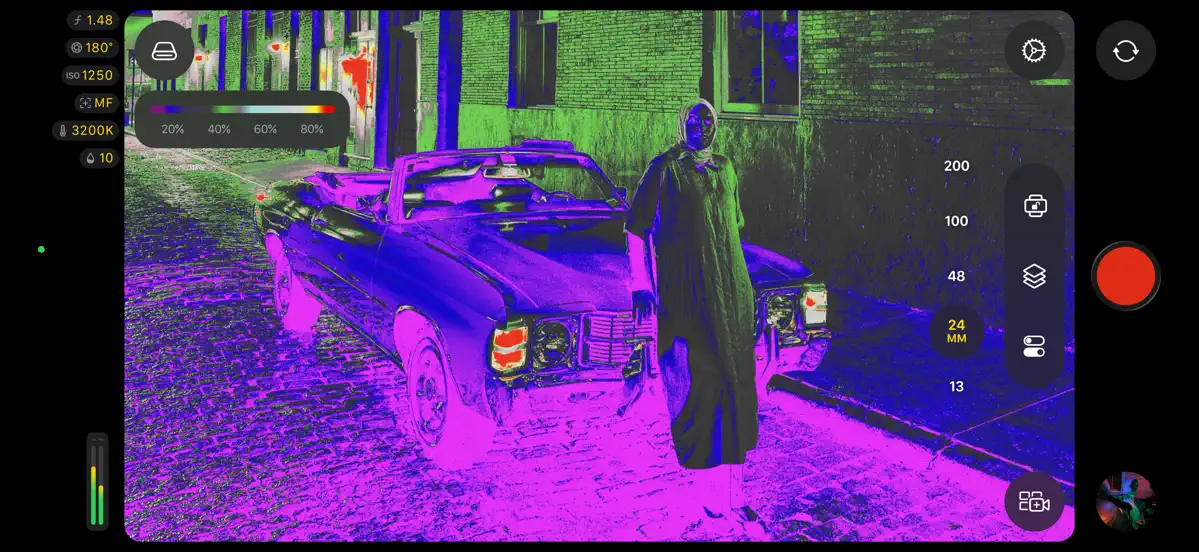
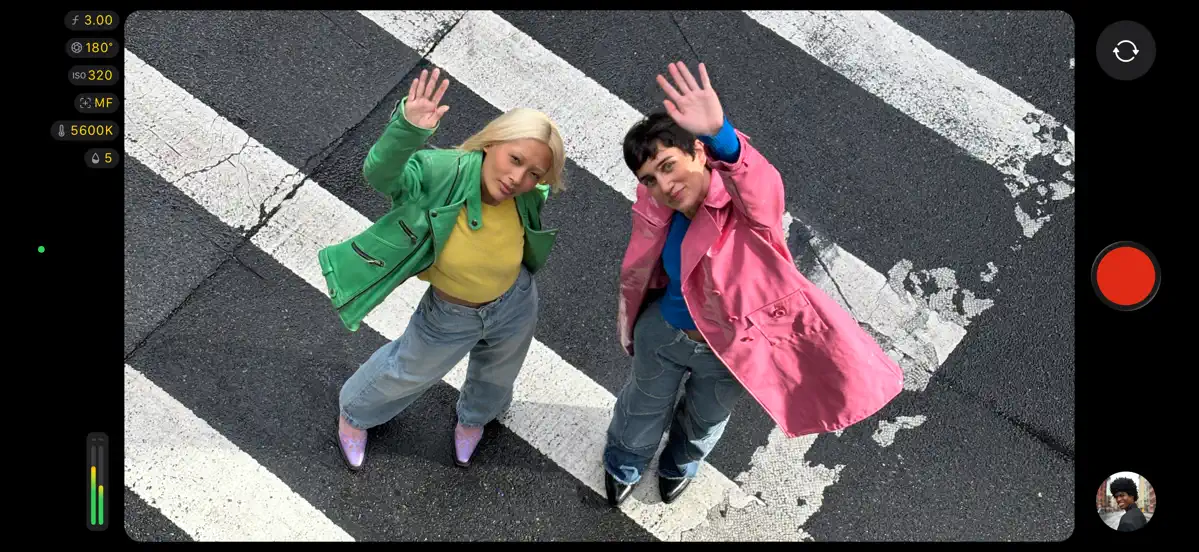
How it uses iPhone Duo
Apple's App Store release notes for Final Cut Camera 2.4 (September 29, 2026) say the new option to get Cinematic mode effects from regular video, including with ProRes and Apple Log, requires iPhone 18 Pro or iPhone Duo. Apple does not describe a folded or unfolded layout or any other fold-specific behavior in the app, so we list it as Compatible. We have not yet tested it on a device.
What’s New
Version 2.4 ·
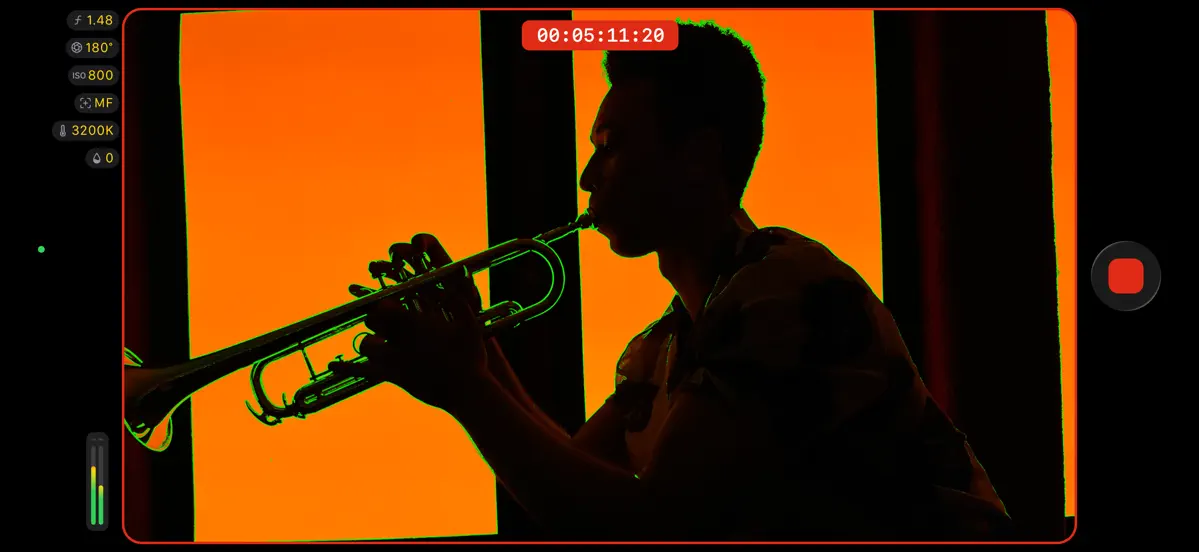
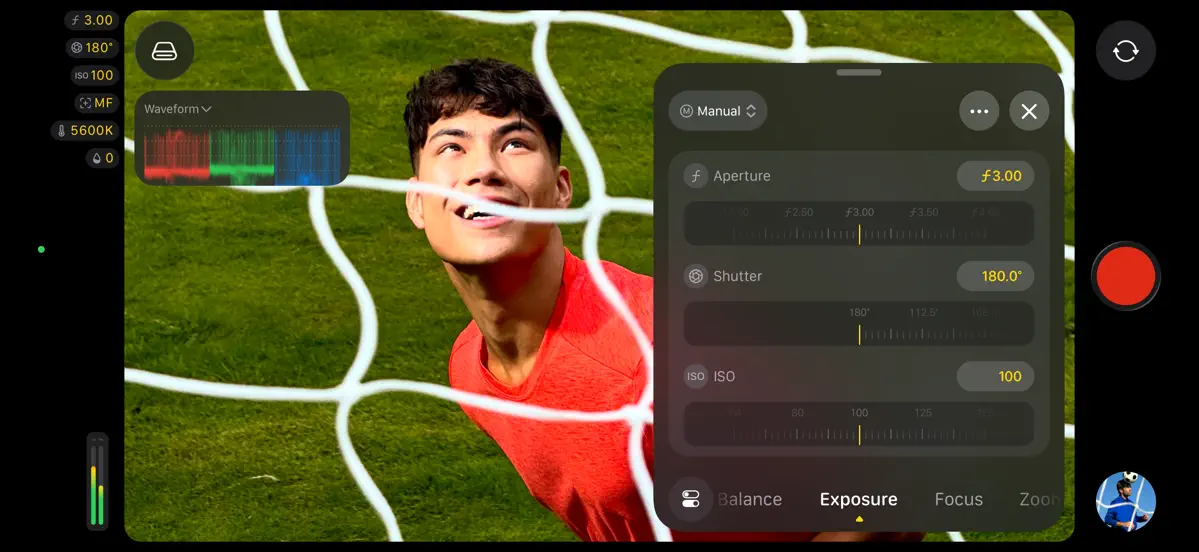
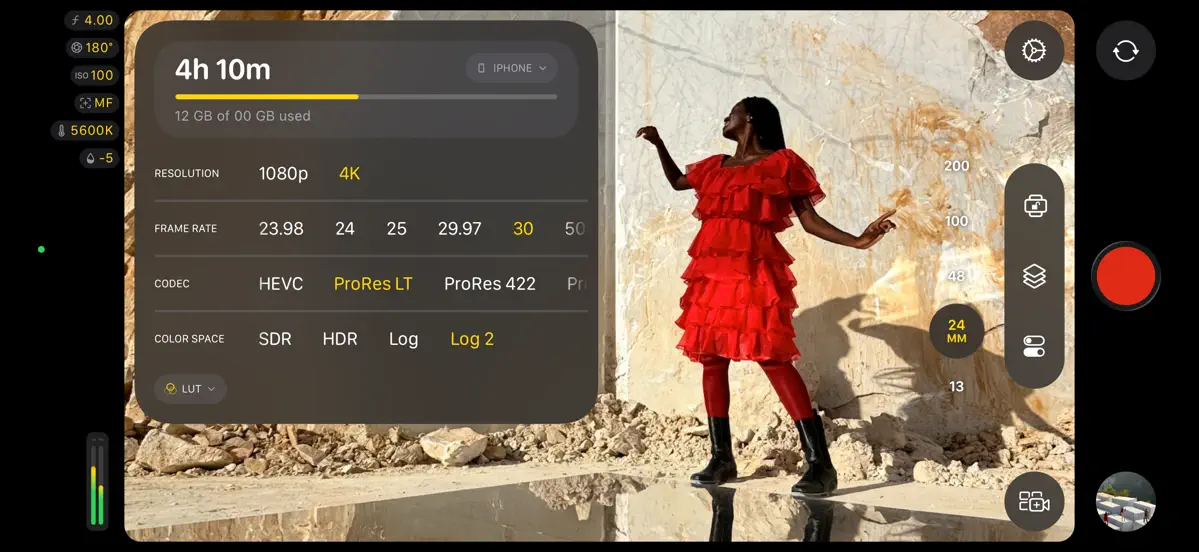
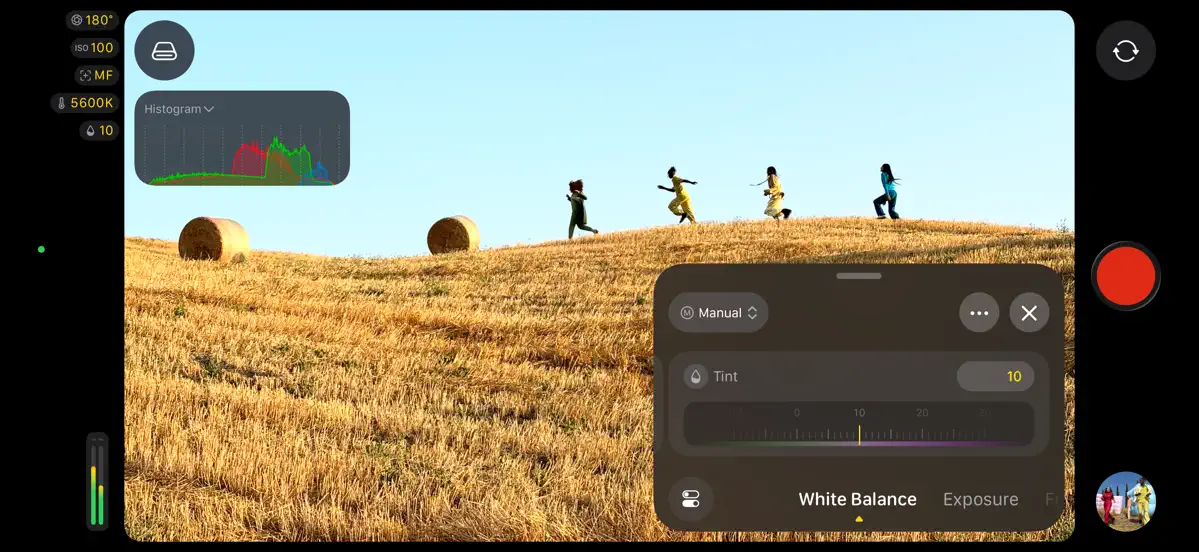
• Explore a beautiful new design featuring easy-to-access settings, customizable overlays, two-finger tap to put focus on the viewfinder, a tally light to indicate recording, and more • Capture stunning video using the 48MP Fusion Main camera with variable aperture from F1.48 to F4, with aperture priority, shutter priority, and manual modes* • Monitor your video with the RGB parade and histogram** • Dial in your exposure with false color and clipping indicators with threshold settings • Nail focus using improved focus peaking with sensitivity control • Get Cinematic mode effects from regular video, including support for ProRes and Apple Log, to achieve beautiful bokeh you can adjust in Final Cut Pro*** • Send a clean video signal using an HDMI-to-SDI converter for broadcast quality streams**** • Set your genlock frame delay to compensate for image artifacts from a recorded display or latency differences between your iPhone and other genlocked cameras***** Also Recently Added: • Use Clean HDMI Out to send a clean video feed without overlays to an external monitor or recorder so you can stay focused on the image being captured***** • Choose from ProRes 422 HQ, ProRes 422, or ProRes 422 LT for incredible video fidelity and editing performance, with more options to balance image quality and file size****** • Disable digital zoom to to ensure every shot records at full optical resolution • Easily connect your iPhone to your Mac and import your media from Final Cut Camera into Final Cut Pro * Requires iPhone 18 Pro ** Requires iOS 27 *** Requires iPhone 18 Pro or iPhone Duo **** Requires iPhone 17 Pro or later and iOS 27 ***** Requires iPhone 17 Pro or later ****** Requires iPhone 13 Pro or later
About this app
Final Cut Camera is Apple's free video capture app for iPhone, designed for people who shoot footage to edit in Final Cut Pro, or who want manual control over recording. It provides manual exposure, focus and white balance settings, and on supported hardware it records ProRes and Apple Log. Version 2.4, released September 29, 2026, brought a redesigned interface with customizable overlays and a tally light, plus monitoring tools such as an RGB parade, histogram, false color and clipping indicators with adjustable thresholds, and improved focus peaking. Some features depend on the model: aperture priority and shutter priority modes require iPhone 18 Pro, and HDMI-to-SDI output and genlock frame delay require iPhone 17 Pro or later. The app can also send a clean HDMI signal to an external monitor or recorder and connect directly to a Mac for importing footage into Final Cut Pro. It suits videographers, students and anyone building a multicamera setup around iPhones. Apple's release notes name iPhone Duo as one of the devices that can use the new Cinematic mode effects from regular video.
App Store descriptionWritten by the developer.
Final Cut Camera puts you in the director’s chair with intuitive pro controls for your entire video production. Seamlessly start a Live Multicam session by connecting up to four devices running Final Cut Camera to preview, record, and sync your video angles in Final Cut Pro for iPad. Capture with powerful settings including shutter speed, ISO, white balance, and manual focus. Easily customize your resolution, frame rate, color space, and more. Quickly monitor your video with focus peaking and overexposure indicators. Dial in the perfect shot for your professional videos with Final Cut Camera. Capture professional footage with full manual control • Easily record in a range of resolutions, frame rates, and codecs including ProRes and Apple Log* • Capture ProRes RAW in open gate for full-frame resolution and incredible editing performance** • Set your exposure with ISO and shutter speed controls • Adjust your white balance using presets or set a custom color temperature • Pull focus to follow the action and keep subjects sharp • Enable timecode options including Time of Day, Record Run, or external timecode • Genlock multiple video sources with precise frame alignment using a compatible sync generator** • Flexibly frame your shot in portrait or landscape with the Center Stage front camera without moving your iPhone*** • Record with Spatial Audio for videos with even more immersive sound**** • Reduce shakiness and movement during capture by enabling stabilization • Lock orientation to ensure your framing is consistent regardless of device position Preview, record, and sync up to four devices with Live Multicam in Final Cut Pro for iPad • Quickly start a Live Multicam session by connecting your device to Final Cut Pro for iPad***** • Remotely preview, adjust pro controls, and initiate recording on all your connected devices right in Final Cut Pro • Instantly edit your multicam clips with preview media that is automatically synced in the Final Cut Pro browser • Save time in post with background media transfer that seamlessly replaces preview media with originals as you work Confirm videos look and sound perfect with powerful monitoring tools • Level videos with tilt and roll indicators or crosshairs for overhead shots • Preview your Apple Log video in SDR or HDR by applying the Apple Log LUT* • Enable focus peaking to ensure footage looks sharp • Properly expose videos using zebra indicators • Frame your shot with aspect ratio guides or grid overlays • Monitor available recording time and audio meters Easily review and transfer media right in the browser • Save videos to Files or record onto a connected external storage device* • Browse and review your footage directly in the Final Cut Camera browser • Quickly connect to Final Cut Pro for iPad and transfer media directly into a project • Conveniently pause and resume media transfers Upgrading to the latest iOS or iPadOS is recommended * Requires iPhone 15 Pro or later ** Requires iPhone 17 Pro or later *** Requires iPhone 17 or later or iPhone Air **** Requires iPhone 16 or later ***** Requires Apple Creator Studio subscription
Highlights
- Manual exposure and focus controls
- ProRes and Apple Log recording on supported models
- RGB parade and histogram
- False color and clipping indicators
- Focus peaking with sensitivity control
- Clean HDMI out
- Import into Final Cut Pro on Mac
Final Cut Camera on iPhone Duo: FAQ
Is Final Cut Camera optimized for iPhone Duo?
Not yet. Final Cut Camera is Compatible: it runs unchanged with its phone layout. Verified on September 29, 2026 (Apple announcement).
What does Final Cut Camera look like on iPhone Duo?
Apple's App Store release notes for Final Cut Camera 2.4 (September 29, 2026) say the new option to get Cinematic mode effects from regular video, including with ProRes and Apple Log, requires iPhone 18 Pro or iPhone Duo. Apple does not describe a folded or unfolded layout or any other fold-specific behavior in the app, so we list it as Compatible. We have not yet tested it on a device.
How much does Final Cut Camera cost?
Final Cut Camera is free to download on the App Store.
More Creative apps
See all ›
Drawing and painting app with custom brushes and unlimited layers
Record with the front and back cameras at the same time

Camera app, teleprompter and AI video editor for creators in one place
Multitrack video editor for iPhone, iPad and Mac

Multi-track video and photo editor with keyframes, effects and text

Home Screen themes, wallpapers and custom widgets for iPhone