
Risky Business
Project risk register that reorganises itself when you fold and unfold
Ricardo Martinez Benesenes · Productivity · Free
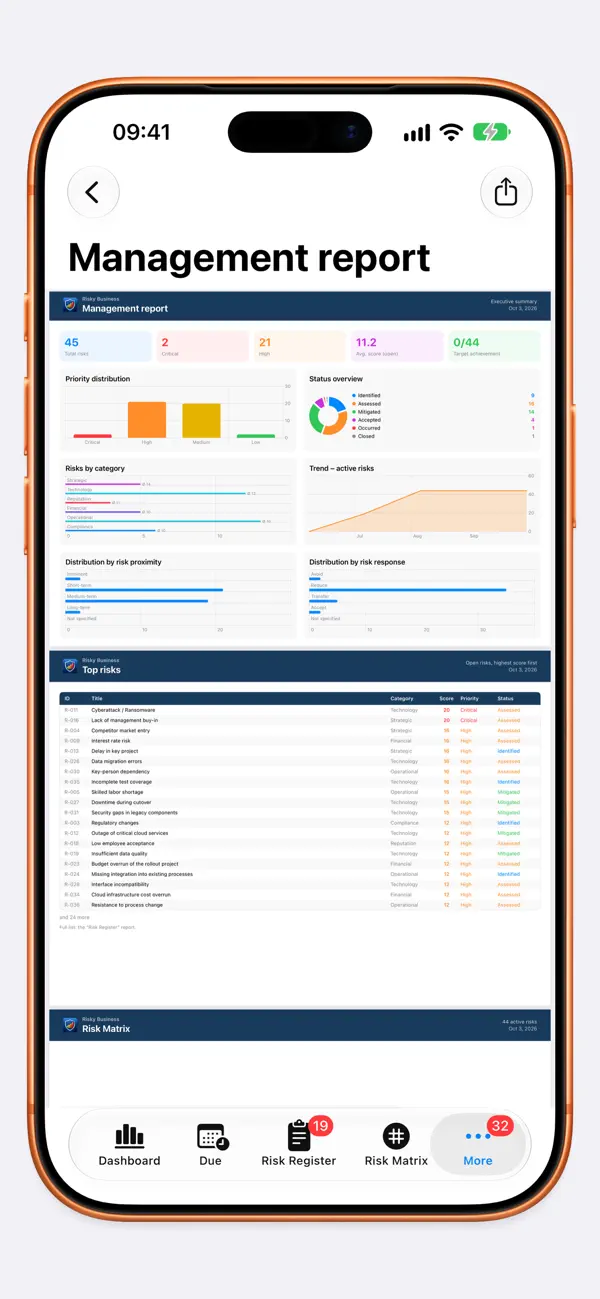
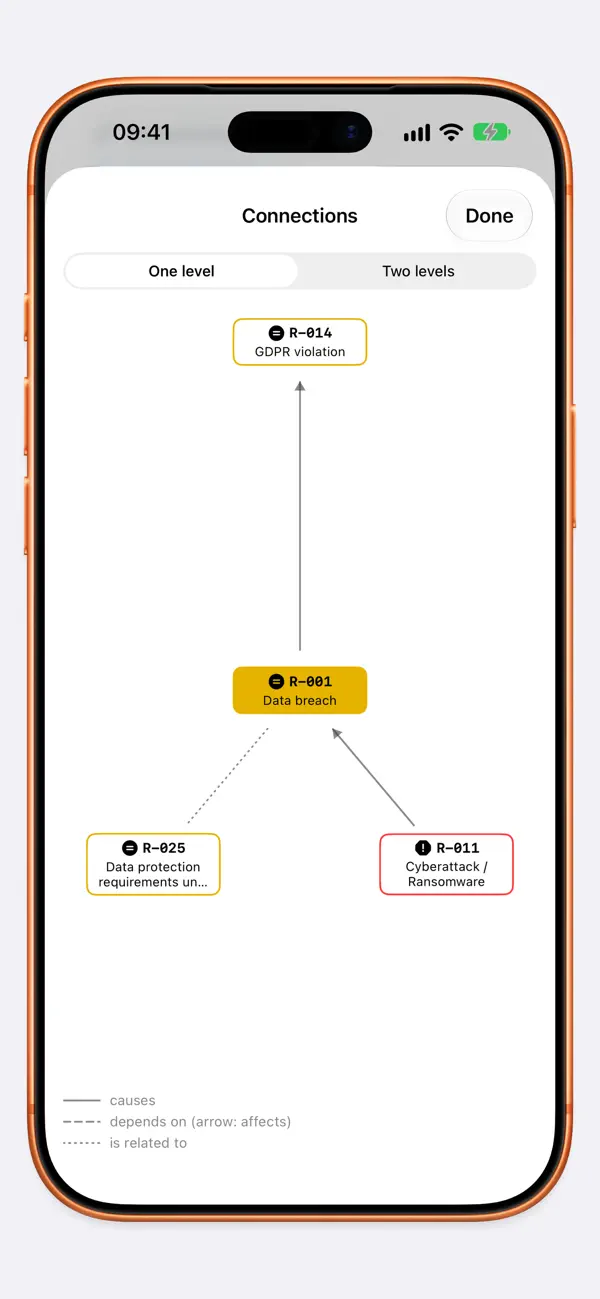
iPhone screenshots
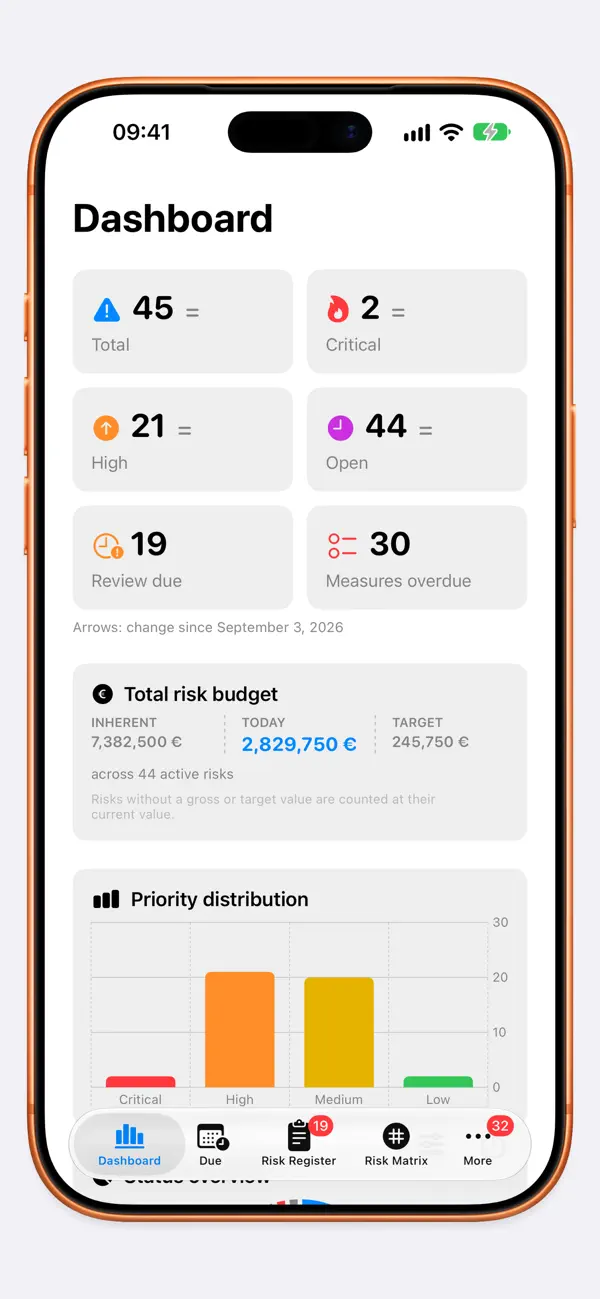
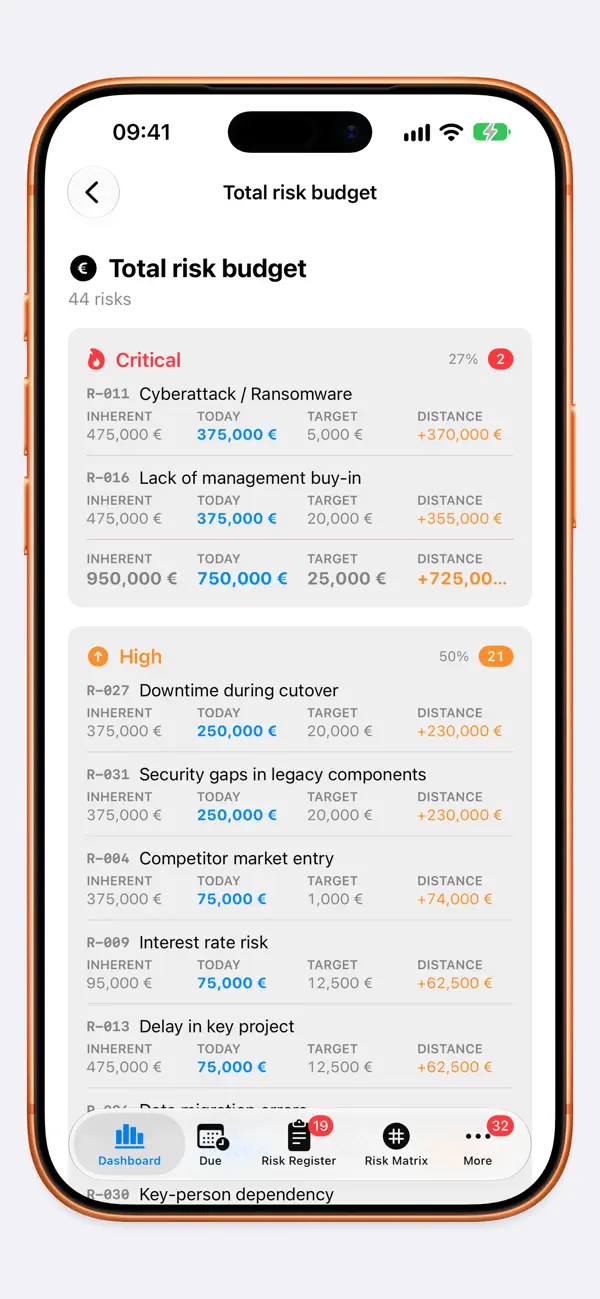
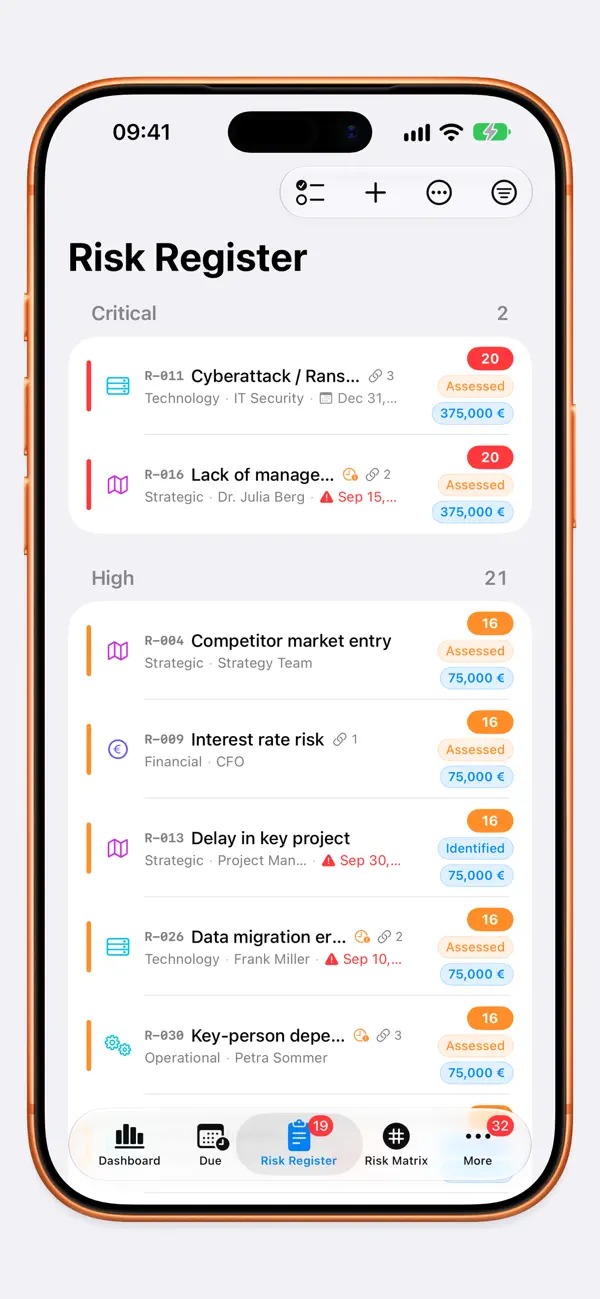
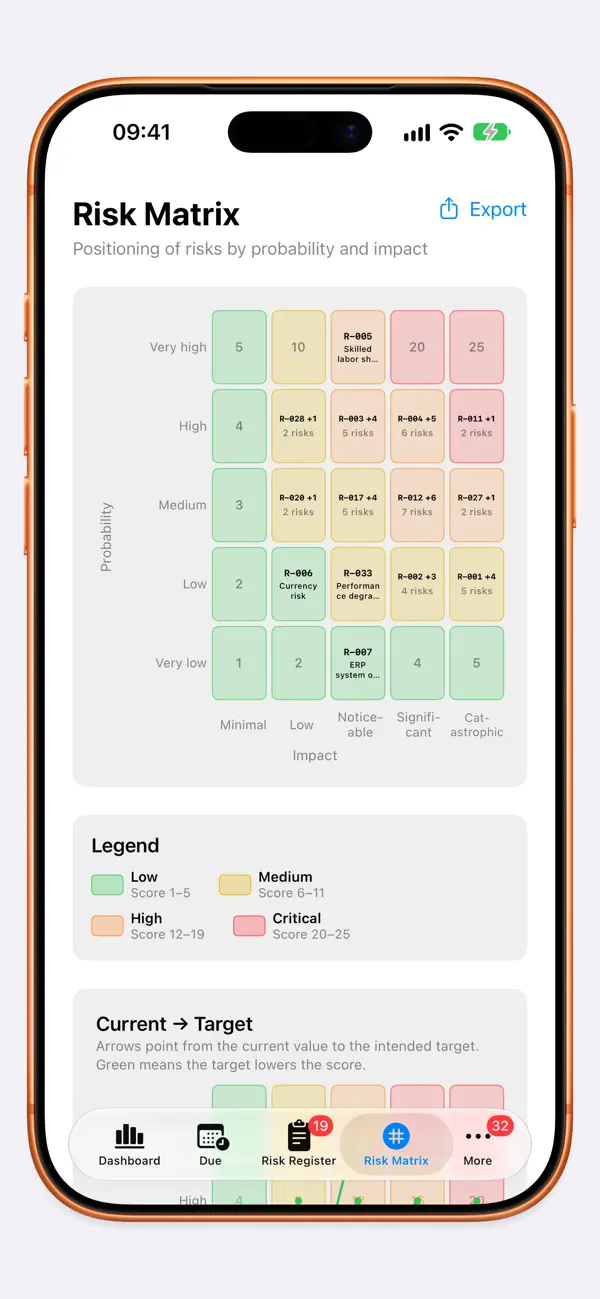
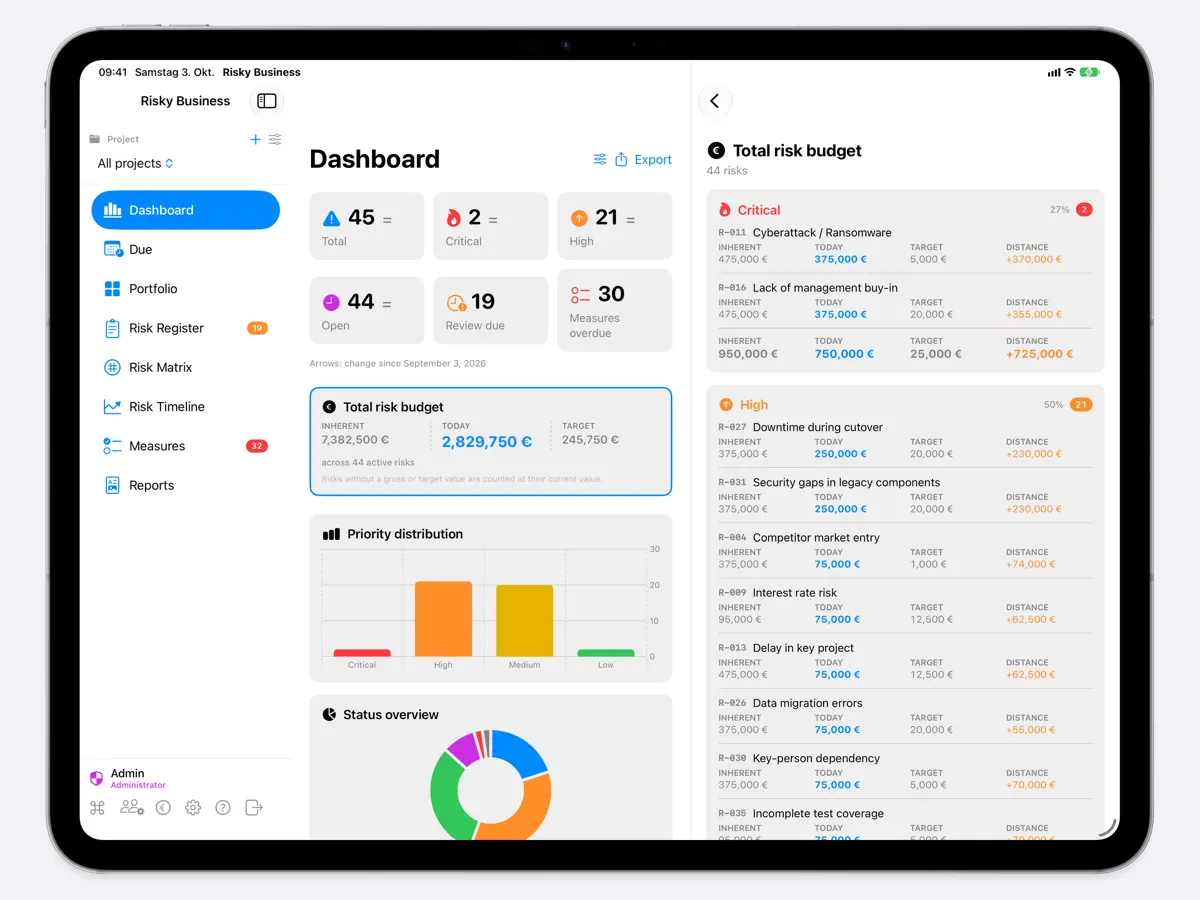
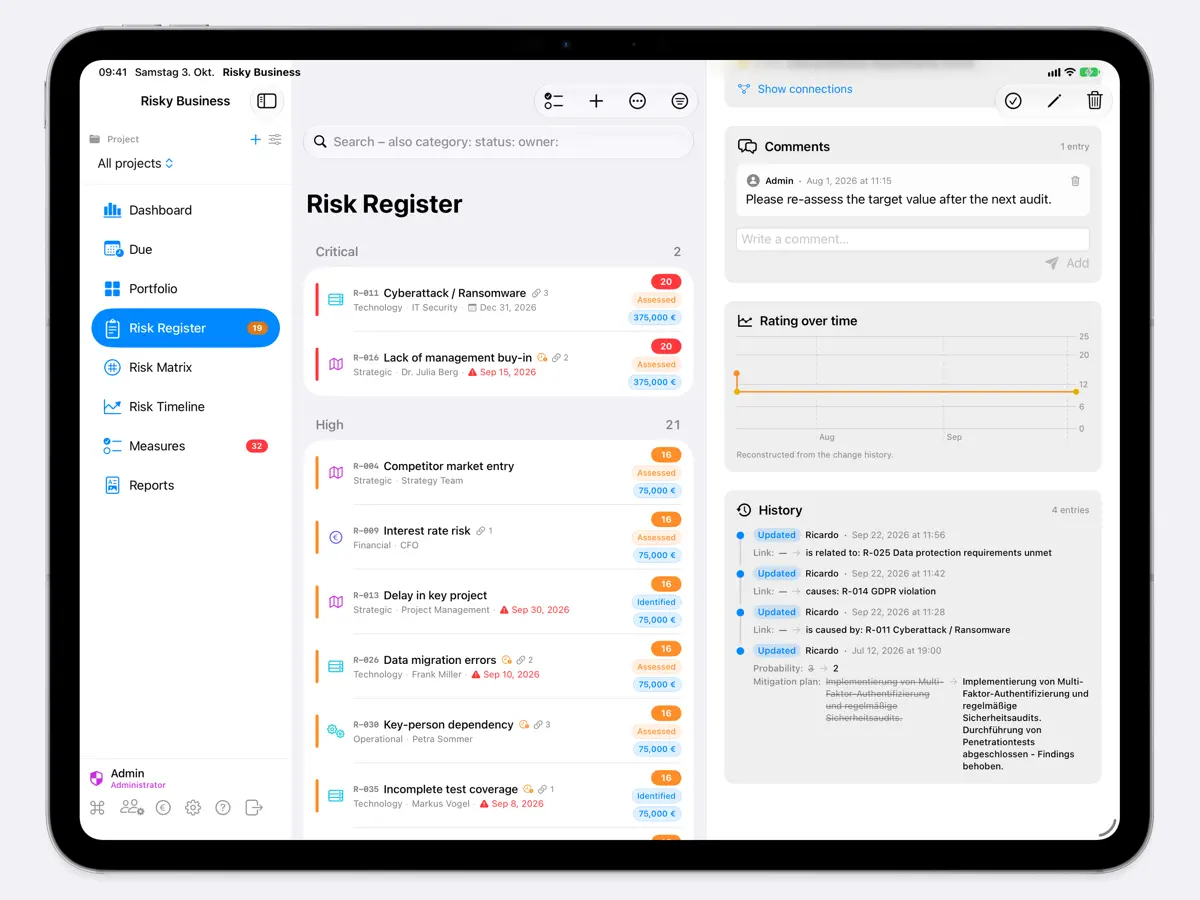
iPad screenshots
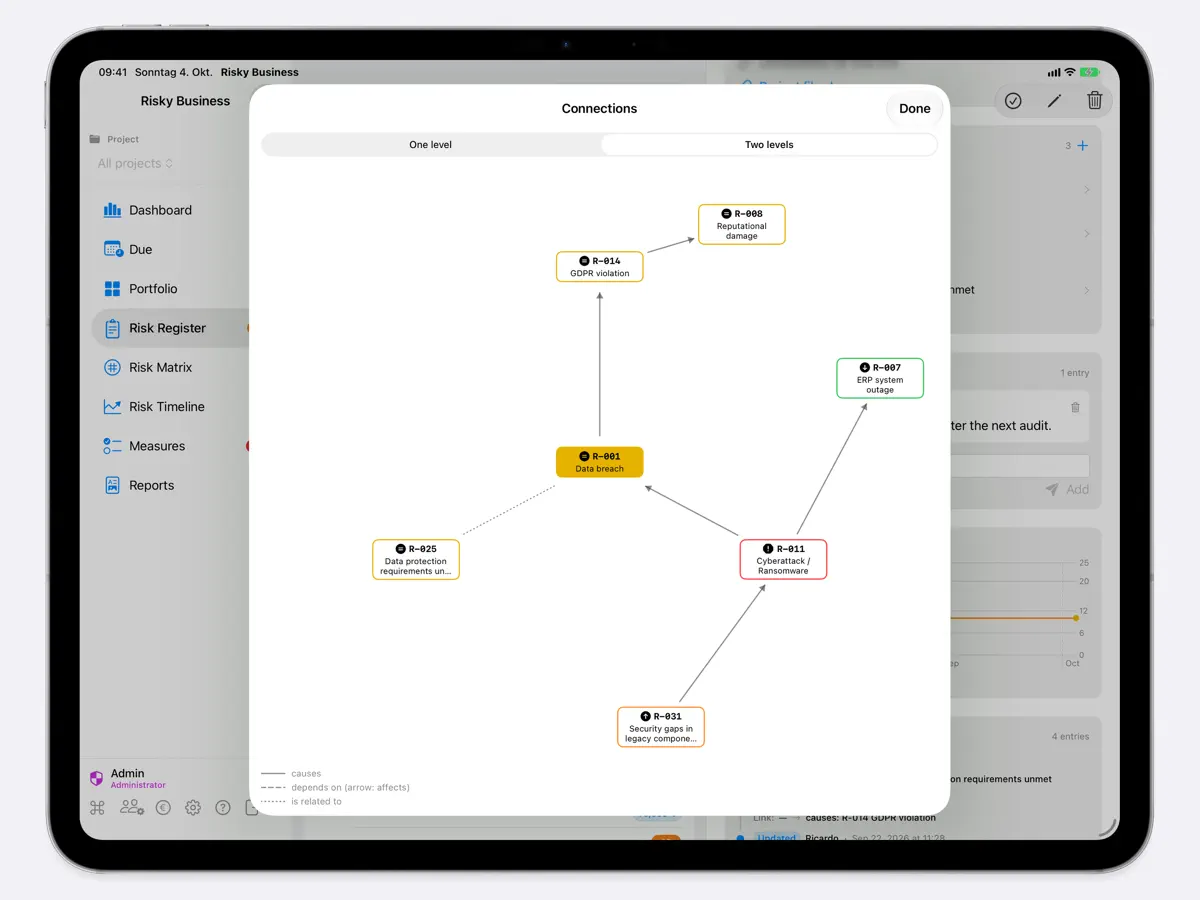
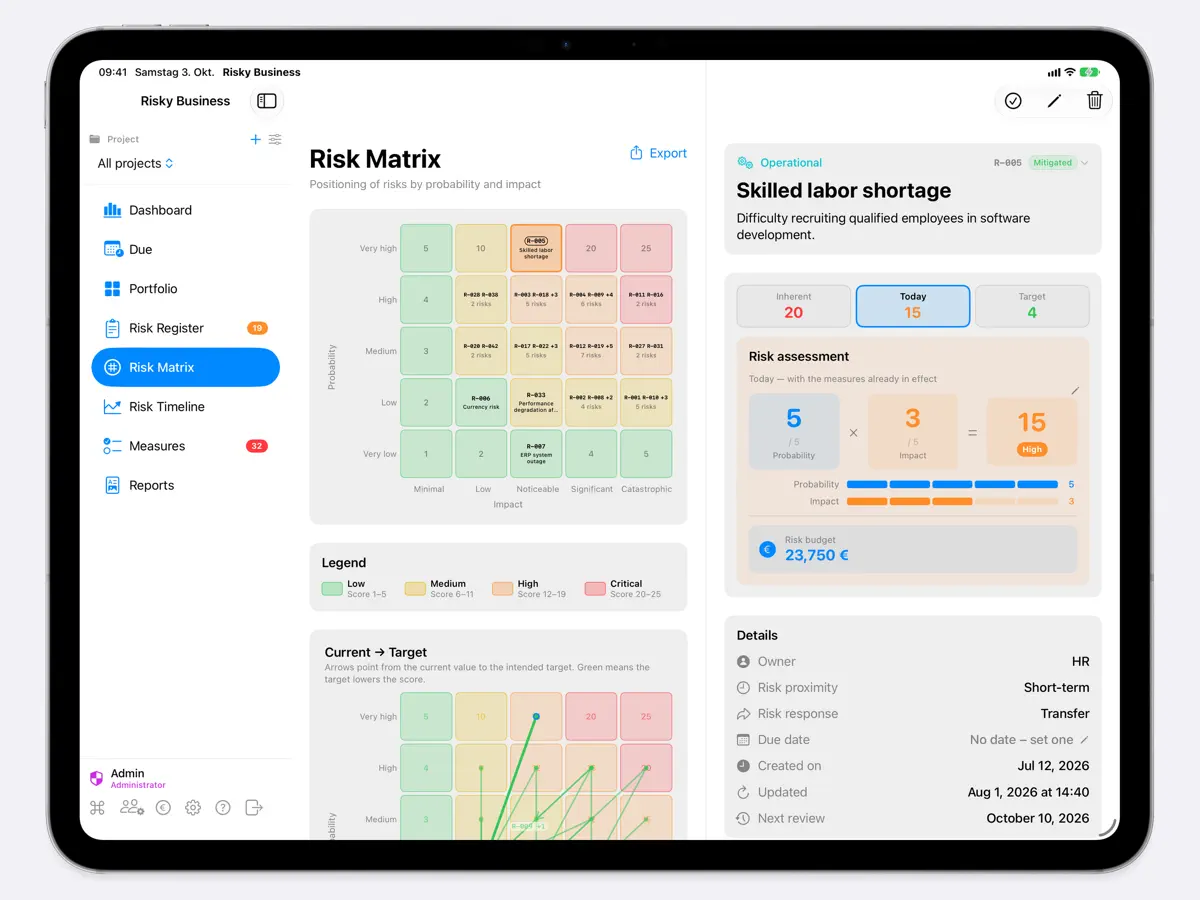
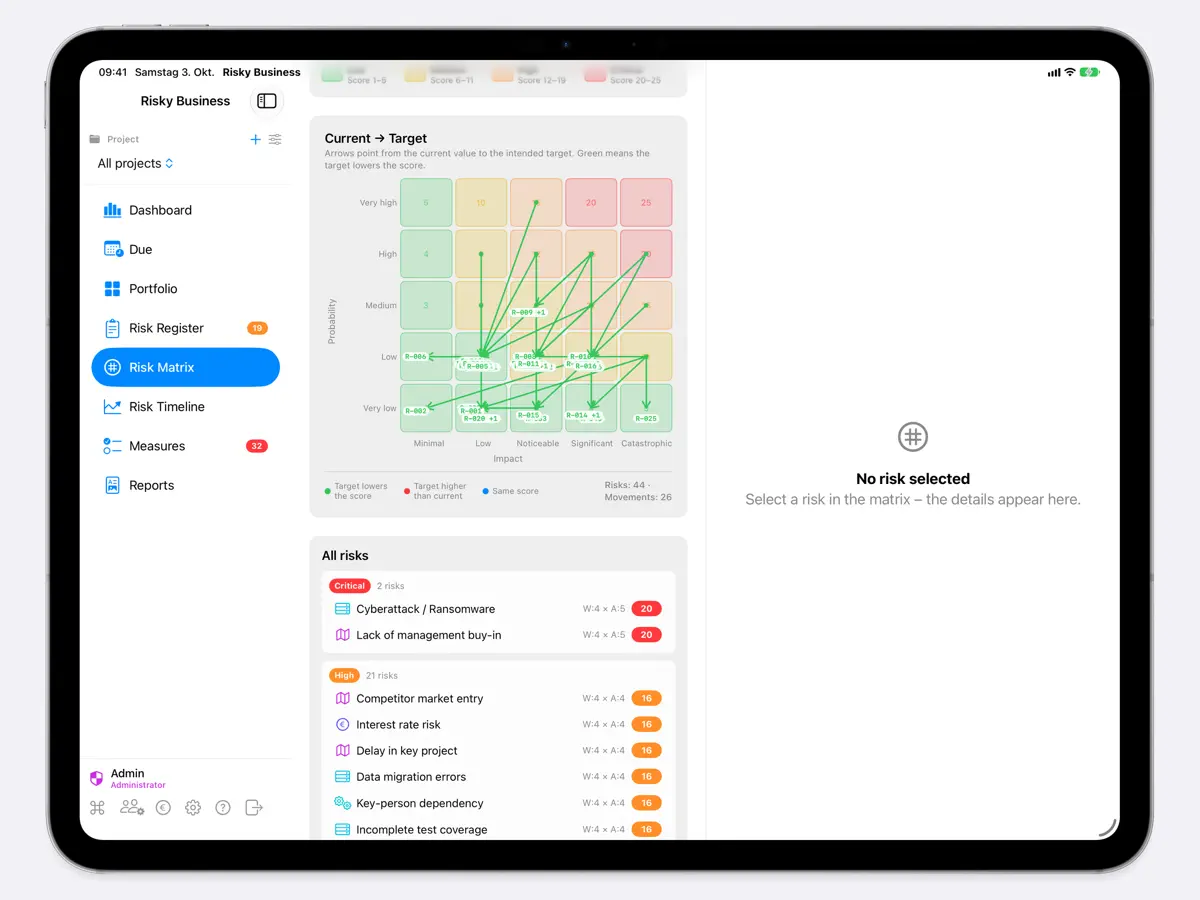
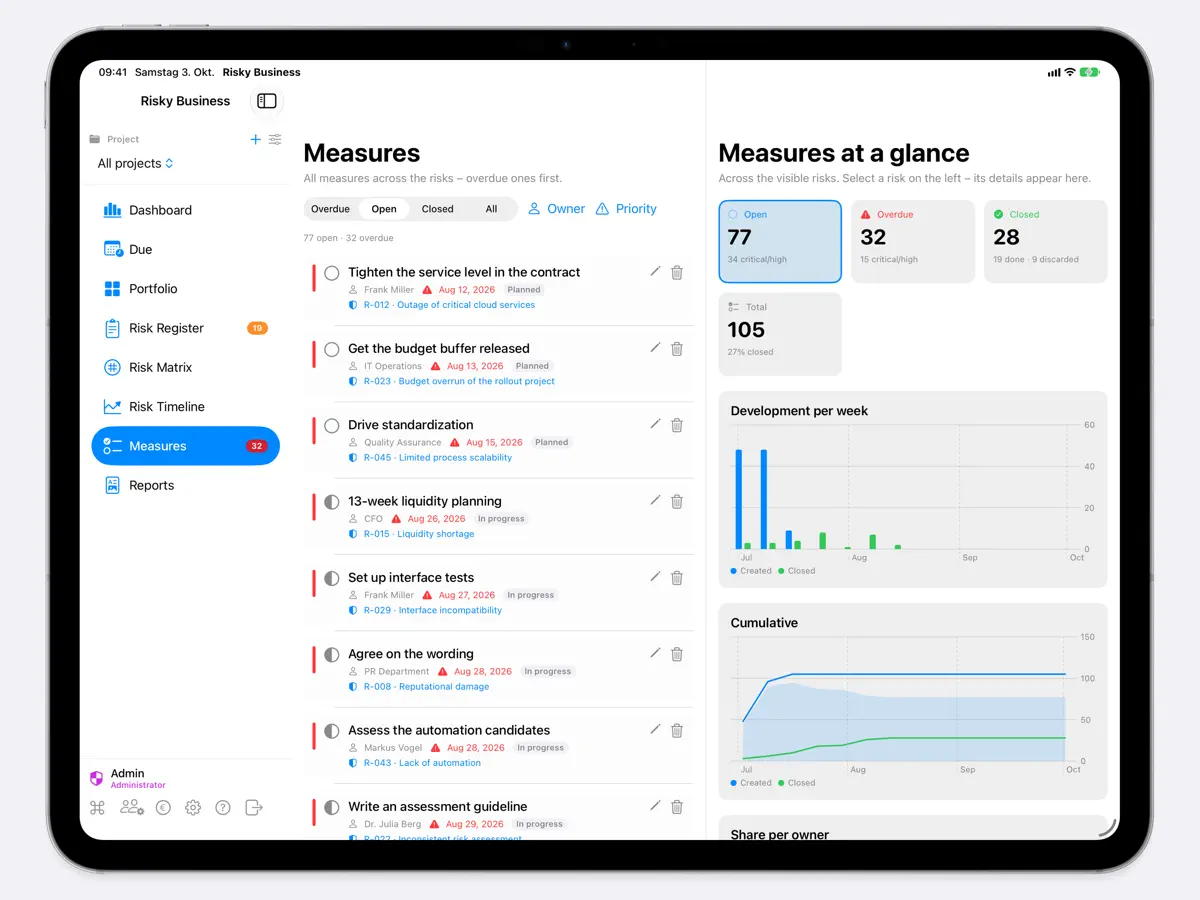
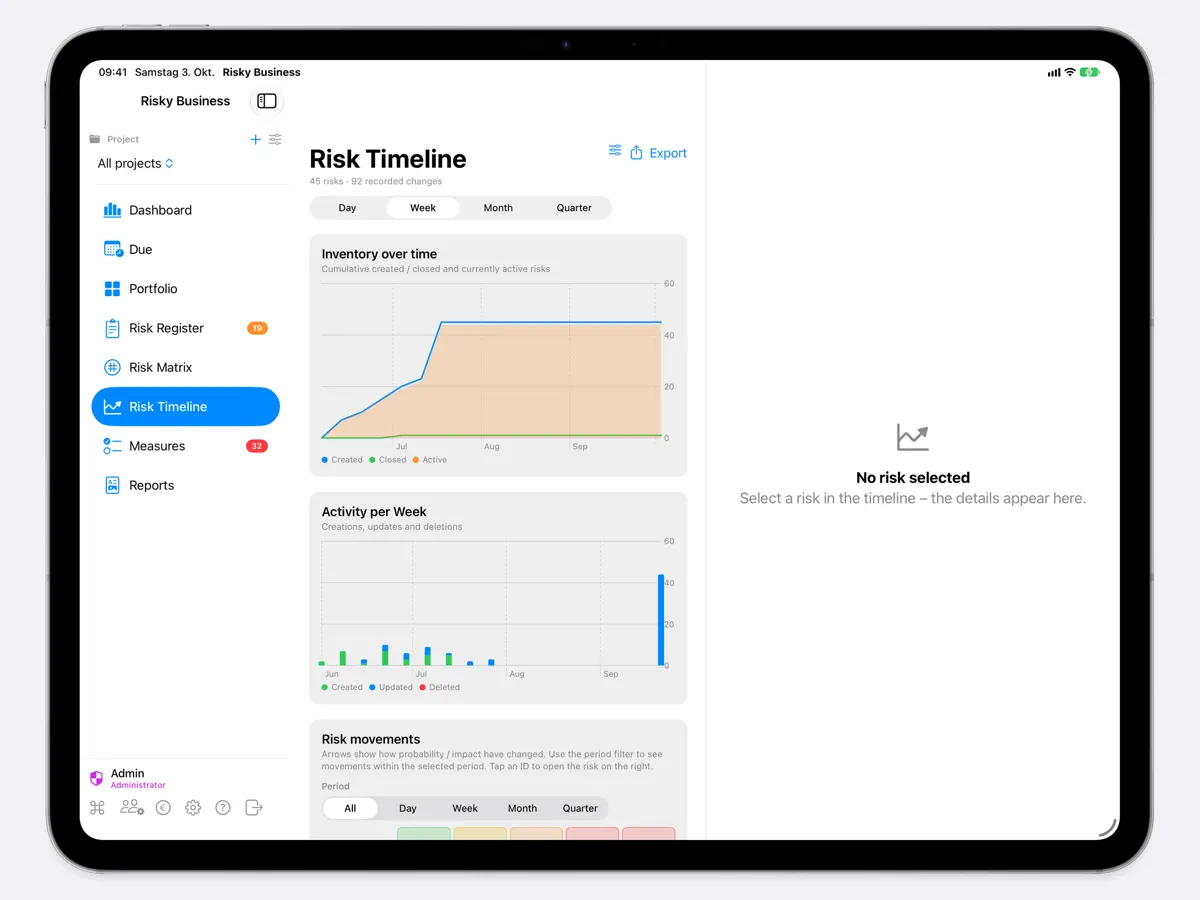
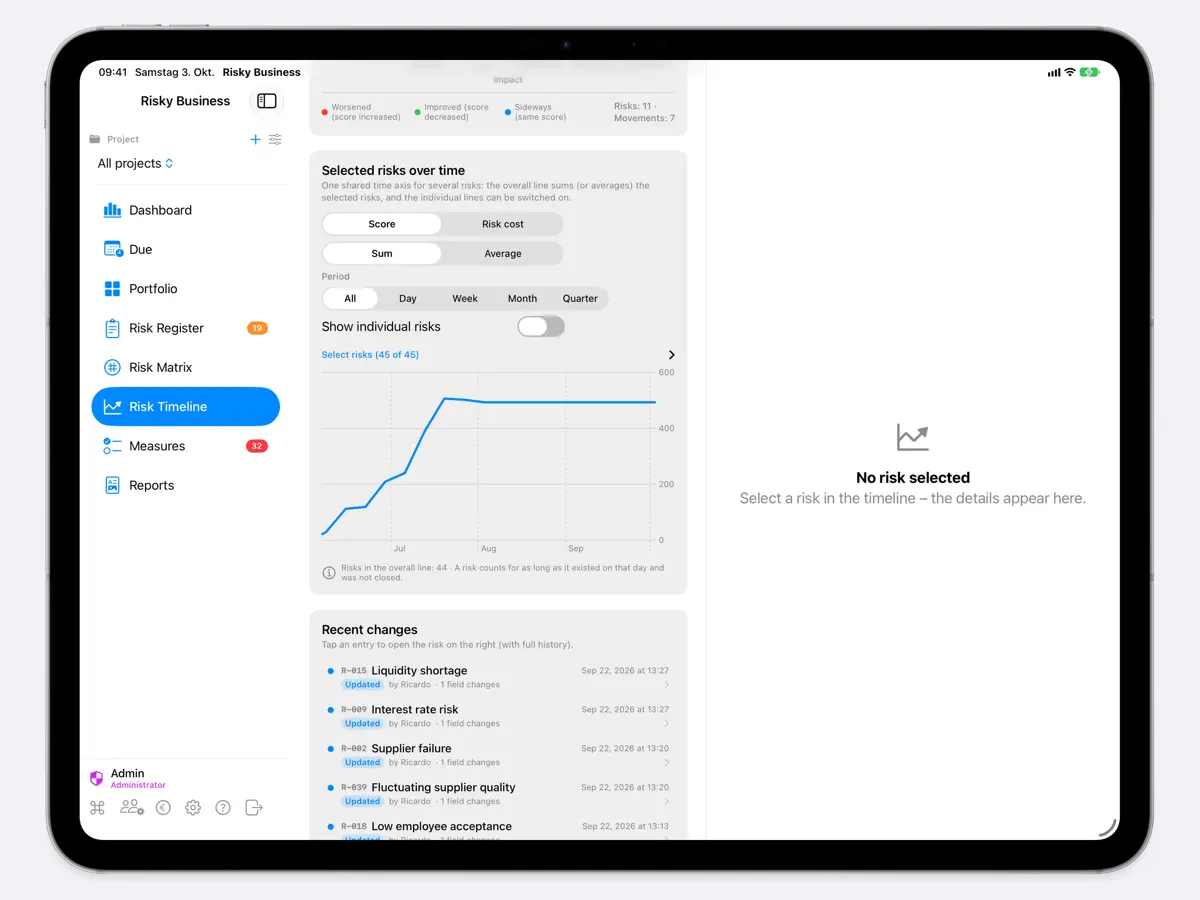
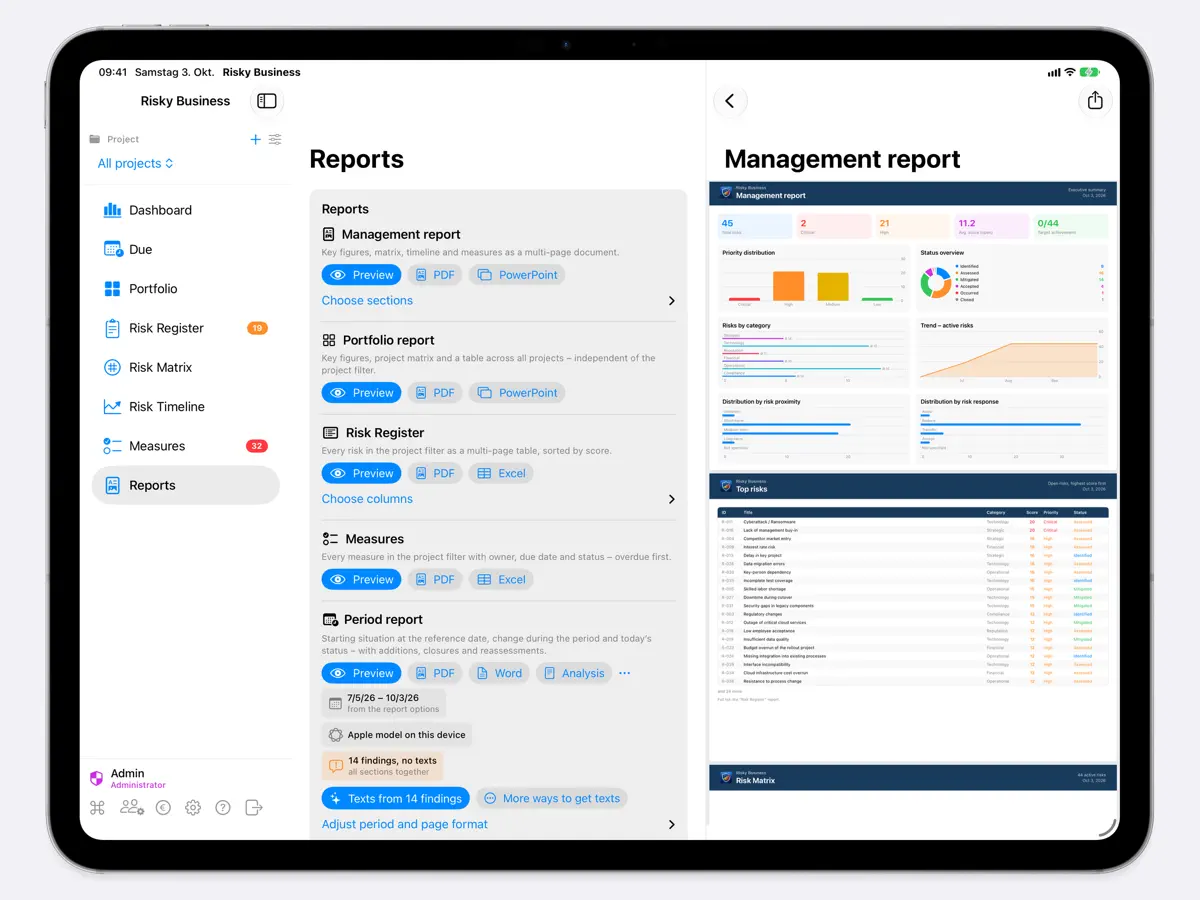
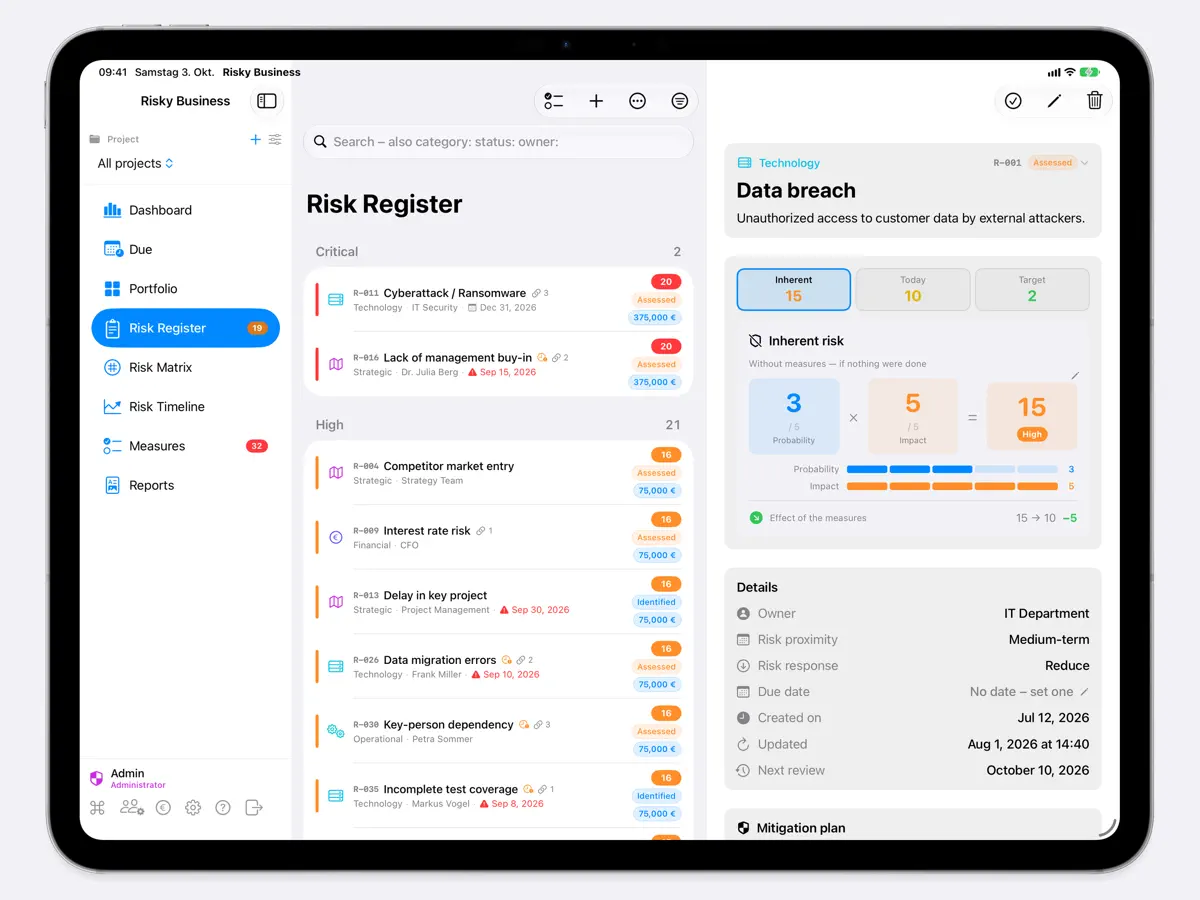
How it uses iPhone Duo
In a blog post dated 4 October 2026, the developer says the app picks its layout by available width: a compact iPhone interface when the iPhone Duo is folded, and overview and detail side by side when unfolded. A vertical bar along the right edge holds the main sections when folded and the current section's tools when unfolded. If a form or dialog is open when you fold or unfold, the app keeps its current shape until you close it. A later post on version 2.14 describes a reworked risk matrix and three-line register rows for the folded Duo. We have not yet tested it on an iPhone Duo.
What’s New
Version 2.14 ·
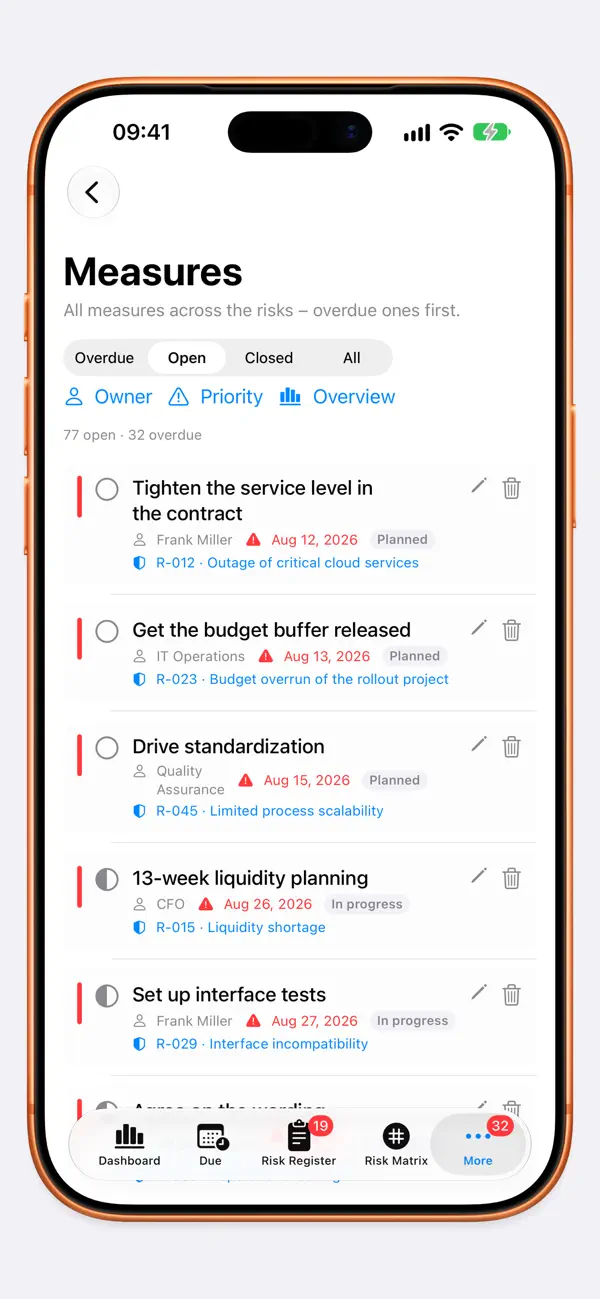
RISKS FROM A PHOTO OR DOCUMENT • Take a photo or scan of minutes, an email or a whiteboard – or choose an image or PDF. The app recognises the text and suggests the risks in it. • One risk found fills in the form; several are created with one tap – each with its suggested rating. • Text recognition runs on your device, and the picture is not stored. Your own AI provider receives at most the recognised text, never the picture. COST PER MEASURE • Record the planned cost of each measure – in the currency of your risk budget. The total appears on the risk, and costs show up in reports and in Excel. • Dropped measures get a date, and the “Open” and “Closed” tiles now show trend arrows too. OCCURRED RISKS AND DUPLICATES • When a risk occurs, record the date and the actual loss – compared with the expected value and summed up in the management report. • Next to the measure costs you see how much they reduce the risk budget. • When you create a risk, the app points out similar existing risks. RISK FACT SHEET AND NETWORK PICTURE • “Risk as PDF” sums up a risk on a few pages – rating, measures with costs, links including the network picture, and the latest comments. To share, print or file. • Export the network picture of the connections as a PDF or image. YOUR TAB BAR ON IPHONE • Under “More” → “Customize Tab Bar” you choose which sections sit at the bottom as tabs. OTHER IMPROVEMENTS AND FIXES • For example: on iPhone and iPhone Duo you now choose the project in every section, the views are tidier in narrow columns, and the matrices carry their axes at the bottom and need less space. A filled-in form can no longer be swiped away by accident. Plus many smaller fixes to layout, controls and translations. If your team works with a shared database file, please update all devices to 2.14 – older versions don't know about costs, drop dates and loss details yet. New and forward-looking: if 2.14 later meets a database from a newer version, it only shows it and changes nothing – so no content is lost.
About this app
Risky Business App is a risk management tool for projects, made by independent developer Ricardo Martinez for Mac, iPad and iPhone. It is aimed at project managers and teams who need to capture risks, rate them by probability and impact, and follow them through to mitigation without setting up a heavyweight enterprise system. Risks can be entered from templates and are scored and prioritised automatically, then shown on a 5x5 risk matrix alongside a dashboard, portfolio view, timeline, measures overview and reports. Data stays on the device by default, with optional iCloud sharing with named people, per-person read or write access and optional passphrase encryption of the database. Recent versions added optional AI suggestions for rating a new risk using your own AI provider, links between risks with a network view, cost tracking per measure, recording of losses when a risk occurs, and creating risks from a photo or scan of minutes or a whiteboard, with text recognition done on the device. The developer has written two blog posts about adapting the app for iPhone Duo, describing a navigation rethought for the device and a series of space-saving changes for the folded screen. The app is free with no in-app purchases, according to the developer's website and the App Store listing.
App Store descriptionWritten by the developer.
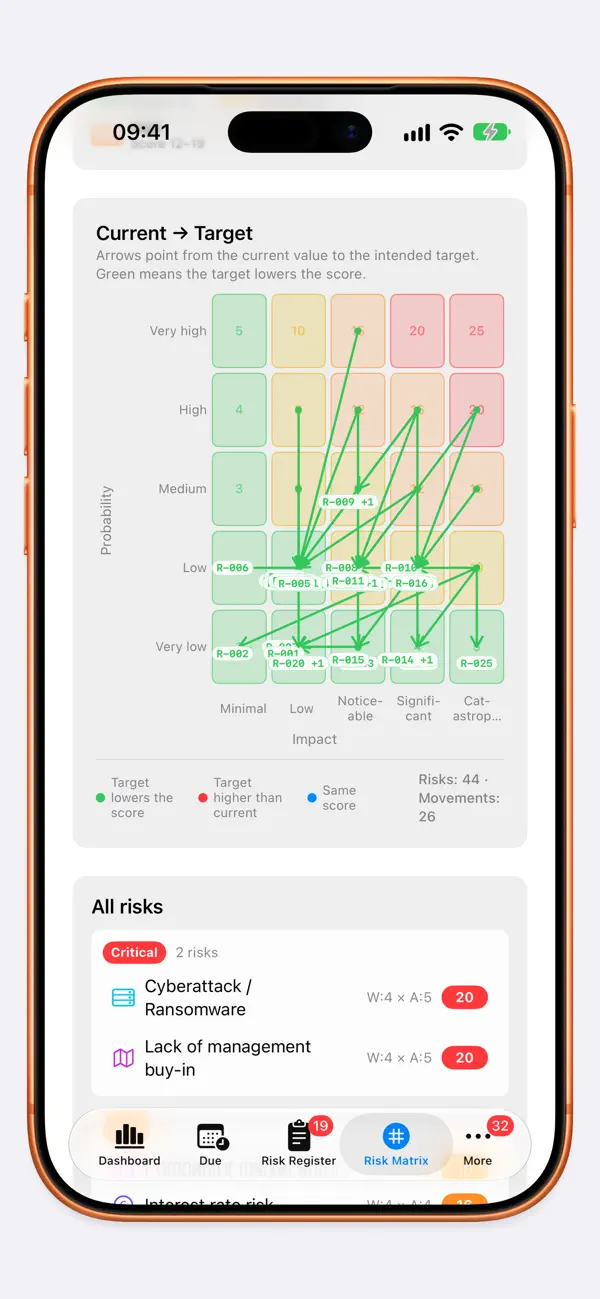
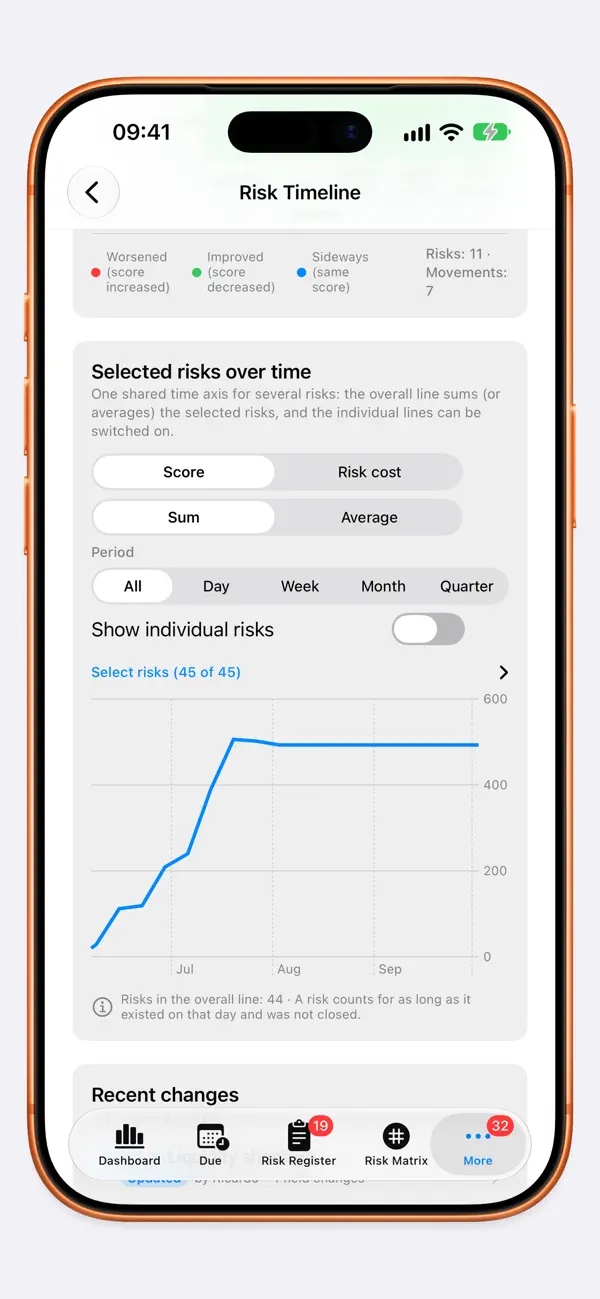
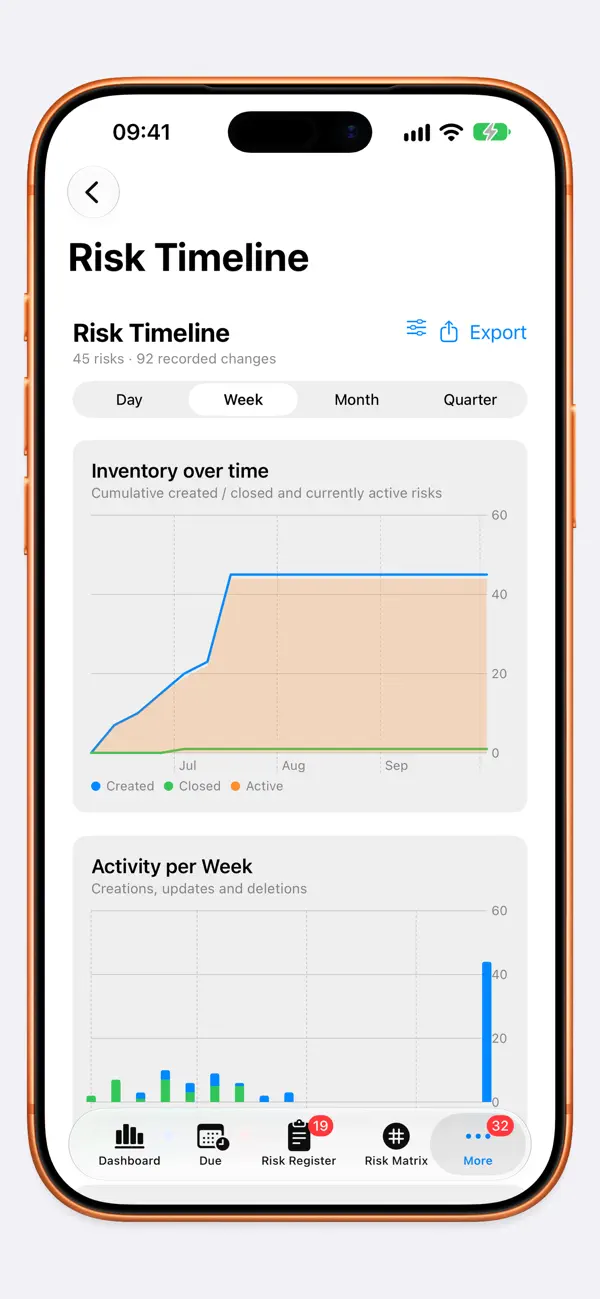
Risky Business App – so no risk ever catches you off guard. Every project carries uncertainty. The only question is: do you know your risks – or will they catch you unprepared? Risky Business App turns that vague gut feeling into clear certainty. Capture your risks, assess them honestly, watch how they evolve – and walk into every status meeting with a clear head. Professional, yet refreshingly simple. For Mac, iPad and iPhone. CAPTURED FAST, ASSESSED CLEARLY Your first risk is ready in minutes – by category, probability and impact, optionally from ready-made templates. The app calculates score and priority for you. Format descriptions and mitigation plans just like in a word processor (bold, italic, strikethrough, code, bullet lists). Quick actions, bulk editing and keyboard shortcuts keep you in the flow. THE BIG PICTURE: THE RISK MATRIX See what's really on fire at a glance – every risk in a clear 5×5 grid. Define an intended residual risk and, in the “Current → Target” view, track where each risk should be heading. THE OVERVIEW THAT REASSURES: DASHBOARD & PORTFOLIO Key figures, priorities, target attainment and your top risks – across all projects in the Portfolio, with a priority heatmap and a budget per project. Everything in one place, at last. RISK IN NUMBERS: THE RISK BUDGET What does a risk really cost? Map probability and impact to monetary values and see the financial expected value per risk – and for the whole project. NOTHING SLIPS THROUGH: REVIEW CYCLE & REMINDERS Give every risk its own rhythm: a “Next review” date, a register filter, a dashboard card and gentle reminders make sure no review ever falls through the cracks. FULLY TRACEABLE: TIMELINE & AUDIT Every change is logged with timestamp, user and a field-level diff – for the moment someone asks “who changed this, and when?”. Time series, risk movements and an audit log as Excel, CSV or PDF. IMPRESS AT THE TAP OF A BUTTON: REPORTS & EXPORT A four-page management report and a cross-project portfolio report – as a PDF or an editable PowerPoint, with your company branding and selectable sections. Made for your next steering committee. Plus Excel import and export. TOGETHER, BUT SECURE: MULTI-USER & PROTECTION Built-in user management with multiple accounts, admin roles and per-project permissions. Your shared database is a single file – locally, on a network drive or in your cloud folder – and can be encrypted with a passphrase (AES-GCM). If you like, share a database via iCloud and work on it together in real time (Beta). Face ID / Touch ID adds another layer. AT HOME IN APPLE’S WORLD Home and Lock Screen widgets, a Control Center control, Siri shortcuts that even read your risk status aloud, and due-date reminders. Thoughtfully accessible (VoiceOver, Dynamic Type, contrast). English, German, Spanish. Universal for Mac, iPad and iPhone. YOUR DATA IS YOURS No third-party account, no forced cloud. The database is a file you control – and encrypt whenever you like. Take control. Sleep a little easier. SYSTEM REQUIREMENT Requires iOS 26, iPadOS 26 or macOS 26. If a database is shared across several devices, they all need to run version 2.3 or newer.
Highlights
- Risk register with automatic score and priority
- 5x5 risk matrix with target residual risk
- Dashboard and multi-project portfolio
- Cost per measure and loss recording
- Create risks from a photo, scan or PDF
- Optional iCloud sharing and database encryption
- Links between risks with a network view
Risky Business on iPhone Duo: FAQ
Is Risky Business optimized for iPhone Duo?
Yes. Risky Business is Built for Duo: it uses the fold, Split View or the outer display. Verified on October 4, 2026 (Developer statement).
What does Risky Business look like on iPhone Duo?
In a blog post dated 4 October 2026, the developer says the app picks its layout by available width: a compact iPhone interface when the iPhone Duo is folded, and overview and detail side by side when unfolded. A vertical bar along the right edge holds the main sections when folded and the current section's tools when unfolded. If a form or dialog is open when you fold or unfold, the app keeps its current shape until you close it. A later post on version 2.14 describes a reworked risk matrix and three-line register rows for the folded Duo. We have not yet tested it on an iPhone Duo.
How much does Risky Business cost?
Risky Business is free to download on the App Store.
More Productivity apps
See all ›
Calm to-do list and paper-style planner that sorts tasks by how long they take

Task and project management with layouts for both iPhone Duo displays

Unified inbox from Readdle with message and inbox side by side when unfolded

Task manager from Cultured Code, reshaped for every iPhone Duo pose

A private handwriting-style notebook that opens when you unfold iPhone Duo

Visual timeline day planner with a Focus Timer for book and tabletop poses