
DocuMind: Offline PDF AI Chat
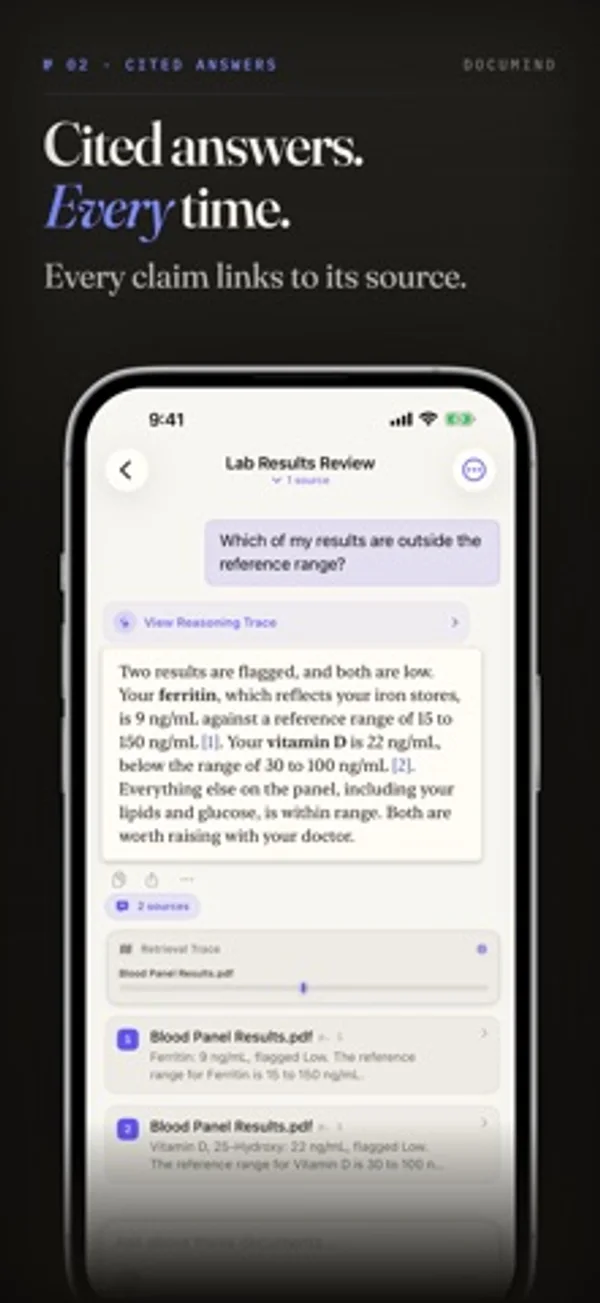
Ask questions about PDFs, scans and notes, then jump to the cited page.
Core Arc Studio LLC · Productivity · Free
iPhone screenshots
How it uses iPhone Duo
Ask on the cover screen and unfold to read the cited page on the larger inner display.
What’s New
Version 3.1 ·
Bug fixes and performance improvements.
App Store descriptionWritten by the developer.
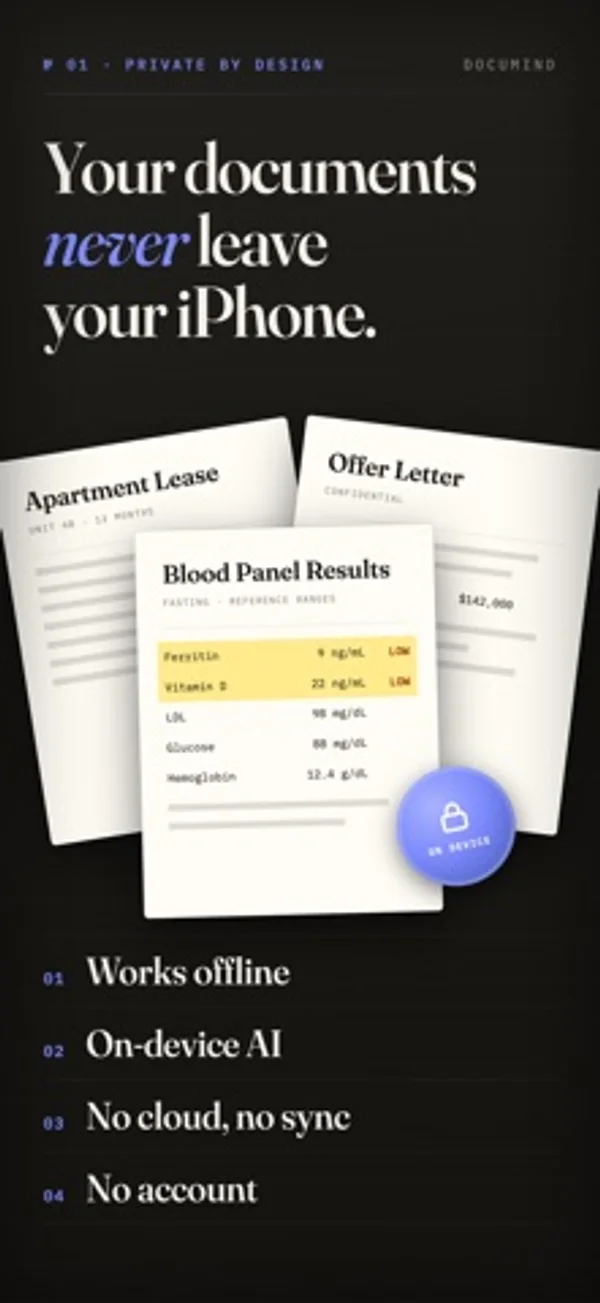
Stop scrolling through documents to find answers. With DocuMind, you can ask a question and instantly get clear, accurate answers from your files, right on your device. No internet. No accounts. No data leaving your phone. Completely on-device for full privacy. CAPTURE EVERYTHING Bring all your information into one place: • Import PDFs, text files (.txt, .md), CSV, and JSON • Add photos, screenshots, and images • Scan paper documents, receipts, and book pages with the built-in scanner • Read charts and tables with Vision Analysis, now or later Everything becomes searchable and ready to chat with. GET INSTANT ANSWERS Understand your documents faster: • Ask anything: “Summarize this”, “What’s the key idea?”, “When is the deadline?” • Get answers based only on your documents • Find both exact terms and deeper meaning • Continue conversations or branch into new questions No more skimming. Just answers. SEE EXACTLY WHERE ANSWERS COME FROM Never guess or hallucinate: • Tap citations [1] to jump to the exact page and highlighted text • Instantly verify every answer • See which parts of your documents were used • On iPhone Duo, fold it halfway to read the cited page beside your chat Built for trust and transparency. ORGANIZE YOUR WORK Keep everything structured and easy to navigate: • Workspaces to group related documents • Pin important files and chats • Clean, predictable library with no duplicates • Send a workspace to your iPhone, iPad, or Mac, ready to chat on arrival PRIVACY FIRST Your data stays yours: • 100% offline, works without internet • No accounts, no tracking, no cloud • Your files never leave your device • Get Pro once, or subscribe monthly or yearly PERFECT FOR • Students: summarize readings and understand papers • Professionals: analyze contracts, reports, and notes • Researchers: extract insights from large documents • Private & Confidential Files: safely analyze medical records, financial statements, legal documents, and sensitive information, without anything leaving your device • Everyday use: receipts, forms, and personal files Turn your files into a private, intelligent knowledge base you can talk to. Terms of Use: https://www.apple.com/legal/internet-services/itunes/dev/stdeula/
DocuMind: Offline PDF AI Chat on iPhone Duo: FAQ
Is DocuMind: Offline PDF AI Chat optimized for iPhone Duo?
Partly. DocuMind: Offline PDF AI Chat is Adapted: it fills the larger inner display, but it does not do anything special with the fold. Verified on November 16, 2026 (Developer statement).
What does DocuMind: Offline PDF AI Chat look like on iPhone Duo?
Ask on the cover screen and unfold to read the cited page on the larger inner display.
How much does DocuMind: Offline PDF AI Chat cost?
DocuMind: Offline PDF AI Chat is free to download on the App Store.
More Productivity apps
See all ›
Calm to-do list and paper-style planner that sorts tasks by how long they take

Type with a customizable keyboard that keeps text editing, emoji, snippets and clipboard tools close at hand.

Scroll across month boundaries and review or edit events from your iPhone calendars.

Use an iPhone as a second Mac monitor over USB or Wi-Fi, with touch controls.

Plan appointments and keep a diary with month, list and split calendar views.

Write with a typewriter-style keyboard, recorded key sounds and carriage-return actions.